

Chores Tracker+
Chores Tracker+ is made and published by Melissa Chan. AppBrain is an independent app data site and isn't affiliated with Melissa Chan. The app name, icon, screenshots and description belong to Melissa Chan and are shown as published on the App Store.
AppBrain's verdict
- Last updated
- May 27, 2026
- Size
- 12.5 MB
User feedback
Ratings and reviews on the App StoreComments on Chores Tracker+ for iOS
We don't have enough comments to show example comments. Please check back later.
Store listing
By Melissa Chan, from the App Store



Description by Melissa Chan Written by the developer, not by AppBrain. Click to read.
Track your household chores, allowance, rewards, and tasks in one organized app for iPhone, iPad, and Mac. Designed for families, households, and roommates, it helps everyone stay aligned, motivated, and on top of daily tasks.
Works with Family Sharing.
Key Features
iCloud Sync - iPhone, iPad, and Mac
No accounts, no passwords, and no sign-ups required. Your data stays synced across your household using your existing iCloud account.
Flexible Chore Scheduling & Rotations
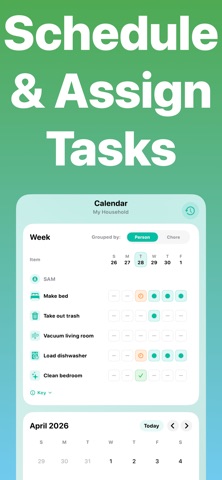
Create chores that repeat daily, weekly, monthly, or on custom schedules. Assign them to specific people, leave them open for anyone, or set up rotations to ensure tasks are shared fairly across the household.
Checklists, Photo Proof, and Approval
Break chores into smaller steps, require photo proof when needed, and review completed work before rewards are earned.
Allowance and Rewards (Optional)
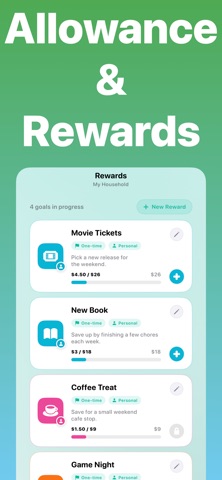
Automatically turn completed chores into earnings and maintain a clear running balance for each household member. Track progress using real currency or a custom points system.
Widgets - Progress at a Glance
See completion trends, balances, and savings goals in a simple dashboard. Stay updated without even opening the app using beautiful Home Screen and Lock Screen widgets.
Role-Based Access
Give admins full control over chores, approvals, and balances, while other household members get a simpler experience focused on their tasks.
Enhanced notifications
Stay on top of due chores, overdue tasks, and daily activity with notifications designed to be useful without becoming overwhelming.
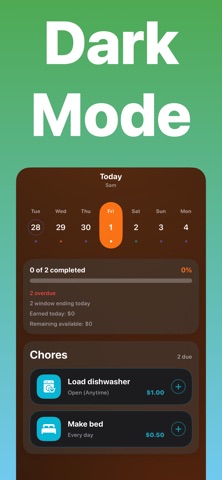
Color themes & Dark Mode
Face ID, Touch ID, or passcode protection
Terms of Use (EULA): https://www.apple.com/legal/internet-services/itunes/dev/stdeula/
Safety and technology
Found in the app by AppBrain- Price
- Free
- App size
- 12.5 MB
- Content rating
- Everyone
Technologies used by Chores Tracker+
Releases
Updates seen on the App Store- Version
- 2.0.0
- Launched
- March 2026
No changelog data
Alternatives
Similar apps and more from Melissa ChanAlternatives to Chores Tracker+


More from Melissa Chan


Rankings
App Store top chartsApp Store Rankings for Chores Tracker+
About the app and developer
About Chores Tracker+
Chores Tracker+ is a productivity app developed by Melissa Chan.
User Ratings
The app has no ratings yet.
App Information
Chores Tracker+ is freely available from the App Store. The app size is 12.45 MB. The latest version available is 2.0.0. The last update was on May 27, 2026.
Technical Requirements
The app has a content rating of Everyone. The app has been available on the App Store since March 2026.
Developer information for Melissa Chan
Address:
Frequently asked questions about Chores Tracker+
Is Chores Tracker+ free?
Yes. Chores Tracker+ is free on the App Store.
Is Chores Tracker+ still available?
Yes. Chores Tracker+ is on the App Store, and the last update we saw was on May 27, 2026.
How large is Chores Tracker+?
Chores Tracker+ is 12.45 MB.
Is Chores Tracker+ suitable for children?
App Store rates the content of Chores Tracker+ as suitable for everyone.
Who made Chores Tracker+?
Chores Tracker+ was developed by Melissa Chan. It is listed in the productivity category on the App Store.
What are the best alternatives to Chores Tracker+?
People looking at Chores Tracker+ also look at these productivity apps: TinyTasks: Kids Chore Chart, Chore Time: App Blocker, Chorefy: Family Chores, taskr: Chores & Screen Time, Chores and Allowance - EarnUp.