

Chromecaster: Get Streaming TV
Chromecaster: Get Streaming TV is made and published by TV Cast Pte. Ltd. AppBrain is an independent app data site and isn't affiliated with TV Cast Pte. Ltd. The app name, icon, screenshots and description belong to TV Cast Pte. Ltd. and are shown as published on the App Store.
AppBrain's verdict
EstablishedWell rated- Rating on App Store
- 4.15
- 16,041 ratings
- Last updated
- October 7, 2026
- Size
- 219.7 MB
Users rate it well: 4.1 stars from 16,041 ratings.
User feedback
Ratings and reviews on the App StoreComments on Chromecaster: Get Streaming TV for iOS
We don't have enough comments to show example comments. Please check back later.
Store listing
By TV Cast Pte. Ltd., from the App Store


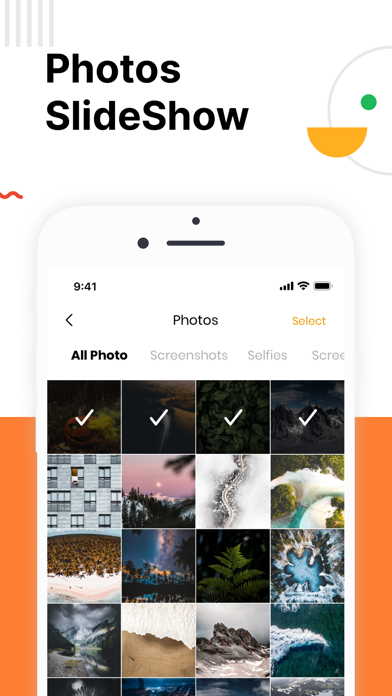
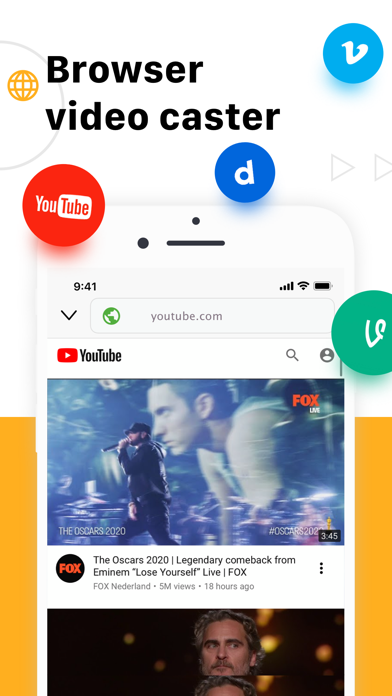
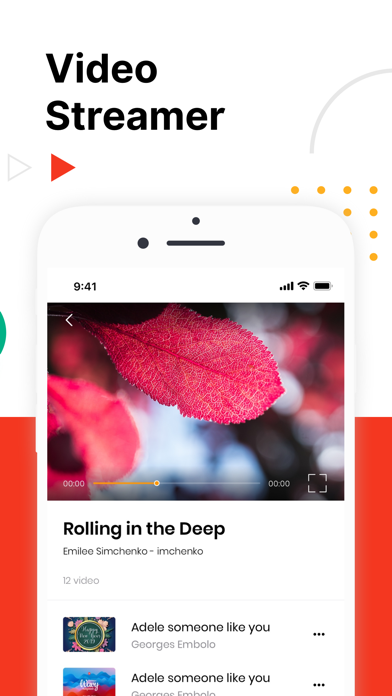
Description by TV Cast Pte. Ltd. Written by the developer, not by AppBrain. Click to read.
Stream any web video and your photos, videos & music from your device to TV. TV Cast enhances your TV Experience and lets you enjoy the show on your big screen.
Features
- Stream & Cast to TV with HD, 4k quality
- Easy connect and control media playing
- Full playback controls, add and remove videos from playback queue.
- Cast video, photo, music from Camera Roll to TV.
- Cast any media files from Dropbox & Google Drive Cloud.
- Web video streamer
How TV-Cast works: To use TV Cast, simply connect your iPhone,iPad and Chromecast device to the same network
Notice
* Remember connecting to your Chromecast Device before start playing video.
* iTunes movies, Flash video, and DRM protected videos like Amazon Prime, Netflix, Hulu, Vudu, DirecTV, Xfinity, HBO now are not supported!
* The app streams only the video part of a website and not the whole website content. Sometimes it is necessary to play the video on your iPad or iPhone first before it gets discovered by the app for streaming.
Premium Subscription:
TV Cast includes an optional auto-renewable subscription to access current and future premium categories (price may vary depending on location):
- Subscription starts from USD 2.99.
- a 1-year subscription with 7 days free trial
• Check in app for exact pricing in your region
• Payment will be charged to your iTunes account at confirmation of purchase and will automatically renew (at the duration/price selected) unless auto-renew is turned off at least 24 hours before the end of the current period.
• Account will be charged for renewal within 24-hours prior to the end of the current period, and identify the cost of the renewal.
• You can manage your subscription and/or turn off auto-renewal by going to your iTunes Account Settings, but refunds will not be given for any unused portion of the term.
Terms of Service: https://www.tvcast.in/policies/#terms
Privacy: https://www.tvcast.in/policies/#terms
Please leave a review on the App Store if you love using the app. We cannot wait to hear from you and we always appreciate your support. Your 5-star rating for each version will keep the updates coming. Thanks in advance.
Disclaimer: This app is not affiliated with Google or any other trademark mentioned here.
Safety and technology
Found in the app by AppBrain- Price
- Free
- App size
- 219.7 MB
- Content rating
- High
Technologies used by Chromecaster: Get Streaming TV
Releases
Updates seen on the App Store- Version
- 6.4.1
- Launched
- September 2019
No changelog data
Alternatives
Similar apps and more from TV Cast Pte. Ltd.Alternatives to Chromecaster: Get Streaming TV






More from TV Cast Pte. Ltd.


Also available on Google Play

Rankings
App Store top chartsApp Store Rankings for Chromecaster: Get Streaming TV
About the app and developer
About Chromecaster: Get Streaming TV
Chromecaster: Get Streaming TV is an utilities app developed by TV Cast Pte. Ltd.
What is the rating of Chromecaster: Get Streaming TV?
Chromecaster: Get Streaming TV is rated 4.15 out of 5 stars, based on 16 thousand ratings.
Is Chromecaster: Get Streaming TV free?
Chromecaster: Get Streaming TV is free. The app size is 219.70 MB. The latest version available is 6.4.1. The last update was on October 7, 2026.
What are the requirements for Chromecaster: Get Streaming TV?
The app has a content rating of High Maturity. The app has been available on the App Store since September 2019.
Developer information for TV Cast Pte. Ltd.
Address:
Frequently asked questions about Chromecaster: Get Streaming TV
Is Chromecaster: Get Streaming TV free?
Yes. Chromecaster: Get Streaming TV is free on the App Store.
Is Chromecaster: Get Streaming TV still available?
Yes. Chromecaster: Get Streaming TV is on the App Store, and the last update we saw was on October 7, 2026.
How large is Chromecaster: Get Streaming TV?
Chromecaster: Get Streaming TV is 219.70 MB.
Is Chromecaster: Get Streaming TV suitable for children?
App Store gives Chromecaster: Get Streaming TV a high maturity rating. It is meant for adults.
How do people rate Chromecaster: Get Streaming TV?
Chromecaster: Get Streaming TV scores 4.15 out of 5 stars, from 16,041 ratings on the App Store.
Who made Chromecaster: Get Streaming TV?
Chromecaster: Get Streaming TV was developed by TV Cast Pte. Ltd. It is listed in the utilities category on the App Store.
What are the best alternatives to Chromecaster: Get Streaming TV?
People looking at Chromecaster: Get Streaming TV also look at these utilities apps: Streamer for Chromecast Tv 4K, TV Cast for Chromecast !, Screen Mirroring: Cast & TV, Video Stream for Chromecast, Screen Mirroring – Chromecast.