
Cine Meter is made and published by Adam Wilt. AppBrain is an independent app data site and isn't affiliated with Adam Wilt. The app name, icon, screenshots and description belong to Adam Wilt and are shown as published on the App Store.
AppBrain's verdict
Established- Rating on App Store
- 3.33
- 3 ratings
- Last updated
- April 28, 2018
- Size
- 2.80 MB
It doesn't have enough ratings yet to judge what users think.
User feedback
Ratings and reviews on the App StoreComments on Cine Meter for iOS
We don't have enough comments to show example comments. Please check back later.
Store listing
By Adam Wilt, from the App Store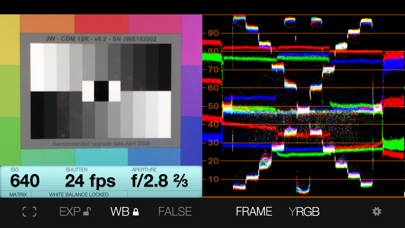
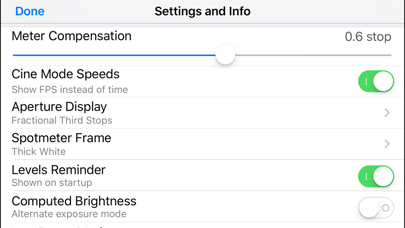
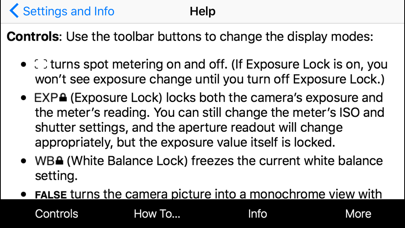
Description by Adam Wilt Written by the developer, not by AppBrain. Click to read.
• The light meter shows you your stop as a decimal value (such as f/5.0, good for cameras with EVF iris readouts) or as a full stop and fraction (like f/4.0 ⅔, good for cine lenses with marked iris rings). You can calibrate Cine Meter to match other meters to a tenth of a stop.
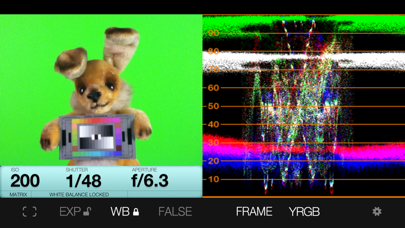
• The waveform monitor shows you how light levels vary across a scene. You'll see how smooth and even the lighting is on a greenscreen or background, and find subtle hotspots and shadows at a glance. The waveform’s RGB mode shows you color imbalances in the image and gives you a handy way to check color purity and separation for chroma-keying.
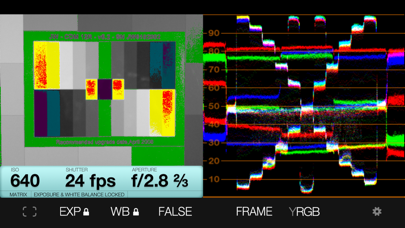
• The false-color mode lets you define allowable contrast ranges, and see instantly which shadows are underexposed and what highlights risk clipping.
_______________________
READ BEFORE YOU BUY:
Cine Meter is NOT a color-temperature meter; it can't measure white balance.
It's NOT a flash meter; it can't measure strobes.
It's designed solely for cine/video work and isn't optimized for still photography; for example, it's shutter-priority only.
Cine Meter gives you *absolute* light meter readings, but *relative* picture and waveform monitor levels:
1) Cine Meter’s picture and waveform monitor do not use the *exact* exposure shown by the light meter (they are close to the meter reading, but can differ from it slightly). The picture and waveform monitor show you *relative* levels within a scene, not *absolute* levels based on the meter reading.
2) You can't *preset* exposure or color temperature in Cine Meter. To compare exposures and colors, you lock Cine Meter’s auto-exposure and auto-white-balance settings while looking at a known good reference, such as a gray card. The picture and waveform monitor then show you levels and colors relative to your locked settings.
See http://www.adamwilt.com/cinemeter/details.html#How_It_Works for details.
(Why am I telling you this? I would rather have you understand these limitations up-front and not buy Cine Meter, than have you buy Cine Meter unaware of them and be disappointed.)
Safety and technology
Found in the app by AppBrain- Price
- Free
- App size
- 2.80 MB
- Content rating
- Everyone
Technologies used by Cine Meter
Releases
Updates seen on the App Store- Version
- 1.10
- Launched
- January 2013
No changelog data
Alternatives
Similar apps and more from Adam WiltAlternatives to Cine Meter





More from Adam Wilt


Rankings
App Store top chartsApp Store Rankings for Cine Meter
About the app and developer
About Cine Meter
Cine Meter is a photo & video app developed by Adam Wilt.
User Ratings
Cine Meter is rated 3.33 out of 5 stars. The rating is based on 3 ratings.
App Information
Cine Meter is freely available from the App Store. The app size is 2.80 MB. The latest version available is 1.10. The last update was on April 28, 2018.
Technical Requirements
The app has a content rating of Everyone. The app has been available on the App Store since January 2013.
Developer information for Adam Wilt
Address: