

Cinescope
Cinescope is made and published by Poster Child Pictures Inc. AppBrain is an independent app data site and isn't affiliated with Poster Child Pictures Inc. The app name, icon, screenshots and description belong to Poster Child Pictures Inc. and are shown as published on the App Store.
AppBrain's verdict
EstablishedWell rated- Best rank
- #15
- Top Paid, Czech Republic
- Rating on App Store
- 4.48
- 155 ratings
- Last updated
- February 28, 2021
Users rate it well: 4.5 stars from 155 ratings. Its best ranking is #15 in Top Paid, Photo & Video in Czech Republic.
Rankings
App Store top charts- Highest rank
- #15
- Chart
- Top Paid
- Photo & Video
- Country
- Czech Republic
App Store Rankings for Cinescope
Top rankings
| Rank | Country | Category | List |
|---|---|---|---|
| 15 | Czech Republic | Photo & Video | Top Paid |
Ranking history in Czech Republic
Competitors
Similar apps and more from Poster Child Pictures Inc.Alternatives to Cinescope



Releases
Updates seen on the App Store- Version
- 2.5.6
- Launched
- May 2014
No changelog data
User feedback
Ratings and reviews on the App StoreComments on Cinescope for iOS
We don't have enough comments to show example comments. Please check back later.
Technology
Found in the app by AppBrain- Price
- $4.99
- App size
- 17.6 MB
- Content rating
- Everyone
Technologies used by Cinescope
About the app and developer
About Cinescope
Cinescope is a photo & video app developed by Poster Child Pictures Inc.
What is the rating of Cinescope?
Cinescope is rated 4.48 out of 5 stars, based on 160 ratings.
Is Cinescope free?
Cinescope costs $4.99. The app size is 17.56 MB. The latest version available is 2.5.6. The last update was on February 28, 2021.
What are the requirements for Cinescope?
The app has a content rating of Everyone. The app has been available on the App Store since May 2014.
Developer information for Poster Child Pictures Inc.
Address:
Frequently asked questions about Cinescope
Is Cinescope free?
No. Cinescope costs $4.99 on the App Store.
Is Cinescope still available?
Yes. Cinescope is on the App Store, and the last update we saw was on February 28, 2021.
How large is Cinescope?
Cinescope is 17.56 MB.
Is Cinescope suitable for children?
App Store rates the content of Cinescope as suitable for everyone.
How do people rate Cinescope?
Cinescope scores 4.48 out of 5 stars, from 155 ratings on the App Store.
Who made Cinescope?
Cinescope was developed by Poster Child Pictures Inc. It is listed in the photo & video category on the App Store.
What are the best alternatives to Cinescope?
People looking at Cinescope also look at these photo & video apps: Anamorphic Cinematic Filters, Lighting Designer, ChromaCalc, Artemis Director's Viewfinder, pCAM Pro - Camera Tools.
Store listing
By Poster Child Pictures Inc., from the App Store
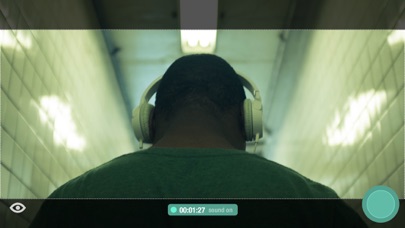
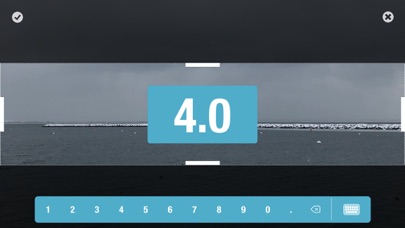


Description by Poster Child Pictures Inc. Written by the developer, not by AppBrain. Click to read.
All the features available in Cinescope:
Photos
• Save in either compressed (JPEG) or uncompressed (TIFF*) format
• Store RAW information (DNG*)
Videos
• Capture in resolutions supported by your device
• Pause and resume while shooting
• Take a photo while shooting
• Capture at 60, 30, 24 fps (based on selected resolution)
• Capture with video stabilization (for resolutions that support it)
Slow Motion
• Capture in various resolutions and frame rates, including 240fps
• Pause and resume while shooting
• Capture with video stabilization (for resolutions that support it)
Aspect Ratios
• Capture using industry-standard aspect ratios
• Create and save your own custom aspect ratios
Live Filter
• Capture in low, medium, and high-contrast black & white
• Capture in various preset color levels
Manual camera adjustment controls
• Exposure: Single-finger vertical swipe
• Focus: Single-finger horizontal swipe
• Temperature: Two-finger vertical swipe
• Tint: Two-finger horizontal swipe
• Zoom: Pinch
• Auto-adjust and fix to point of interest: Tap screen
• Shake (or tap Lock Icon) to return to manual control
Library
• Format media for Instagram with additional color matte options
• Crop your photos and videos
Other
• Swipe left or right on the Camera Function button to quickly move between photo, video, and slow-motion
• Swipe left or right on the Aspect Ratio button to quickly change aspect ratios
• Shoot in either landscape or portrait mode using any lens supported by your device
• Four theme colors, manual control sensitivity adjustment, and alignment grid
*Note: iOS does not natively handle TIFF or RAW files. Use an application like Image Capture to pull these formats directly from your device.