Circuit Laboratory HD is made and published by
Fabrizio Boco.
AppBrain is an independent app data site and isn't affiliated with Fabrizio Boco.
The app name, icon, screenshots and description belong to Fabrizio Boco and are shown as
published on the App Store.
About Circuit Laboratory HD
Circuit Laboratory HD is a productivity app developed by Fabrizio Boco.
User Ratings
The app has no ratings yet.
App Information
Circuit Laboratory HD costs $6.99. The app size is 180.39 MB. The latest version available is 2.3. The last update was on December 4, 2023.
Technical Requirements
The app has a content rating of Everyone. The app has been available on the App Store since November 2015.
Description by Fabrizio Boco(from the App Store)
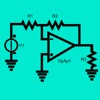
Circuit Lab HD is an electronic circuit analysis tool based on the modified node analysis method. It uses the same models of Spice.
Four kind of analysis may be conducted:
- DC: linear and non linear circuits with continuous voltage and current sources; - AC: linear and non linear circuits with sinusoidal voltage and current sources; - Multifrequency AC Analysis: linear and non linear circuits with sinusoidal voltage and current sources. It allows to analyze the circuit behavior in a range of frequencies. Useful to study the bandwidth of the circuit; - Transient: linear and non linear circuits, with sinusoidal and pulse voltage sources.
User can graphically draw the circuit dragging and dropping components, then the circuit can be analyzed.
Circuit may be controlled by means of the following gestures:
- Drag: to move the circuit into the desired position - Tap on a component: to modify the component's parameters - Pinch: to zoom in and out - Double finger double Tap: to reset position and zoom level to the original values
Tapping DC button, user gets voltage at each circuit's node.
Tapping AC button, user gets voltage phasors at each circuit node or the bode graph of the voltage at each circuit node (see 06 BJT - Common Emitter).
User can select the desired phasors to get the related graphs which may be controlled by means of the following gestures:
- Drag: To move the chart in the desired position; - Pinch: To enlarge or shrinks the graph; - Double Tap with two fingers to restore the position and zoom level to the original values.
Tapping Transient button, user can analyze circuit's behavior during time and get graphs of voltages and currents function of time. These graphs may be controlled by means of the following gestures:
- Drag: To move the chart in the desired position; - Pinch: To enlarge or shrinks the graph; - Double Tap with two fingers to restore the position and zoom level to the original values.
Moreover, user can enable a mobile cursor to read the values in the different points of time (tap on the graph to display the cursor, tap to remove it and move it to read the values).
Each circuit can contain:
- Resistors - Capacitors - Inductors - Mutual coupled inductors - Independent sinusoidal voltage generators - Independent voltage pulse generators (with which you can also generate square, triangular and sawtooth waves); - Independent sinusoidal current generators - Controlled voltage generators - Controlled current generators - Operation Amplifier - Diodes - Zener Diodes - NPN and PNP Bjts - Channel-N and Channel-P JFet - Channel-N and Channel-P Mosfet
In addition, there are the following measuring instruments:
- Voltmeter; - Ammeter.
User can manage his own components library to store most used components.
For each component, a short video is available to demonstrate how to insert it into the circuit and edit it's characteristics. In addition, there are some more detailed video tutorials to learn how to use the application.
Circuits may be easily stored and reused.
User can print:
- Circuits and component's list - Transient Analysis graphs (the mobile cursor is also printed if visible)
Circuits can be easily shared through iCloud, by mail in the internal format so that can be reused by other users (on iPhone too) and in PDF format and they are compatible with Circuit Lab for Mac.
Visit my site for video tutorials and details about operational amplifier's internal model, diode's internal model and Bjt's internal model.
Each subscription will automatically renew 3 days before the expiration date for
the same time period. Subscriptions can be cancelled at any time before the renewal.