It doesn't have enough ratings yet to judge what users think.
Citer: Paper Format & Citation is made and published by
Betyl Pty Ltd.
AppBrain is an independent app data site and isn't affiliated with Betyl Pty Ltd.
The app name, icon, screenshots and description belong to Betyl Pty Ltd and are shown as
published on the App Store.
About Citer: Paper Format & Citation
Citer: Paper Format & Citation is a productivity app developed by Betyl Pty Ltd.
User Ratings
Citer: Paper Format & Citation is rated 1.00 out of 5 stars. The rating is based on one rating ratings.
App Information
Citer: Paper Format & Citation is freely available from the App Store. The app size is 3.39 MB. The latest version available is 1.1.13. The last update was on February 17, 2025.
Technical Requirements
The app has a content rating of Everyone. The app has been available on the App Store since April 2024.
Description by Betyl Pty Ltd(from the App Store)
Citer is a scholarly academic writing app for students & professionals that lets you write an academic paper in sections on the go with ease. A concise & precise reference management system that lets you search & add references and auto-generates citations & reference lists.
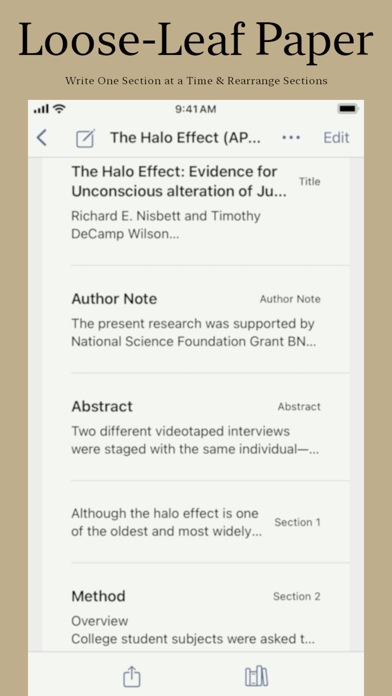
LOOSE LEAF PAPER - Write one section at a time with each section as big and small as you like e.g. title page, abstract, author note, heading levels, etc. - Figure section lets you add an image such as a chart, graph, photo, drawing, or other illustration itself from the photo library. - You can also rearrange sections simply by drag & drop so that e.g. section 4 becomes section 1.
SEARCH REFERENCE & ADD - Search for references online & add it to a paper and it auto-generates the reference entries and citations for you.
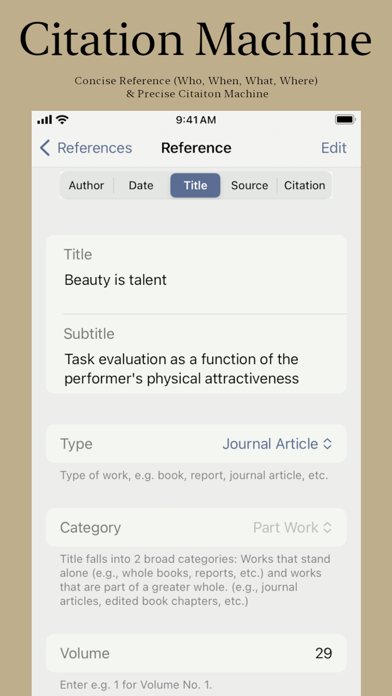
CONCISE REFERENCE & PRECISE CITATION MACHINE - A concise reference entry which includes the four elements of author, date, title and source and answers the elemental question about a work of Who, When, What & Where. - Contributor element appears only where applicable e.g. for edited book chapters & TV Episode. - You can add a reference manually too and tweak it further and it auto-generates precise citation for you in a specific citation style.
AUTOMATIC IN-TEXT CITATION - Auto-generates parenthetical and narrative in-text citation of single or multiple works with further choice of first or subsequent mention. - For APA, you can cite not just pages, but paragraphs, sections, tables, chapters, section names, slide numbers, etc.
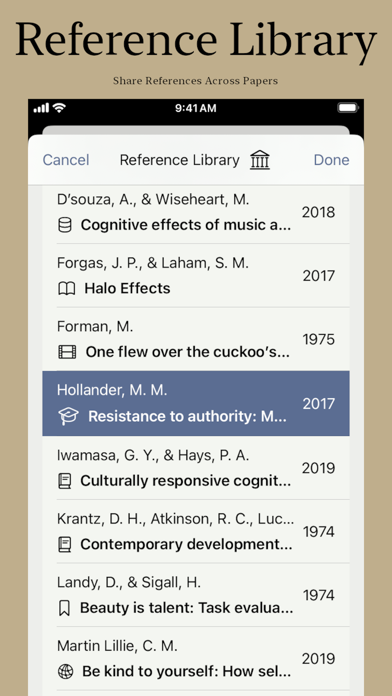
REFERENCE LIBRARY - A common reference library that lets you share references across papers and automatically adds a reference list section to your paper.
REFERENCE TYPES - Comprehensive coverage of all reference types which includes textual works such as periodicals, books, edited book chapters, reports, conference session & presentations, and dissertations & theses. - Data sets, software, and tests. - Audiovisuals such as films or videos, tv series, tv episode and webinar; audio works such as songs and podcast episodes; visual works such as infographic, map and photo. - Online media such as social media and web pages.
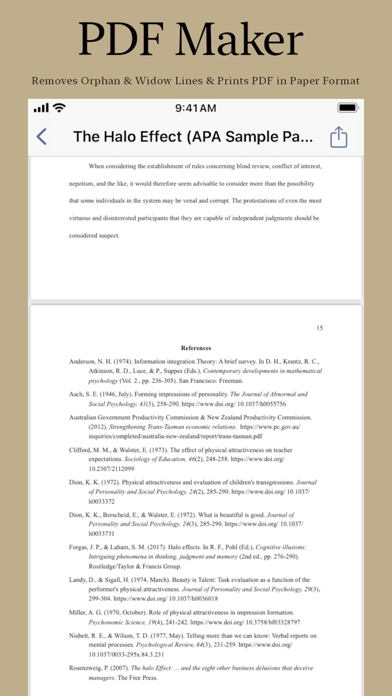
PDF MAKER - Automatically removes widow & orphan lines and generates PDF for you with reference list in a specific paper format.
POWERFUL PAPER FORMATTING - Powerful paper formatting features such as paragraph indentation & alignment, heading levels, cases, superscript, etc. along with basic formatting features such as style, bullet, etc. - A choice of all of Apple's system fonts to choose from, e.g. Arial, Times New Roman, etc.
EXPORT TO RTF - Export paper to RTF which retains all the formatting and includes the reference list which you can import & edit in Microsoft Word or Apple Pages app. - Export to MS DOC format only on the Mac.
PAPER FORMAT - Citer covers APA & MLA format right now and other paper formats will be added soon.
AUTOMATIC iCLOUD SYNC & STORE - Automatically stores all your papers and app data safely on iCloud and syncs across all your devices.
ADAPTIVE SPLIT-VIEW USER INTERFACE - Citer is a universal app available on iOS, iPadOS & macOS and adapts its split-view design on the fly so that user gets best & native experience on that platform.
Monthly & yearly subscription with free trial period of 3 days for monthly and 7 days for yearly with full access to all features of the app. Requires an active subscription without which you can only read & not edit.
Citer's powerful loose-Leaf paper makes writing on the go on a mobile device such as an iPhone, iPad or MacBook a breeze. Whether you are a student writing an essay or a professional writing a manuscript for publication, Citer is the app for writing an academic paper on the go with ease and its concise & precise reference management system will help you understand the work better, provide appropriate credit and avoid plagiarism.
Terms of Use: https://www.apple.com/legal/internet-services/itunes/dev/stdeula/
Each subscription will automatically renew 3 days before the expiration date for
the same time period. Subscriptions can be cancelled at any time before the renewal.