

Clarity by Broadcom
Clarity by Broadcom is made and published by CA, Inc. AppBrain is an independent app data site and isn't affiliated with CA, Inc. The app name, icon, screenshots and description belong to CA, Inc and are shown as published on the App Store.
AppBrain's verdict
Established- Rating on App Store
- 4.09
- 11 ratings
- Last updated
- May 1, 2026
It doesn't have enough ratings yet to judge what users think.
Rankings
App Store top chartsApp Store Rankings for Clarity by Broadcom
Competitors
Similar apps and more from CA, Inc








Releases
Updates seen on the App Store- Version
- 3.3.4
- Launched
- November 2018
No changelog data
User feedback
Ratings and reviews on the App StoreComments on Clarity by Broadcom for iOS
We don't have enough comments to show example comments. Please check back later.
Technology
Found in the app by AppBrain- Price
- Free
- App size
- 31.5 MB
- Content rating
- Everyone
Technologies used by Clarity by Broadcom
About the app and developer
About Clarity by Broadcom
Clarity by Broadcom is a business app developed by CA, Inc.
What is the rating of Clarity by Broadcom?
Clarity by Broadcom is rated 4.09 out of 5 stars, based on 11 ratings.
Is Clarity by Broadcom free?
Clarity by Broadcom is free. The app size is 31.52 MB. The latest version available is 3.3.4. The last update was on May 1, 2026.
What are the requirements for Clarity by Broadcom?
The app has a content rating of Everyone. The app has been available on the App Store since November 2018.
Developer information for CA, Inc
Address:
Store listing
By CA, Inc, from the App Store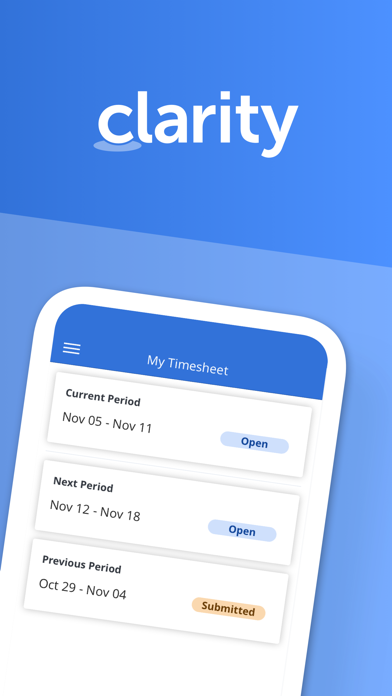


Description by CA, Inc Written by the developer, not by AppBrain. Click to read.
Time management functionality
- View past and future time reporting periods
- Add or remove work from timesheet
- Ability to enter total actuals for entire time period for tasks instead of each day
- Split task within a timesheet for different codes
- Add notes to timesheet as well as timesheet task
- Ability to enter notes date at timesheet and task level within timesheet
- Return own timesheet
- View timesheet rules error within a error panel under “My Timesheet” and “Review and Approve Timesheet”
- Support time entry increments
- Submit timesheet for approval
Time review and approval functionality
- View open, submitted, returned, and approved time for previous, current, and next period.
- Ability to approve or return submitted time.
- View submitted time details
Respond to Action Items
- Action Item dashboard to display action items based on received date and status.
- Quickly access pre-filtered action items.
- Ability to filter for action items based on multiple criteria.
- View action item history and act on actions items as needed.
Manage Checklists
- View all checklists available within My Workspace - To Do
- Create/Edit/Complete/Share/Copy/Delete Checklists
- View and manage sections within Checklist
- Manage To Dos within a Checklist
- Upload attachments within To Dos
- Reorder To Dos and sections
View Smartlists
- View all smartlist available within My Workspace - To Do
- Filter smartlist based on name
- View To Dos within the smartlist and sort them by Date, Name, and Owner
- Manage To Dos within a smartlist
Conversations
- View existing conversations that were started within Clarity
- Respond to existing conversations
- Upload supported documents, images, or camera shots to conversations.
General Setting
- Ability for the user to define their app default landing page.
- Ability to open Clarity app in mobile when clicking on a link