

Class Rate: Student Scoring
Class Rate: Student Scoring is made and published by ceyda bulak. AppBrain is an independent app data site and isn't affiliated with ceyda bulak. The app name, icon, screenshots and description belong to ceyda bulak and are shown as published on the App Store.
AppBrain's verdict
- Last updated
- October 4, 2026
Rankings
App Store top chartsApp Store Rankings for Class Rate: Student Scoring
Competitors
Similar apps and more from ceyda bulak








Releases
Updates seen on the App Store- Version
- 3.5.12
- Launched
- September 2022
No changelog data
User feedback
Ratings and reviews on the App StoreComments on Class Rate: Student Scoring for iOS
We don't have enough comments to show example comments. Please check back later.
Technology
Found in the app by AppBrain- Price
- Free
- App size
- 101.2 MB
- Content rating
- High
Technologies used by Class Rate: Student Scoring
About the app and developer
About Class Rate: Student Scoring
Class Rate: Student Scoring is an education app developed by ceyda bulak.
User Ratings
The app has no ratings yet.
App Information
Class Rate: Student Scoring is freely available from the App Store. The app size is 101.25 MB. The latest version available is 3.5.12. The last update was on October 4, 2026.
Technical Requirements
The app has a content rating of High Maturity. The app has been available on the App Store since September 2022.
Developer information for ceyda bulak
Address:
Frequently asked questions about Class Rate: Student Scoring
Is Class Rate: Student Scoring free?
Yes. Class Rate: Student Scoring is free on the App Store.
Is Class Rate: Student Scoring still available?
Yes. Class Rate: Student Scoring is on the App Store, and the last update we saw was on October 4, 2026.
How large is Class Rate: Student Scoring?
Class Rate: Student Scoring is 101.25 MB.
Is Class Rate: Student Scoring suitable for children?
App Store gives Class Rate: Student Scoring a high maturity rating. It is meant for adults.
Who made Class Rate: Student Scoring?
Class Rate: Student Scoring was developed by ceyda bulak. It is listed in the education category on the App Store.
What are the best alternatives to Class Rate: Student Scoring?
People looking at Class Rate: Student Scoring also look at these education apps: Collegator, RatedAcademy, Cop Review, E4Effort, SwipeK12 Teacher App.
Store listing
By ceyda bulak, from the App Store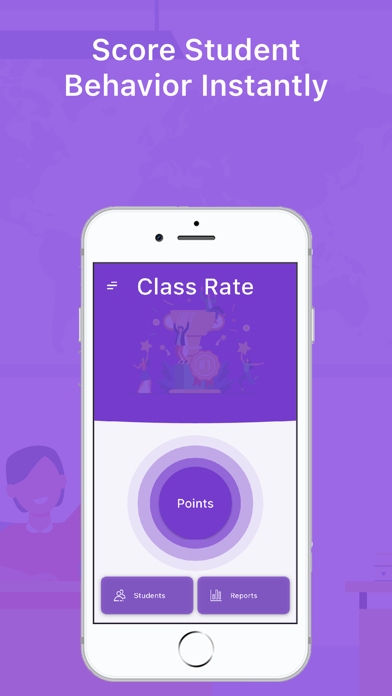



Description by ceyda bulak Written by the developer, not by AppBrain. Click to read.
https://www.apple.com/legal/internet-services/itunes/dev/stdeula/
- PRIVACY POLICY -
http://egitimyazilim.com/privacypolicy/classrate/privacy_policy_ios_android.html
- WHO CAN USE -
* Teachers
- WHAT IT DOES -
* You can create scoring criteria for your courses
* You can score students based on criteria
* You can assign tasks or homework to students
* You can create seating plans or task schedules
- WHAT CAN'T -
* Cannot be used as corporate
- HOW TO USE -
* Import student information into the app
* Select students on the scoring screen and create lessons
* Create criteria and tasks on the lesson screen
* Rate positive and negative behaviors
* Report results
- WEB INTERFACE -
* You can do reporting via https://classrate.top
- HELP -
* You can send a message from the help tab under the main menu on the main screen in the application to convey all your opinions and suggestions or ask questions.
* You can review the tutorials by clicking the assistant button next to the screen
- FOLLOW US -
* Web : www.egitimyazilim.com
* Help Videos : https://www.youtube.com/playlist?list=PLupkXgJvxV-JChtwtePTq5LetmH_P94p0
* Instagram : https://instagram.com/egitim_yazilim
* Facebook : https://facebook.com/egitimyazilimlari
* Telegram : https://t.me/egitimyazilimlari
* Twitter : https://twitter.com/egitim_yazilim
* Email: egitimyazilim.com@gmail.com
* Linkedin : https://www.linkedin.com/in/egitimyazilim/
- PAID FEATURES -
* If you pay, you can have unlimited use without restrictions during the subscription period.
* When you first install the application, you have the right to score 50+5 criteria and 50+5 missions.
* You have to wait 5 minutes or watch ads after every 5 points when your rights expire
* Free use has restrictions on the use of tools
* You can't watch more than a certain number of ads or score within certain times
- FEATURES -
* You can transfer student lists to excel or from excel to application
* You can create student lists
* You can create courses by selecting the students you want from the student lists
* You can add criteria to courses
* You can give students pros and cons based on criteria
* You can score the positive or negative behaviors of all students collectively.
* Student score is calculated instantly after each plus and minus given
* You can give students homework or tasks
* You can adjust the scores of the missions as you want
* You can include the tasks in the student score by scoring them
* You can randomly select students during the lesson
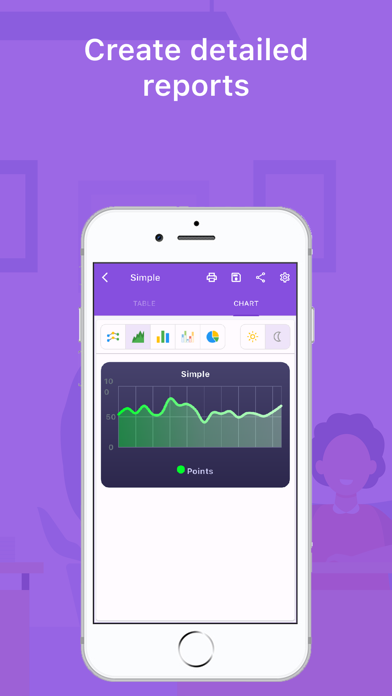
* You can report student scores in PDF or Excel format
* You can create seating plans
* You can create a duty or duty schedule
* You can randomly select students
- REPORTS TO VIEW -
* Simple Report
* Detailed Report
* Student Results Report