

Classroom Timer Pro
Classroom Timer Pro is made and published by EDTECH MONSTER LIMITED. AppBrain is an independent app data site and isn't affiliated with EDTECH MONSTER LIMITED. The app name, icon, screenshots and description belong to EDTECH MONSTER LIMITED and are shown as published on the App Store.
AppBrain's verdict
Established- Best rank
- #90
- Top Paid, Saudi Arabia
- Rating on App Store
- 3.56
- 9 ratings
- Last updated
- March 27, 2021
It doesn't have enough ratings yet to judge what users think. Its best ranking is #90 in Top Paid, Education in Saudi Arabia.
Rankings
App Store top charts- Highest rank
- #90
- Chart
- Top Paid
- Education
- Country
- Saudi Arabia
App Store Rankings for Classroom Timer Pro
Top rankings
| Rank | Country | Category | List |
|---|---|---|---|
| 90 | Saudi Arabia | Education | Top Paid |
Ranking history in Saudi Arabia
Competitors
Similar apps and more from EDTECH MONSTER LIMITEDAlternatives to Classroom Timer Pro





More from EDTECH MONSTER LIMITED






Releases
Updates seen on the App Store- Version
- 2.5
- Launched
- January 2013
No changelog data
User feedback
Ratings and reviews on the App StoreComments on Classroom Timer Pro for iOS
We don't have enough comments to show example comments. Please check back later.
Technology
Found in the app by AppBrain- Price
- $2.99
- App size
- 107.2 MB
- Content rating
- Everyone
Technologies used by Classroom Timer Pro
About the app and developer
About Classroom Timer Pro
Classroom Timer Pro is an education app developed by EDTECH MONSTER LIMITED.
User Ratings
Classroom Timer Pro is rated 3.56 out of 5 stars. The rating is based on 9 ratings.
App Information
Classroom Timer Pro costs $2.99. The app size is 107.22 MB. The latest version available is 2.5. The last update was on March 27, 2021.
Technical Requirements
The app has a content rating of Everyone. The app has been available on the App Store since January 2013.
Developer information for EDTECH MONSTER LIMITED
Address:
Frequently asked questions about Classroom Timer Pro
Is Classroom Timer Pro free?
No. Classroom Timer Pro costs $2.99 on the App Store.
Is Classroom Timer Pro still available?
Yes. Classroom Timer Pro is on the App Store, and the last update we saw was on March 27, 2021.
How large is Classroom Timer Pro?
Classroom Timer Pro is 107.22 MB.
Is Classroom Timer Pro suitable for children?
App Store rates the content of Classroom Timer Pro as suitable for everyone.
How do people rate Classroom Timer Pro?
Classroom Timer Pro scores 3.56 out of 5 stars, from 9 ratings on the App Store.
Who made Classroom Timer Pro?
Classroom Timer Pro was developed by EDTECH MONSTER LIMITED. It is listed in the education category on the App Store.
What are the best alternatives to Classroom Timer Pro?
People looking at Classroom Timer Pro also look at these education apps: Visual Cue, Timeline 3D: Education Edition, toPhonetics IPA Keyboard, Blocks4All, SnapType Pro 2.
Store listing
By EDTECH MONSTER LIMITED, from the App Store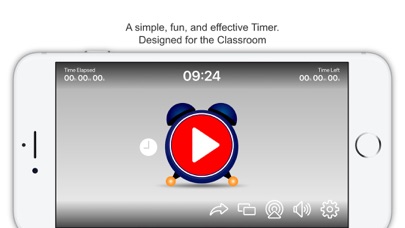
Description by EDTECH MONSTER LIMITED Written by the developer, not by AppBrain. Click to read.
Classroom Timer Pro includes the following features:
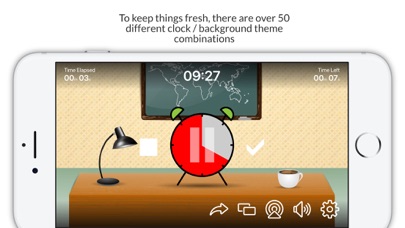
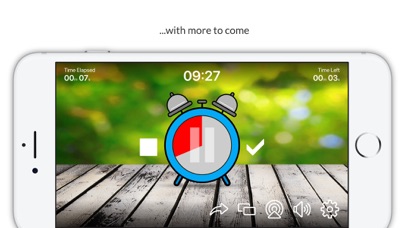
• To keep things fresh there are over 50 Alarm clock / Background theme combinations (with more to come!)
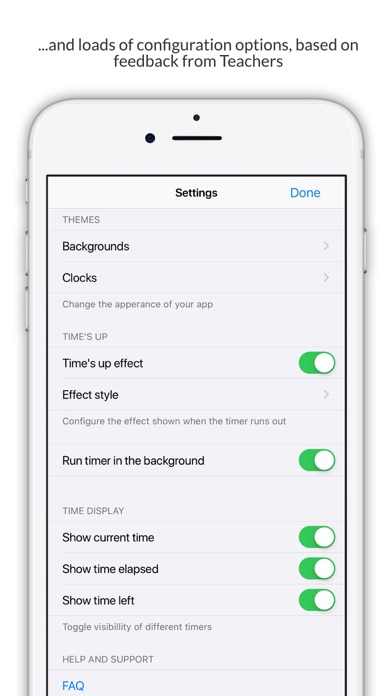
• The app can continue to countdown in the background, so you can switch between applications during the countdown. This is configurable in the apps settings screen.
• No Adverts from third parties.
• Displays the amount of time elapsed on the main app screen, as well as the amount of time left -this can be enabled / disabled from the settings screen.
• Show the actual time on the main app screen - this can be enabled / disabled from the settings screen.
How does it work?
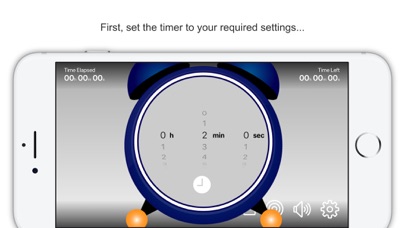
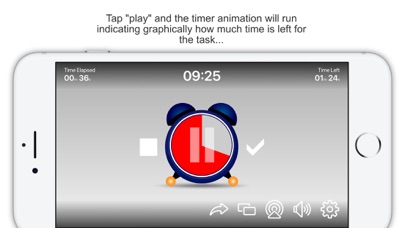
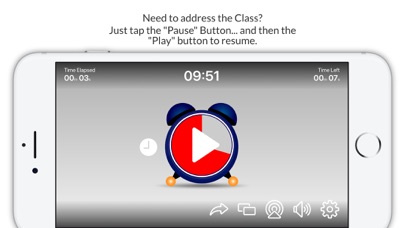
The user sets the target amount of time for the class/group to perform a particular task. The countdown timer is then started. The timer can be viewed from the Apple device itself or displayed on a larger format device such as an interactive board or TV screen using screen mirroring features of the Apple Devices.
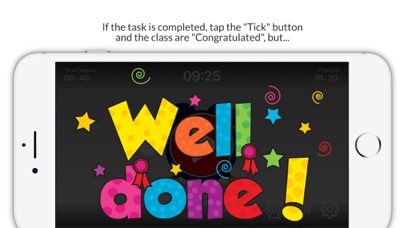
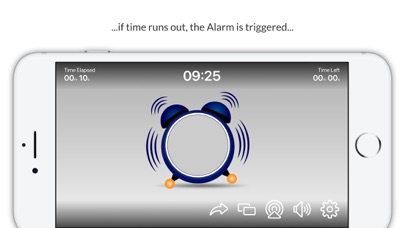
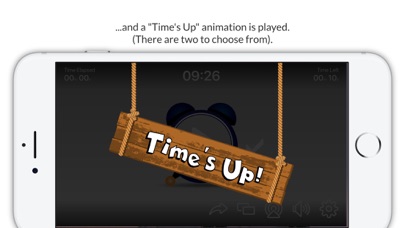
If the class completes the task in the defined time limit the teacher can tap the "tick" button and the "Well Done" screen is displayed and a fanfare sound effect is played. However, if the class run out of time the Alarm rings on the clock, the clock bounces around the screen. Then either:
1. The clock explodes in a comic fashion or
2. A "Time's Up" animation is displayed.
... simply select which effect is used.
This app really encourages students to complete any assigned task, the students can see graphically how much time they have left to complete the task.
The user is able to pause, restart and reset the timer at any time. The app has an audible "ticking" sound when the timer is running, this can be enabled or disabled by tapping the speaker button on the apps main screen. The Fanfare and Explosion sound effects can be controlled via the audio controls on the Apple device.
This is a simple but fun and engaging app to assist the teacher in their classroom management activities.
As with all our apps, users are able to send feedback, make enhancement requests or report any issues directly to us from inside the app.