

Cleaner One Pro - Uninstaller
Cleaner One Pro - Uninstaller is made and published by Trend Micro, Incorporated. AppBrain is an independent app data site and isn't affiliated with Trend Micro, Incorporated. The app name, icon, screenshots and description belong to Trend Micro, Incorporated and are shown as published on the App Store.
AppBrain's verdict
- Last updated
- August 18, 2025
- Size
- 63.9 MB
User feedback
Ratings and reviews on the App StoreComments on Cleaner One Pro - Uninstaller for iOS
We don't have enough comments to show example comments. Please check back later.
Store listing
By Trend Micro, Incorporated, from the App Store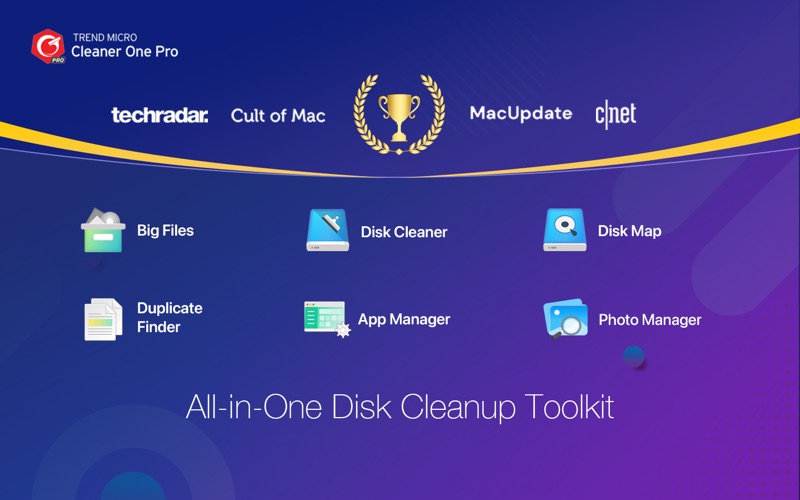


Description by Trend Micro, Incorporated Written by the developer, not by AppBrain. Click to read.
Fully compatible with macOS Monterey and Apple Silicon.
PRIMARY FEATURES
[Junk Files Cleaner]
• Has Quick Disk Clean feature you can click from the Status Bar Menu
• Clean temporary files, including logs, mail caches, iTunes and iOS temporary files, etc. Empty Trash for current user
• Detect remaining files after deleting Apps
• Clean Junk Files in removable storage on your Mac
[Duplicate File Scanner]
• Thorough and quick scan — fast and accurate scanning technique covers your entire home folder
• Smart and Accurate Filter — duplicates are selected not only by file name but also by their content. Files are shown in detailed preview. Click the Auto Select button to help you decide which copy you wish to delete.
• Easy and safe decision — duplicates can be sorted by file type and listed in their full route for you to track. You can decide which way to clean these files; either by sending them to Trash or deleting them permanently (In-App Purchase required)
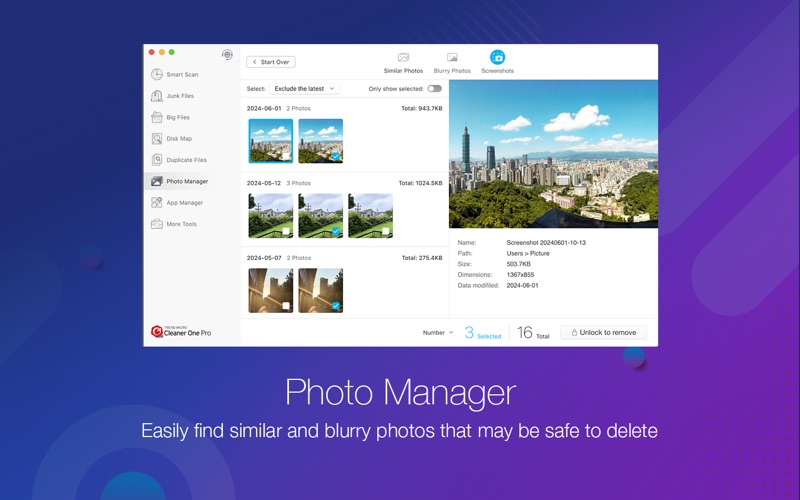
[Photo Manager]
• Quickly find similar photos, blurry photos, and screenshots
• Preview photos in groups after scanning
• Organize your photo library
• Easily remove photos that may be safe to delete to free up space (In-App Purchase required)
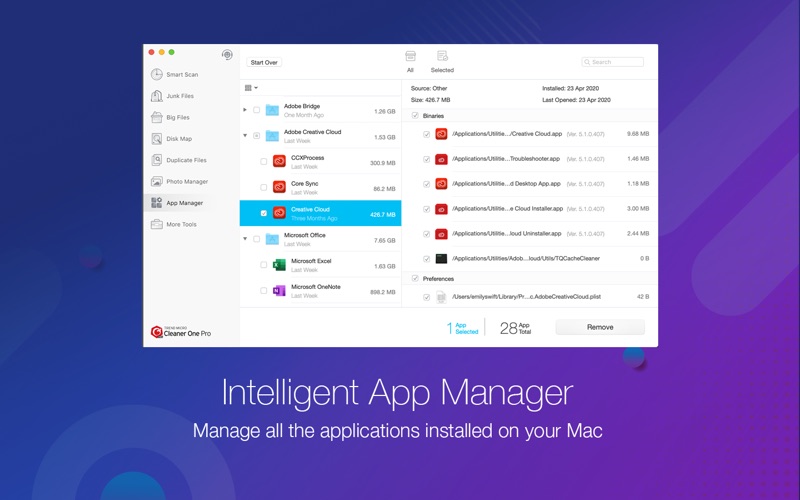
[Intelligent App Manager]
• Auto-clean leftovers of deleted Apps
• Manage all installed applications with the All-in-One App Optimizer
• Detect and remove leftover files of deleted apps with the App Manager
• List all the applications installed on your Mac by name, size, and last opened date
• Remove unwanted applications with Mac Disk Clean (In-App Purchase required)
• Remove all the associated files of uninstalled applications (In-App Purchase required)
• Added Vulnerability Scan in the App Manager to enhance security (In-App Purchase required)
[Big Files Scanner]
• 1-click scan of big files (customizable size from 10 MB and above)
• Multiple filters of size, date, name and type
• Local files in sync with your cloud drives can also be found
* Important big files can be ""locked"" into the protected list to avoid accidental deletion
[Mac Disk Clean Map]
• Mac Disk Clean scans all your disk drives and creates a clickable map of the files on your disk, color-coded by type
• Provides additional information about files when you click on an item on the map
• View your entire disk by file or folder size to determine which files or folders use the most space with Clean Master
[Real-Time System Status]
• Real-time network usage
• Real-time CPU usage
• See detailed network and CPU information (In-App Purchase required)
The paid version costs as little as $19.99 per year (this price may vary by location).
Subscriptions will auto-renew unless canceled.
— Payment will be charged to iTunes Account at confirmation of purchase
— Subscription may be managed by the user and auto-renewal may be turned off by going to the user’s Account Setting after purchase.
— No cancellation of the current subscription is allowed during active subscription period.
— Subscription automatically renews unless auto-renew is turned off at least 24-hours before the end of the current period.
— Your account will be charged for renewal for the amount of your current subscription within 24-hours prior to the end of the current period. All cost for subscriptions are mentioned above.
Privacy Policy and Terms of Use
Privacy Policy: http://gr.trendmicro.com/GREntry/NonPayment?Target=TrendCleaner&OS=&SP=&PID=TCS60&FunID=PrivacyPolicy&VID=&Locale=en
Terms of Use: http://gr.trendmicro.com/GREntry/NonPayment?Target=TrendCleaner&OS=&SP=&PID=TCS60&FunID=EULA&VID=&Locale=en
Please comment in the App Store and you can also email us directly at mac_support@trendmicro.com.
Safety and technology
Found in the app by AppBrain- Price
- Free
- App size
- 63.9 MB
- Content rating
- Everyone
Technologies used by Cleaner One Pro - Uninstaller
Releases
Updates seen on the App Store- Version
- 6.6.8
- Launched
- September 2016
No changelog data
Alternatives
Similar apps and more from Trend Micro, IncorporatedMore from Trend Micro, Incorporated




Rankings
App Store top chartsApp Store Rankings for Cleaner One Pro - Uninstaller
About the app and developer
About Cleaner One Pro - Uninstaller
Cleaner One Pro - Uninstaller is an utilities app developed by Trend Micro, Incorporated.
What is the rating of Cleaner One Pro - Uninstaller?
Cleaner One Pro - Uninstaller has no ratings yet.
Is Cleaner One Pro - Uninstaller free?
Cleaner One Pro - Uninstaller is free. The app size is 63.89 MB. The latest version available is 6.6.8. The last update was on August 18, 2025.
What are the requirements for Cleaner One Pro - Uninstaller?
The app has a content rating of Everyone. The app has been available on the App Store since September 2016.
Developer information for Trend Micro, Incorporated
Address: