




AppBrain's verdict
- Rating on App Store
- 5.00
- 5 ratings
- Last updated
- May 28, 2026
- Size
- 53.6 MB
It doesn't have enough ratings yet to judge what users think.
User feedback
Ratings and reviews on the App StoreComments on ClearMind: Screen Time Control for iOS
We don't have enough comments to show example comments. Please check back later.
Store listing
By ALEXANDER JEAN STAVELEY, from the App StoreDescription by ALEXANDER JEAN STAVELEY Written by the developer, not by AppBrain. Click to read.
ClearMind is more than an app blocker, or a gamified screen time tracker - with it, you are getting the chance to define what your tool is for.
**WHY CLEARMIND IS DIFFERENT**
With all other screen time apps, you block distractions during certain hours so you can focus.
They take the approach that you need to schedule time to be focused. Fundamentally, they imply that the default mode is distraction, and that to get rid of distraction you need to block it during certain hours so you can focus. Simply put - we believe that is backwards.
With ClearMind, you do not schedule time to focus, you schedule time to be distracted.
**HOW TO USE CLEARMIND**
You select the apps that you want to use on your device, all others are shielded.
A timer tracks how long you remain in clarity, using only your allowed apps.
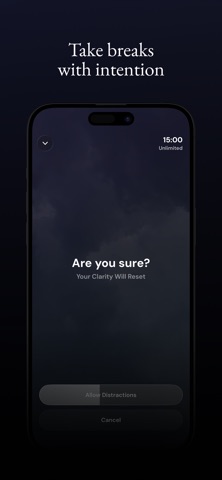
When you want to take a break, simply reset your clarity & enable the blocked apps
Extra Features:
You can set limits on breaks, how often or how long.
You can schedule apps to be allowed during set times, or on set days.
You can track concurrent streaks, or daily time.
Terms: clearmind.so/terms
Privacy: clearmind.so/privacy
Contact: support@clearmind.so
Safety and technology
Found in the app by AppBrain- Price
- Free
- App size
- 53.6 MB
- Content rating
- Everyone
Technologies used by ClearMind: Screen Time Control
Releases
Updates seen on the App Store- Version
- 1.1.1
- Launched
- April 2026
No changelog data
Alternatives
Similar apps and more from ALEXANDER JEAN STAVELEYAlternatives to ClearMind: Screen Time Control


Rankings
App Store top chartsApp Store Rankings for ClearMind: Screen Time Control
About the app and developer
About ClearMind: Screen Time Control
ClearMind: Screen Time Control is a productivity app developed by ALEXANDER JEAN STAVELEY.
User Ratings
ClearMind: Screen Time Control is rated 5.00 out of 5 stars. The rating is based on 5 ratings.
App Information
ClearMind: Screen Time Control is freely available from the App Store. The app size is 53.61 MB. The latest version available is 1.1.1. The last update was on May 28, 2026.
Technical Requirements
The app has a content rating of Everyone. The app has been available on the App Store since April 2026.
ClearMind: Screen Time Control is made and published by ALEXANDER JEAN STAVELEY. AppBrain is an independent app data site and isn't affiliated with ALEXANDER JEAN STAVELEY. The app name, icon, screenshots and description belong to ALEXANDER JEAN STAVELEY and are shown as published on the App Store.
Developer information for ALEXANDER JEAN STAVELEY
Address:
Frequently asked questions about ClearMind: Screen Time Control
Is ClearMind: Screen Time Control free?
Yes. ClearMind: Screen Time Control is free on the App Store.
Is ClearMind: Screen Time Control still available?
Yes. ClearMind: Screen Time Control is on the App Store, and the last update we saw was on May 28, 2026.
How large is ClearMind: Screen Time Control?
ClearMind: Screen Time Control is 53.61 MB.
Is ClearMind: Screen Time Control suitable for children?
App Store rates the content of ClearMind: Screen Time Control as suitable for everyone.
How do people rate ClearMind: Screen Time Control?
ClearMind: Screen Time Control scores 5.00 out of 5 stars, from 5 ratings on the App Store.
Who made ClearMind: Screen Time Control?
ClearMind: Screen Time Control was developed by ALEXANDER JEAN STAVELEY. It is listed in the productivity category on the App Store.
What are the best alternatives to ClearMind: Screen Time Control?
People looking at ClearMind: Screen Time Control also look at these productivity apps: KeepDue, Copi: Notes & Tasks, Screen Time Control: Pip, Minus 5, All in One Digital Planner.