

ClearStatus: HD Video Splitter
ClearStatus: HD Video Splitter is made and published by William Scott. AppBrain is an independent app data site and isn't affiliated with William Scott. The app name, icon, screenshots and description belong to William Scott and are shown as published on the App Store.
AppBrain's verdict
- Rating on App Store
- 1.00
- 1 ratings
- Last updated
- September 9, 2026
It doesn't have enough ratings yet to judge what users think.
Rankings
App Store top chartsApp Store Rankings for ClearStatus: HD Video Splitter
Competitors
Similar apps and more from William ScottAlternatives to ClearStatus: HD Video Splitter


Releases
Updates seen on the App Store- Version
- 1.2.3
- Launched
- July 2026
No changelog data
User feedback
Ratings and reviews on the App StoreComments on ClearStatus: HD Video Splitter for iOS
We don't have enough comments to show example comments. Please check back later.
Technology
Found in the app by AppBrain- Price
- Free
- App size
- 7.91 MB
- Content rating
- Everyone
Technologies used by ClearStatus: HD Video Splitter
About the app and developer
About ClearStatus: HD Video Splitter
ClearStatus: HD Video Splitter is a photo & video app developed by William Scott.
What is the rating of ClearStatus: HD Video Splitter?
ClearStatus: HD Video Splitter is rated 1.00 out of 5 stars, based on one rating ratings.
Is ClearStatus: HD Video Splitter free?
ClearStatus: HD Video Splitter is free. The app size is 7.91 MB. The latest version available is 1.2.3. The last update was on September 9, 2026.
What are the requirements for ClearStatus: HD Video Splitter?
The app has a content rating of Everyone. The app has been available on the App Store since July 2026.
Developer information for William Scott
Address:
Store listing
By William Scott, from the App Store



Description by William Scott Written by the developer, not by AppBrain. Click to read.
WHY YOUR VIDEOS LOOK BAD
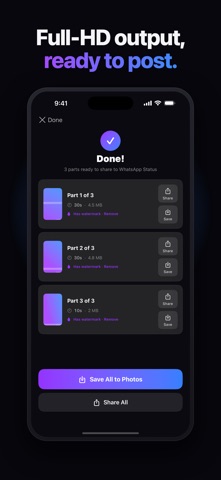
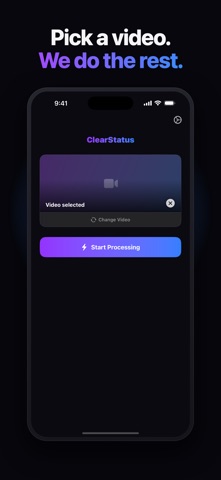
When a video is too large, WhatsApp (and other apps) re-encodes it down to a low-quality version before posting. ClearStatus prepares your clip so it fits the size these apps forward untouched — so it uploads without that second round of compression.
WHAT CLEARSTATUS DOES
• Full-HD output — keeps 1080p quality wherever the size budget allows
• Fixes blur and pixelation caused by upload re-compression
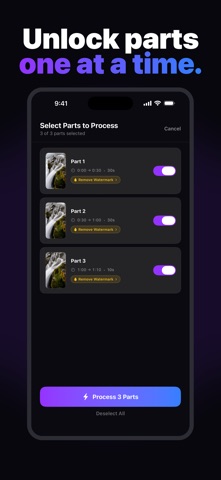
• Auto-splits long videos into perfectly sized 30 / 60 / 90-second parts — ideal for WhatsApp Status
• Works for other social apps too — post crisp videos anywhere
• Fixes orientation and preserves the full frame — no cropping, no upside-down clips
• HDR footage is tone-mapped correctly, so colors don't wash out
• 100% on-device — your videos never leave your phone, nothing is uploaded to any server
FREE TO USE
Convert as many videos as you like for free — clips include a small watermark. Tap the watermark on any part to watch a short video ad and export that part clean, or subscribe to remove it everywhere: monthly or yearly — the yearly plan starts with a 3-day free trial. Cancel anytime.
ABOUT THE ADS
The only ad in ClearStatus is the rewarded video you choose to watch — nothing interrupts you, and there are no banners. Ads come from Google AdMob, which receives device and ad identifiers to serve and measure them. They're requested non-personalized, and nothing about your videos is ever shared. Premium subscribers see no ads at all.
Private by design. No account, no sign-in, and no tracking across other apps or websites.
Terms of Use (EULA): https://www.apple.com/legal/internet-services/itunes/dev/stdeula/
Privacy Policy: https://williamscott701.github.io/clearstatus-site/privacy/
ClearStatus is not affiliated with, endorsed by, or sponsored by WhatsApp LLC. WhatsApp is a trademark of WhatsApp LLC.