CleverBooks Geometry is made and published by
CleverBooks Limited.
AppBrain is an independent app data site and isn't affiliated with CleverBooks Limited.
The app name, icon, screenshots and description belong to CleverBooks Limited and are shown as
published on the App Store.
About CleverBooks Geometry
CleverBooks Geometry is an education app developed by CleverBooks Limited.
User Ratings
The app has no ratings yet.
App Information
CleverBooks Geometry is freely available from the App Store. The app size is 265.61 MB. The latest version available is 2.0. The last update was on April 13, 2021.
Technical Requirements
The app has a content rating of Everyone. The app has been available on the App Store since November 2017.
Description by CleverBooks Limited(from the App Store)
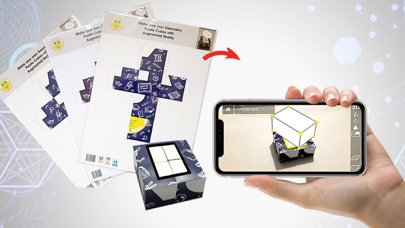
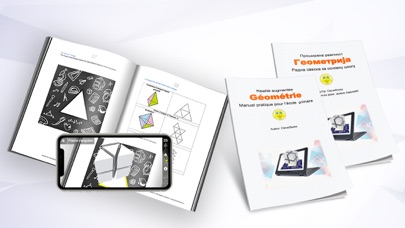
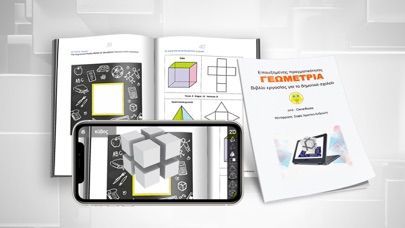
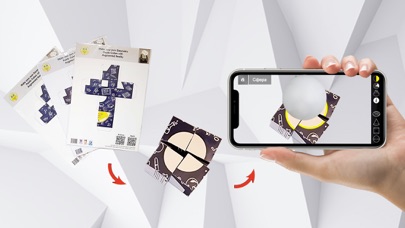
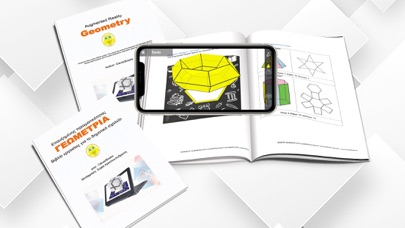
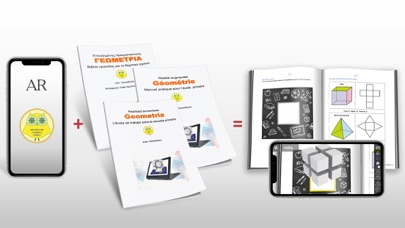
CleverBooks Geometry App allows students to explore geometric solids in Augmented reality and spark their curiosity for 3D geometry. The app features 3D models of five main 2D-dimension geometrical shapes (circle, rectangle, cube, hexagon and triangle) and enables a teacher to explain abstract geometry concepts through 3D visualization. Pair the app with CleverBooks physical products (Building blocks - https://www.cleverbooks.eu/product/augmented-reality-building-blocks/ and Geometry Workbook - https://www.cleverbooks.eu/product/cleverbooks-geometry-workbook-cleverbooks-elementary-schoolbook-with-augmented-reality-geometry-paperback/) to create an engaging and immersive learning environment for your students in your math class (K1 to K-6). The content is based on global curriculum guidelines and recommended as a supplementary material for the primary school students. To use the CleverBooks Geography App you need a mobile device (mobile phone or tablet) with a camera at the back. What can students learn with the app:
View geometric 2D and 3D shapes from all angles Voiceover for all the shapes and interactions made by kids See sides of 3D shapes unfold into 2D shapes (decomposition is visualized!) Check main properties of 3D shapes Find out about different variations of 2D shapes Learn and understand fractions Compare and identify objects in the environment with geometric shapes using Augmented Reality Develop spatial imagination by observing 3D and flat models Learn properties of geometric 2D and 3D shapes…and more!
Explore the app content in 7 simple steps:
Download and install CleverBooks Geometry App Get physical products from CleverBooks store https://www.cleverbooks.eu/shop/ Launch the app and face the camera of your mobile device on the building blocks or a shape marker from the workbook. Choose between different Augmented Reality scenes to explore interactive content. Take the test to check your knowledge. The suggested in-app purchases give access to an interactive game experience. Check the collection of Activity plans to get come ideas for your lessons https://www.cleverbooks.eu/activityplans/
Download your marker here https://www.cleverbooks.eu/ar-apps/, print it, launch the App and enjoy.
Each subscription will automatically renew 3 days before the expiration date for
the same time period. Subscriptions can be cancelled at any time before the renewal.