

Cleverday is made and published by Cleverday Oy. AppBrain is an independent app data site and isn't affiliated with Cleverday Oy. The app name, icon, screenshots and description belong to Cleverday Oy and are shown as published on the App Store.
AppBrain's verdict
- Last updated
- October 9, 2023
Rankings
App Store top chartsApp Store Rankings for Cleverday
This app is not ranked
Competitors
Similar apps and more from Cleverday OyAlternatives to Cleverday








Also available on Google Play

Releases
Updates seen on the App Store- Version
- 1.1.14
- Launched
- November 2020
No changelog data
User feedback
Ratings and reviews on the App StoreComments on Cleverday for iOS
We don't have enough comments to show example comments. Please check back later.
Technology
Found in the app by AppBrain- Price
- Free
- App size
- 35.0 MB
- Content rating
- Everyone
Technologies used by Cleverday
About the app and developer
About Cleverday
Cleverday is a productivity app developed by Cleverday Oy.
What is the rating of Cleverday?
Cleverday has no ratings yet.
Is Cleverday free?
Cleverday is free. The app size is 34.95 MB. The latest version available is 1.1.14. The last update was on October 9, 2023.
What are the requirements for Cleverday?
The app has a content rating of Everyone. The app has been available on the App Store since November 2020.
Developer information for Cleverday Oy
Address:
Store listing
By Cleverday Oy, from the App Store


Screenshots by Cleverday Oy, from the the App Store listing
Description by Cleverday Oy Written by the developer, not by AppBrain. Click to read.
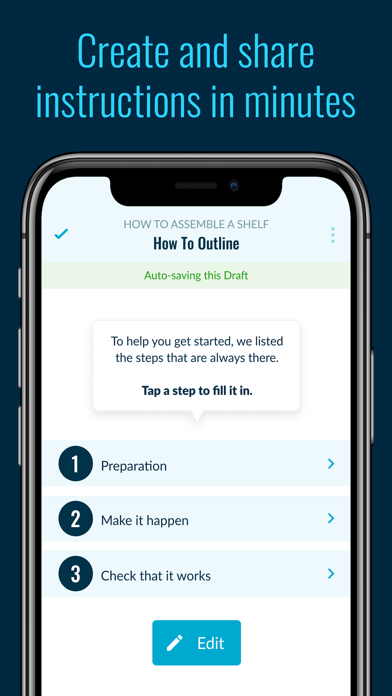
Cleverday is for everyone who wants to create visual how-to instructions, and then share them with anyone. Cleverday doesn't stop there - instant feedback tells you what really works and what doesn't.
Use your mobile device for example to take photos and record audio clips of how to get the work task done right! Share the how-to instruction with the people who need your remote guidance. Collect instant feedback from them to quickly address any problems, sum up lessons learned, and celebrate achievements.
The Cleverday mobile app is free to download - you can use this app without giving credit card information. No surprise charges!
Use Cleverday to
• Create and share your guidance remotely with only the people who should see it
• Take photos and video to show step-by-step how to do it
• Write simple and easy-to-read checklists
• Record audio guidance to support hands free usage
• Invite contacts with your preferred messaging platform
• Collect instant feedback
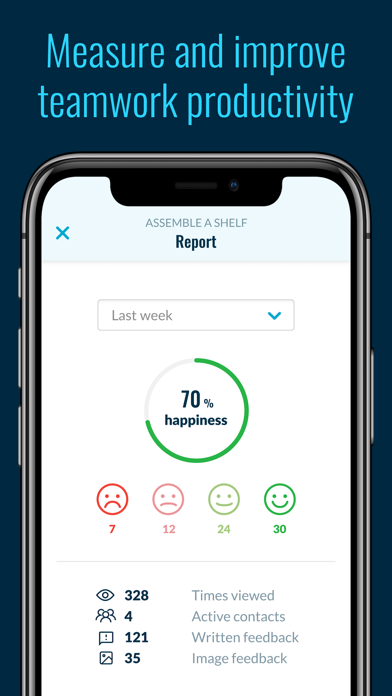
• View reports to learn how effective your guidance is
• Manage who sees your guidance
Mobile how-to guides are amazing tools to organize any job, task or chore, improve productivity, and to quickly verify the most important tasks in each step.
You might have heard people saying they are visual learners, or that they learn better when they hear specific information – So use audio recordings and visuals to make your remote guidance clear for everyone! Each step can have a checklist, to help see at a glance which tasks need to be completed. People can check off items as they do them – So they won't forget things anymore!
Is Cleverday a clever choice for me? Well, do you know how to do something? Do you want to share it easily with someone else? Do they want to use the instructions outside the comfort of an office and away from desks? Then Cleverday is a great choice for you!
Looking for business for business critical benefits? Easily updated guides can help your business
• Streamline remote support
• Reduce human errors
• Standardize ways of working
• Make mentorship more efficient
• Save time and resources on training
• Increase productivity
Scientifically proven (or at least rumored) to make your guidance tasks simpler, more pleasant, and more productive. Get started for free today! Having trouble? Please reach out to helpdesk@cleverday.com
Use your mobile device for example to take photos and record audio clips of how to get the work task done right! Share the how-to instruction with the people who need your remote guidance. Collect instant feedback from them to quickly address any problems, sum up lessons learned, and celebrate achievements.
The Cleverday mobile app is free to download - you can use this app without giving credit card information. No surprise charges!
Use Cleverday to
• Create and share your guidance remotely with only the people who should see it
• Take photos and video to show step-by-step how to do it
• Write simple and easy-to-read checklists
• Record audio guidance to support hands free usage
• Invite contacts with your preferred messaging platform
• Collect instant feedback
• View reports to learn how effective your guidance is
• Manage who sees your guidance
Mobile how-to guides are amazing tools to organize any job, task or chore, improve productivity, and to quickly verify the most important tasks in each step.
You might have heard people saying they are visual learners, or that they learn better when they hear specific information – So use audio recordings and visuals to make your remote guidance clear for everyone! Each step can have a checklist, to help see at a glance which tasks need to be completed. People can check off items as they do them – So they won't forget things anymore!
Is Cleverday a clever choice for me? Well, do you know how to do something? Do you want to share it easily with someone else? Do they want to use the instructions outside the comfort of an office and away from desks? Then Cleverday is a great choice for you!
Looking for business for business critical benefits? Easily updated guides can help your business
• Streamline remote support
• Reduce human errors
• Standardize ways of working
• Make mentorship more efficient
• Save time and resources on training
• Increase productivity
Scientifically proven (or at least rumored) to make your guidance tasks simpler, more pleasant, and more productive. Get started for free today! Having trouble? Please reach out to helpdesk@cleverday.com