

Click Smart is made and published by Scolmore. AppBrain is an independent app data site and isn't affiliated with Scolmore. The app name, icon, screenshots and description belong to Scolmore and are shown as published on the App Store.
AppBrain's verdict
- Last updated
- December 12, 2023
- Size
- 59.3 MB
User feedback
Ratings and reviews on the App StoreComments on Click Smart for iOS
We don't have enough comments to show example comments. Please check back later.
Store listing
By Scolmore, from the App Store

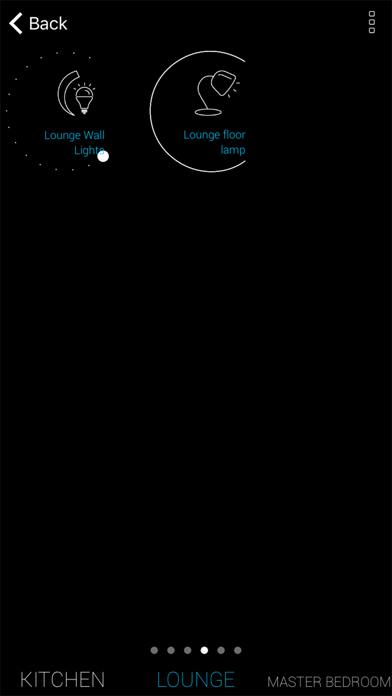


Screenshots by Scolmore, from the the App Store listing
Description by Scolmore Written by the developer, not by AppBrain. Click to read.
Enhance your Click Smart installation. Control and automate your lighting, appliances, blinds, curtains from your iPhone or iPad.
Personalise your installation assigning names and icons for rooms/locations and elements/receivers.
Easy setup guide:
Enables easy pairing of the iPhone to the Smart Box. Add rooms and elements (receiver information) assigning name and icon to each. Create scenes, assigning the required elements and commands to undertake from a single press before completing the guide.
In app settings:
• Add and amend the original data.
• Create time schedules for elements
• Backup and restore the Smart Box data
• Change the black background to white
System requirements:
To enable the iPhone to communicate with the network the Smart Box (CSB040) is required. The Smart Box connects to the Wi-Fi router using the Ethernet cable supplied.
The iPhone must be connected to the same Wi-Fi network router as the Smart Box.
To assist with the installation, the manual can be downloaded from www.click-smart.com/tech_specs/csb040.
Installation requirements:
The hexadecimal address for each receiver will be required. To assist in recording the information an installation sheet is provided with the Smart Box or alternatively it can be downloaded from www.click-smart.com/tech_specs/csb040.
Personalise your installation assigning names and icons for rooms/locations and elements/receivers.
Easy setup guide:
Enables easy pairing of the iPhone to the Smart Box. Add rooms and elements (receiver information) assigning name and icon to each. Create scenes, assigning the required elements and commands to undertake from a single press before completing the guide.
In app settings:
• Add and amend the original data.
• Create time schedules for elements
• Backup and restore the Smart Box data
• Change the black background to white
System requirements:
To enable the iPhone to communicate with the network the Smart Box (CSB040) is required. The Smart Box connects to the Wi-Fi router using the Ethernet cable supplied.
The iPhone must be connected to the same Wi-Fi network router as the Smart Box.
To assist with the installation, the manual can be downloaded from www.click-smart.com/tech_specs/csb040.
Installation requirements:
The hexadecimal address for each receiver will be required. To assist in recording the information an installation sheet is provided with the Smart Box or alternatively it can be downloaded from www.click-smart.com/tech_specs/csb040.
Safety and technology
Found in the app by AppBrain- Price
- Free
- App size
- 59.3 MB
- Content rating
- Everyone
Technologies used by Click Smart
Releases
Updates seen on the App Store- Version
- 1.2.81
- Launched
- May 2017
No changelog data
Alternatives
Similar apps and more from Scolmore





Rankings
App Store top chartsApp Store Rankings for Click Smart
This app is not ranked
About the app and developer
About Click Smart
Click Smart is a lifestyle app developed by Scolmore.
What is the rating of Click Smart?
Click Smart has no ratings yet.
Is Click Smart free?
Click Smart is free. The app size is 59.29 MB. The latest version available is 1.2.81. The last update was on December 12, 2023.
What are the requirements for Click Smart?
The app has a content rating of Everyone. The app has been available on the App Store since May 2017.
Developer information for Scolmore
Address: