

Clicker Counter - TallyKit
Clicker Counter - TallyKit is made and published by Supagarn Pattananuchart. AppBrain is an independent app data site and isn't affiliated with Supagarn Pattananuchart. The app name, icon, screenshots and description belong to Supagarn Pattananuchart and are shown as published on the App Store.
AppBrain's verdict
- Rating on App Store
- 5.00
- 9 ratings
- Last updated
- July 27, 2026
It doesn't have enough ratings yet to judge what users think.
Rankings
App Store top chartsApp Store Rankings for Clicker Counter - TallyKit
Competitors
Similar apps and more from Supagarn PattananuchartMore from Supagarn Pattananuchart





Releases
Updates seen on the App Store- Version
- 1.5
- Launched
- September 2024
No changelog data
User feedback
Ratings and reviews on the App StoreComments on Clicker Counter - TallyKit for iOS
We don't have enough comments to show example comments. Please check back later.
Technology
Found in the app by AppBrain- Price
- Free
- App size
- 2.25 MB
- Content rating
- Everyone
Technologies used by Clicker Counter - TallyKit
About the app and developer
About Clicker Counter - TallyKit
Clicker Counter - TallyKit is an utilities app developed by Supagarn Pattananuchart.
What is the rating of Clicker Counter - TallyKit?
Clicker Counter - TallyKit is rated 5.00 out of 5 stars, based on 9 ratings.
Is Clicker Counter - TallyKit free?
Clicker Counter - TallyKit is free. The app size is 2.25 MB. The latest version available is 1.5. The last update was on July 27, 2026.
What are the requirements for Clicker Counter - TallyKit?
The app has a content rating of Everyone. The app has been available on the App Store since September 2024.
Developer information for Supagarn Pattananuchart
Address:
Store listing
By Supagarn Pattananuchart, from the App Store

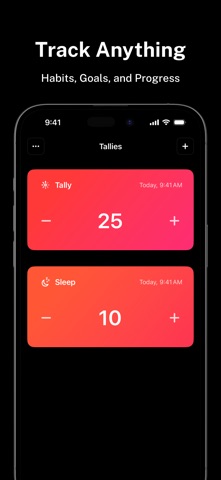


Description by Supagarn Pattananuchart Written by the developer, not by AppBrain. Click to read.
Key Features:
• Interactive Widgets
Instantly update your tallies from your home screen or lock screen with just a tap—no need to open the app!
• iOS 18 Control Center Widgets
Make quick updates to your progress counters from the Control Center, offering ultimate flexibility wherever you are.
• StandBy Mode Widgets
Turn your iPhone into a smart counter display with real-time progress updates and adjustable values.
• Track Anything
Track your habits, goals, and milestones with personalized clicker counters tailored to what matters most to you.
• Distraction-Free Fullscreen
Get in the zone with our clean, full-screen mode—perfect for focusing on what matters.
• In-Depth Insights
Visualize your progress with rich stats and beautiful charts that keep you motivated.
• Activity Logs
Dive into your history and see your accomplishments with clear, comprehensive logs.
• Personalize Your Experience
Customize tallies with icons, goals, colors, progress, and reminders that fit your style.
• Smart Reminders
Never miss an update! Set timely reminders to get notified and stay on top of your daily habits and goals.
• iOS Shortcuts Support
Automate tally updates effortlessly using Shortcuts, making your tracking even easier.
• Quick Access Counters Anywhere
Whether on your home screen, lock screen, or Control Center, TallyKit’s widgets are always just a tap away.
Download TallyKit now and start tracking your habits, goals, and tasks in the most customizable and convenient way possible.
Terms of Use: https://www.apple.com/legal/internet-services/itunes/dev/stdeula/
Privacy Policy: https://supagarn-pa.com/TallyKit/privacy-policy