Download Android Apps and Games
AppBrain
  • Apps
  • Apps being viewed right now Trending apps today Most popular apps All-time most downloaded apps Top rated apps
  • Intelligence ▾
    Intelligence overview → Track any Android app or your whole market
    Track & analyze
    Keyword Tracker & OptimizerTrack & improve Play rankings App Performance ReportOne-off PDF for any app StatisticsFree Android & Play market stats
    Promote your app
    Featured Apps App Links
  • Intelligence
  • Pricing
  • Dashboard
  • Sign up
  • Log in
Last updated on: 2026-06-16
App Store Apps > Productivity > Climb Up: Timer & Productivity
Climb Up: Timer & Productivity icon

Climb Up: Timer & Productivity

1.0.2
Bohdan Brinzov
0.00
0 reviews
Free

Climb Up: Timer & Productivity Screenshot 1 of 10
Climb Up: Timer & Productivity Screenshot 2 of 10
Climb Up: Timer & Productivity Screenshot 3 of 10
Climb Up: Timer & Productivity Screenshot 4 of 10
Climb Up: Timer & Productivity Screenshot 5 of 10
Climb Up: Timer & Productivity Screenshot 6 of 10
Climb Up: Timer & Productivity Screenshot 7 of 10
Climb Up: Timer & Productivity Screenshot 8 of 10
Climb Up: Timer & Productivity Screenshot 9 of 10
Climb Up: Timer & Productivity Screenshot 10 of 10
Download from the App Store

About Climb Up: Timer & Productivity

Climb Up: Timer & Productivity is an overall app developed by Bohdan Brinzov.

Download Statistics

User Ratings

The app has no ratings yet.

App Information

Climb Up: Timer & Productivity is FREE to download. The APK download size is 12.06 MB. The latest version available is 1.0.2. The last update was on December 30, 2025.

Technical Requirements

The app has a content rating of Everyone. The app has been available on Google Play January 2021.

Description
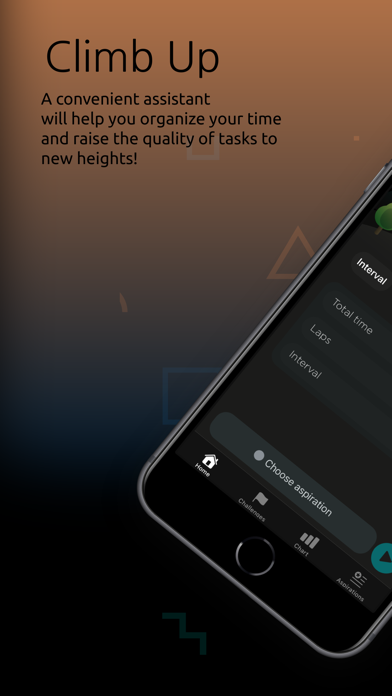
Climb Up app is an assistant with which you can establish a work biorhythm and optimize the time for completing tasks. Track quality and time by task using charts. Divide tasks to get more accurate statistics.

What can you do in the Climb Up app?

- Manage your activity and rest times
- Evaluate your performance
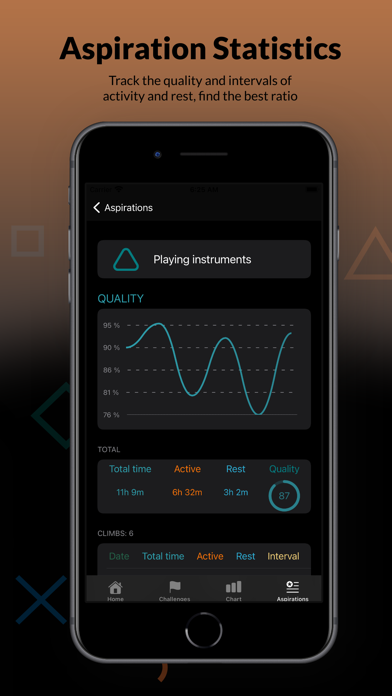
- Track the quality of work by task
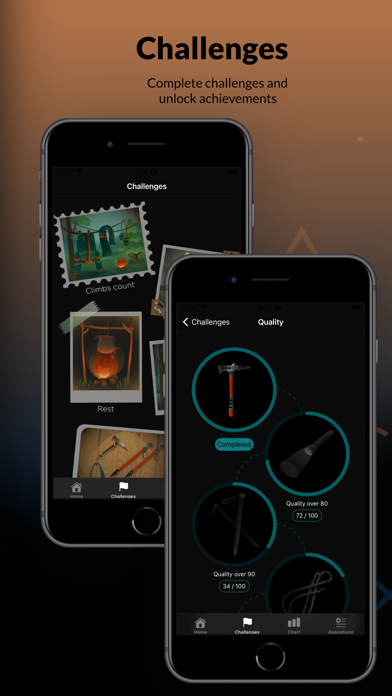
- Get achievements while completing tasks

Why should you download the Climb Up app?

Three timers to organize your workflow:
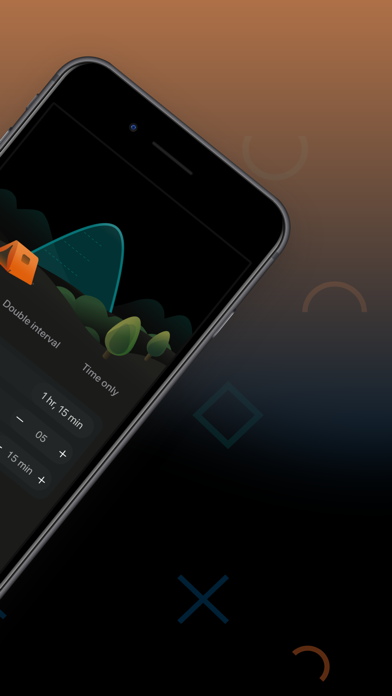
- Interval: Allows you to switch between activity and rest, recalling at regular intervals the current state.
- Double interval: Set up a fixed time of activity and rest, with the option to skip the interval.
- Only time: Set the end time of work, and switch between states at a convenient time for you.

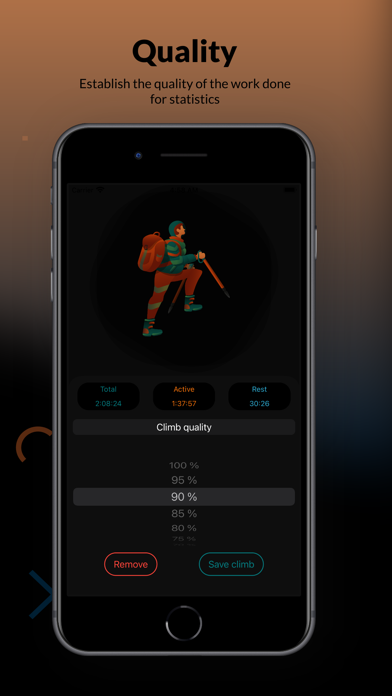
Tracking the quality of work:
At the end of the timer, do not forget to set the quality of the work done for statistics.

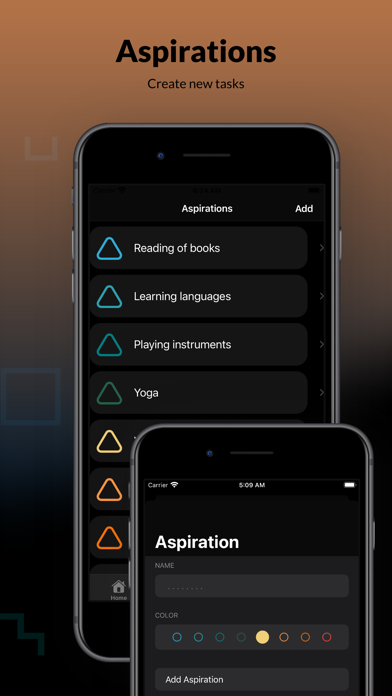
Aspiration:
Create new tasks according to your needs.
Before you start, select or add Aspiration to keep clean statistics on the task.

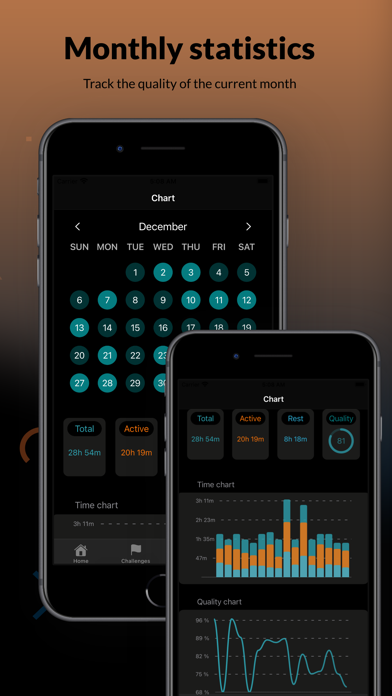
Chart:
Track your activity and productivity for the month with the help of diagrams and a calendar.

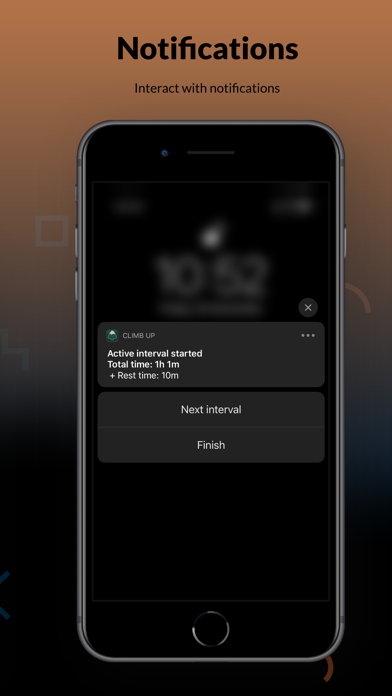
Interactive notifications:
Interact with the timer using notifications without opening the Climb Up app.

Achievements:
Raise your motivation by collecting achievements by doing your tasks.

Take Charge of Your Workday

The eight-hour workday can work for you if you break your time into strategic intervals. Once you align your natural energy with your effort, things begin to run much more smoothly. Here are four tips that will get you into that perfect rhythm.

Break your day into hourly intervals.
We naturally plan what we need to accomplish by the end of the day, the week, or the month, but we're far more effective when we focus on what we can accomplish right now. Beyond getting you into the right rhythm, planning your day around hourlong intervals simplifies daunting tasks by breaking them into manageable pieces. If you want to be a literalist, you can plan your day around 52-minute intervals if you like, but an hour works just as well.

Respect your hour.
The interval strategy only works because we use our peak energy levels to reach an extremely high level of focus for a relatively short amount of time. When you disrespect your hour by texting, checking emails, or doing a quick check, you defeat the entire purpose of the approach.

Take real rest.
In the study at Draugiem, they found that employees who took more frequent rests than the hourly optimum were more productive than those who didn't rest at all. Likewise, those who took deliberately relaxing breaks were better off than those who, when "resting," had trouble separating themselves from their work. Getting away from your computer, your phone, and your to-do list is essential to boosting your productivity. Breaks such as walking, reading, and chatting are the most effective forms of recharging, because they take you away from your work. On a busy day, it might be tempting to think of dealing with emails or making phone calls as breaks, but they aren't, so don't give in to this line of thought.

Don't wait until your body tells you to take a break.
If you wait until you feel tired to take a break, it's too late--you've already missed the window of peak productivity. Keeping to your schedule ensures that you work when you're the most productive and that you rest during times that would otherwise be unproductive. Remember, it's far more productive to rest for short periods than it is to keep on working when you're tired and distracted.

Bringing It All Together

Breaking your day down into chunks of work and rest that match your natural energy levels feels good, makes your workday go faster, and boosts your productivity.
Show more Show less

More data about Climb Up: Timer & Productivity

Price Free to download
Rating No ratings
Ranking Not ranked
Version 1.0.2
App download size 12.1 MB
Suitable for Everyone

Alternative downloads for the Climb Up: Timer & Productivity app

Du Contracts icon Du Contracts
Dylan Kramer
5.0
Free
2 ratings
Secret habits icon Secret habits
zygimantas Dubaka
0.0
Free
Blue Productivity icon Blue Productivity
INUI S.A.S
0.0
Free
Stop Procrastinating: Pomodoro icon Stop Procrastinating: Pomodoro
Filipe Pardo
0.0
Free
Nudger - Focus Timer icon Nudger - Focus Timer
SUCHETA ATUL DAMBALKAR
5.0
Free
1 ratings
5 Minute Productivity icon 5 Minute Productivity
Zhenbo Yan
5.0
Free
2 ratings
Quadrix icon Quadrix
Learnzy, LLC
5.0
Free
2 ratings
SmallWins Daily icon SmallWins Daily
Sean Bennett
0.0
Free

More from Bohdan Brinzov

Magic Keyboard - Star Ripples icon Magic Keyboard - Star Ripples
Bohdan Brinzov
0.0
Free

Changelog of Climb Up: Timer & Productivity

No changelog data

Developer information for Bohdan Brinzov

Bohdan Brinzov

Address:

Share Climb Up: Timer & Productivity

Comments on Climb Up: Timer & Productivity for iOS

We don't have enough comments to show example comments. Please check back later.

App Store Rankings for Climb Up: Timer & Productivity

This app is not ranked

Technologies used by Climb Up: Timer & Productivity

Popular Overall Apps on sale Apps other people are watching Top new apps Today's trending apps
Du Contracts icon Du Contracts
Secret habits icon Secret habits
Blue Productivity icon Blue Productivity
Stop Procrastinating: Pomodoro icon Stop Procrastinating: Pomodoro
Nudger - Focus Timer icon Nudger - Focus Timer
5 Minute Productivity icon 5 Minute Productivity
Quadrix icon Quadrix
SmallWins Daily icon SmallWins Daily

Back to top
AppBrain Intelligence premium content

Subscribe now to get full and unlimited access to AppBrain Intelligence. You'll have access to:

  • App Intelligence dashboard (performance timeline, competitor comparison, country rankings, insight cards)
  • Detailed ranking data per app
  • Full timeline per developer
  • Device market shares data per country
1 Month

$75/mo
(billed every month)

SAVE 0%
Subscribe
3 Months

$65/mo
($195 billed every 3 months)

SAVE 13%
Subscribe
1 Year

$57.50/mo
($690 billed every year)

SAVE 23%
Subscribe
Each subscription will automatically renew 3 days before the expiration date for the same time period. Subscriptions can be cancelled at any time before the renewal.

AppBrain is a directory focused on discovering great apps and games. We give statistics, rankings and search options that Google Play and the App Store don't have. All trademarks are owned by their respective owners. AppBrain doesn't offer APKs or binaries, and always lets users install the official version from Google Play or the App Store.

More apps

  • Top Android apps being viewed
  • Mandatory Signs - Occupational
  • x live xxn app
  • PicWiz AI

Android Statistics

  • Android statistics
  • Google Play Developer stats
  • Trending Android Apps
  • Top popular Apps
  • Buy the best Android phone

About AppBrain

  • Contact
  • Privacy
  • Documentation
  • DMCA takedowns
  • Articles
  • Blog
  • Tips to improve your Android promotional campaign
© 2010-2026 - AppBrain