

Clip Jar
Clip Jar is made and published by Hangzhou Gongshu District Xiangde Software Development Studio. AppBrain is an independent app data site and isn't affiliated with Hangzhou Gongshu District Xiangde Software Development Studio. The app name, icon, screenshots and description belong to Hangzhou Gongshu District Xiangde Software Development Studio and are shown as published on the App Store.
AppBrain's verdict
- Rating on App Store
- 4.64
- 14 ratings
- Last updated
- August 3, 2026
- Size
- 13.7 MB
It doesn't have enough ratings yet to judge what users think.
User feedback
Ratings and reviews on the App StoreComments on Clip Jar for iOS
We don't have enough comments to show example comments. Please check back later.
Store listing
By Hangzhou Gongshu District Xiangde Software Development Studio, from the App Store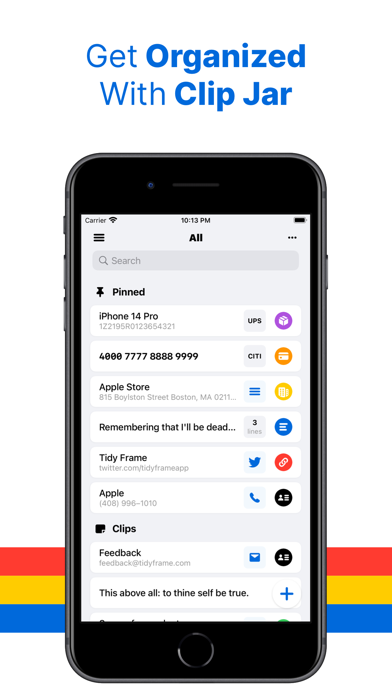
Description by Hangzhou Gongshu District Xiangde Software Development Studio Written by the developer, not by AppBrain. Click to read.
Tired of dealing with a cluttered and hard-to-navigate Notes app? We understand the struggle of organizing short text clips on iOS, which is why we created Clip Jar.
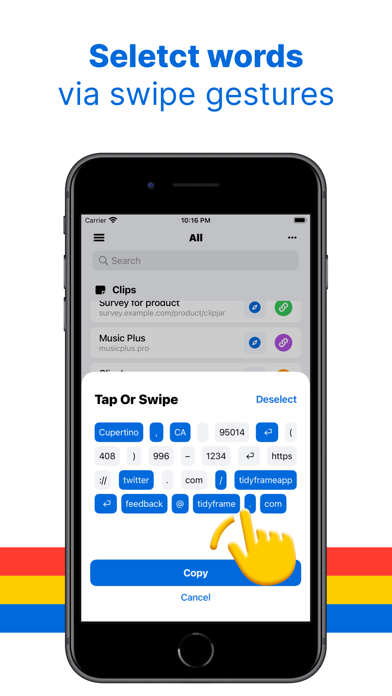
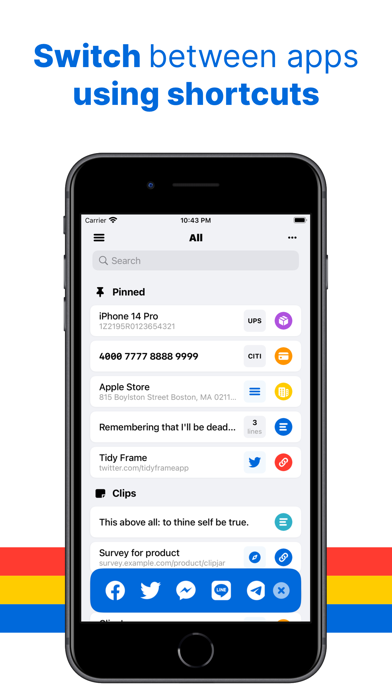
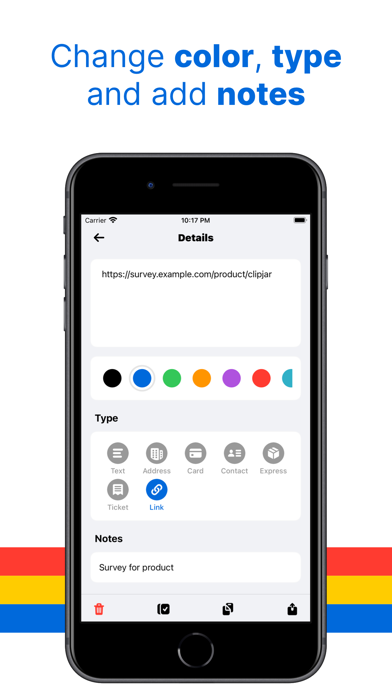
Featuring a user-friendly interface, Clip Jar simplifies the process of saving and sharing text clips efficiently. Say goodbye to tedious clicks and welcome a seamless experience. With convenient shortcuts, you can easily switch to your favorite apps after copying. Additionally, our innovative word selection feature allows you to choose the precise content you need using intuitive swiping gestures. Furthermore, Clip Jar detects links, email addresses, phone numbers, and even physical addresses within the text, providing you with useful actions to take.
Discover How Clip Jar Can Revolutionize Your Text Clip Management:
Save Text Clips in Various Ways:
We prioritize the crucial task of saving text clips and have implemented multiple methods to minimize clicks:
- Access the Homescreen widget for quick access
- Automatically read and save text from the pasteboard
- Long-press the + button for immediate saving
Effortlessly Filter, Search, and Select Words:
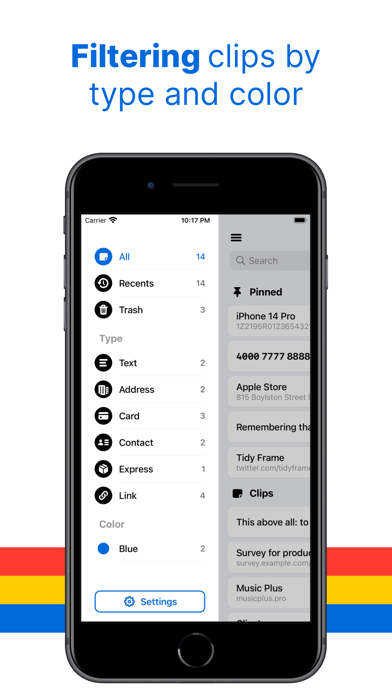
Locating specific text clips is a breeze with Clip Jar's advanced search and filtering capabilities. Use keywords or our convenient sidebar filter to effortlessly browse text clips by type or category. And if you only want to share a portion of the text, our "Word Selection" feature enables you to select partial words effortlessly with a simple swipe gesture. Give it a try!
Share with Ease Using Quick Actions:
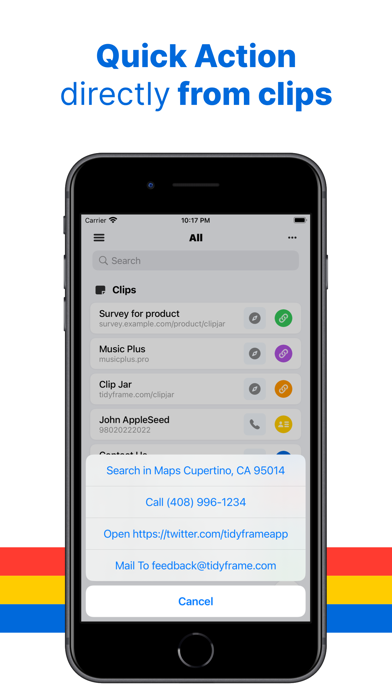
With Clip Jar's app shortcuts, you can seamlessly switch between commonly used apps* without returning to the home screen. Additionally, for clips containing phone numbers, email addresses, addresses, or links, Quick Actions allow you to open them in Safari, make phone calls, or send emails directly.
Need assistance or have questions? Reach out to us on Twitter @ideasformapp or email us at feedback@ideasform.com.
Frequently Asked Questions: Visit our FAQ page at https://ideasform.com/clipjar/faq/ for more information.
Your Privacy Matters: Learn about our privacy policy at https://ideasform.com/clipjar/privacy/.
------
*Supported apps include Twitter, Facebook, Skype, and nine other popular applications. In the future, custom URL Scheme is also supported.
Safety and technology
Found in the app by AppBrain- Price
- Free
- App size
- 13.7 MB
- Content rating
- Everyone
Technologies used by Clip Jar
Releases
Updates seen on the App Store- Version
- 1.3.5
- Launched
- July 2022
No changelog data
Alternatives
Similar apps and more from Hangzhou Gongshu District Xiangde Software Development StudioAlternatives to Clip Jar








More from Hangzhou Gongshu District Xiangde Software Development Studio
 Music Plus - Player Extensions
Rankings
App Store top chartsApp Store Rankings for Clip Jar
About the app and developer
About Clip Jar
Clip Jar is an utilities app developed by Hangzhou Gongshu District Xiangde Software Development Studio.
What is the rating of Clip Jar?
Clip Jar is rated 4.64 out of 5 stars, based on 14 ratings.
Is Clip Jar free?
Clip Jar is free. The app size is 13.71 MB. The latest version available is 1.3.5. The last update was on August 3, 2026.
What are the requirements for Clip Jar?
The app has a content rating of Everyone. The app has been available on the App Store since July 2022.
Developer information for Hangzhou Gongshu District Xiangde Software Development Studio
Frequently asked questions about Clip Jar
Is Clip Jar free?
Yes. Clip Jar is free on the App Store.
Is Clip Jar still available?
Yes. Clip Jar is on the App Store, and the last update we saw was on August 3, 2026.
How large is Clip Jar?
Clip Jar is 13.71 MB.
Is Clip Jar suitable for children?
App Store rates the content of Clip Jar as suitable for everyone.
How do people rate Clip Jar?
Clip Jar scores 4.64 out of 5 stars, from 14 ratings on the App Store.
Who made Clip Jar?
Clip Jar was developed by Hangzhou Gongshu District Xiangde Software Development Studio. It is listed in the utilities category on the App Store.
What are the best alternatives to Clip Jar?
People looking at Clip Jar also look at these utilities apps: 指尖小组件, 拒之-骚扰电话批量拦截助手, MoYo - widgets & wallpaper, OneSearch-Fast Search Launcher, Teak Browser: Extensions.