

ClipCourt
ClipCourt is made and published by Kostas Papadopoulos. AppBrain is an independent app data site and isn't affiliated with Kostas Papadopoulos. The app name, icon, screenshots and description belong to Kostas Papadopoulos and are shown as published on the App Store.
AppBrain's verdict
- Rating on App Store
- 5.00
- 2 ratings
- Last updated
- October 14, 2026
It doesn't have enough ratings yet to judge what users think.
Rankings
App Store top chartsApp Store Rankings for ClipCourt
Competitors
Similar apps and more from Kostas PapadopoulosMore from Kostas Papadopoulos


Releases
Updates seen on the App Store- Version
- 1.1.1
- Launched
- March 2026
No changelog data
User feedback
Ratings and reviews on the App StoreComments on ClipCourt for iOS
We don't have enough comments to show example comments. Please check back later.
Technology
Found in the app by AppBrain- Price
- Free
- App size
- 2.63 MB
- Content rating
- Everyone
Technologies used by ClipCourt
About the app and developer
About ClipCourt
ClipCourt is a photo & video app developed by Kostas Papadopoulos.
User Ratings
ClipCourt is rated 5.00 out of 5 stars. The rating is based on 2 ratings.
App Information
ClipCourt is freely available from the App Store. The app size is 2.63 MB. The latest version available is 1.1.1. The last update was on October 14, 2026.
Technical Requirements
The app has a content rating of Everyone. The app has been available on the App Store since March 2026.
Developer information for Kostas Papadopoulos
Address:
Store listing
By Kostas Papadopoulos, from the App Store


Description by Kostas Papadopoulos Written by the developer, not by AppBrain. Click to read.
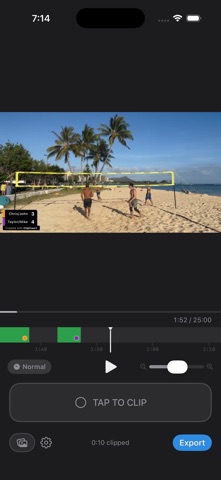
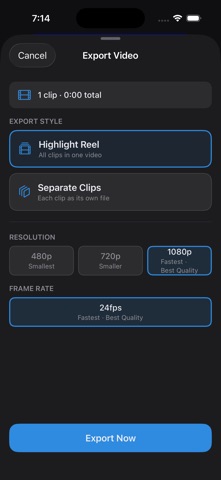
Watch the game, tap Start Clip when something good happens, tap End Clip when it's over. Export the saved clips as one reel or as separate files.
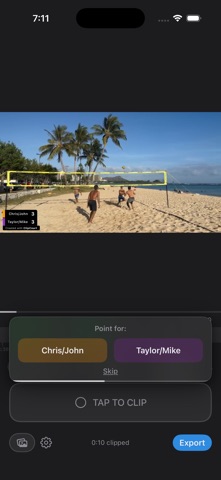
Add a scoreboard overlay to track the score as you go — assign points to either team after each clip. Slow playback to 0.25× to study a play, or speed up to 4× to skip through dead time. Pinch the timeline to zoom in on a single frame.
HOW IT WORKS
Pick a video from your camera roll
Tap Start Clip when the action begins, tap End Clip when it ends
Export as one reel or as separate files
FEATURES
Two-tap clipping (Start Clip / End Clip)
Playback speed from 0.25× to 4×
Long-press the video to fast-forward
Pinch-to-zoom timeline for frame-level scrubbing
Scoreboard overlay with per-clip point assignment
Export up to 4K at 60fps
Original Quality (lossless) or Smaller File (720p)
Projects auto-saved for 30 days — reopen the same video to resume
iPhone, iPad, and Mac
Your videos stay on your device. No accounts, no tracking, no servers.