

CLIPish Sounds
CLIPish Sounds is made and published by Dating DNA, Inc. AppBrain is an independent app data site and isn't affiliated with Dating DNA, Inc. The app name, icon, screenshots and description belong to Dating DNA, Inc. and are shown as published on the App Store.
AppBrain's verdict
EstablishedLoved by users- Rating on App Store
- 4.65
- 493 ratings
- Last updated
- April 21, 2022
- Size
- 376.8 MB
Users love it: 4.7 stars from 493 ratings.
User feedback
Ratings and reviews on the App StoreComments on CLIPish Sounds for iOS
We don't have enough comments to show example comments. Please check back later.
Store listing
By Dating DNA, Inc., from the App Store
Description by Dating DNA, Inc. Written by the developer, not by AppBrain. Click to read.
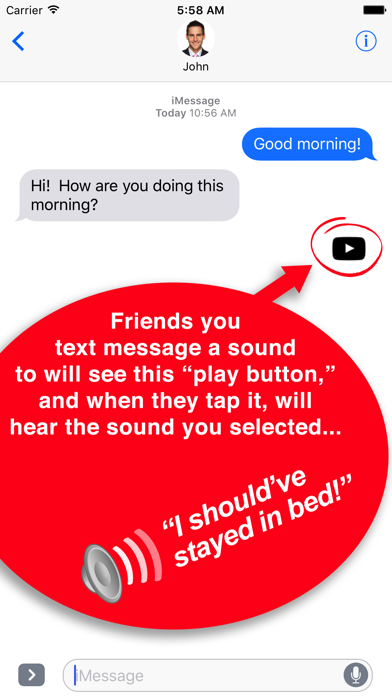
Make your text messages and emails come to life! Quickly insert hundreds of fun "sounds" into your messages. The person you send the sound to will see a small "play button," right in the message. When that user taps on the play button, they will hear the sound you've selected for them.
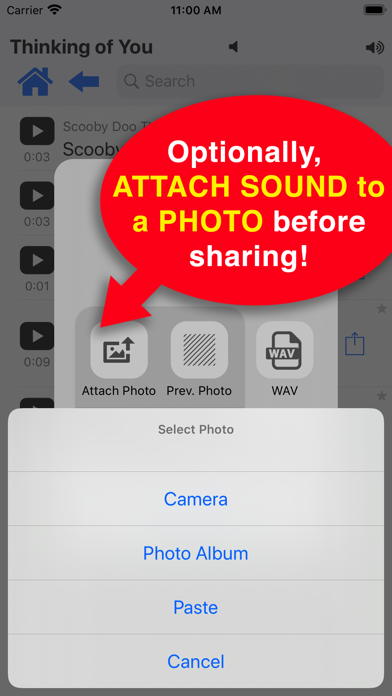
You can also attach any of the sounds to your own photos! For example, instead of just sharing a photo of your kids soccer team, attach a sound to it, such as “We are the champions!”
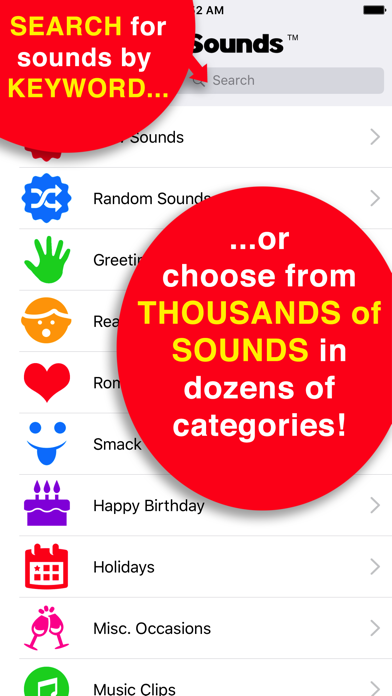
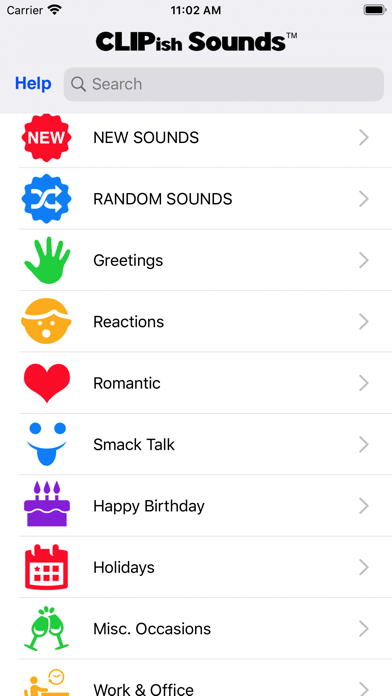
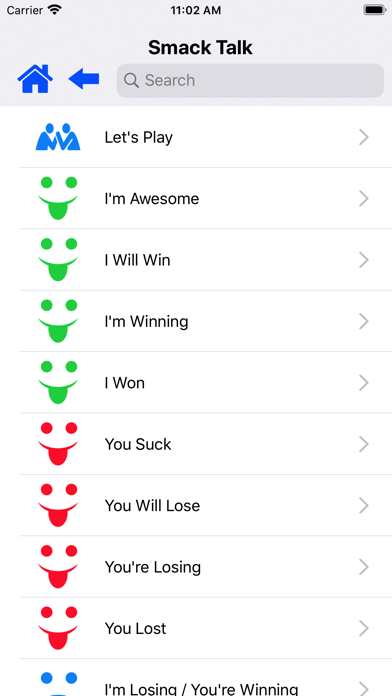
Choose from hundreds of sounds in dozens of categories, including: Greetings, Reactions, Romantic, Smack Talk, Birthdays, Holidays, Sound Effects, Animals, Sports, Politics, Weather, and many more.
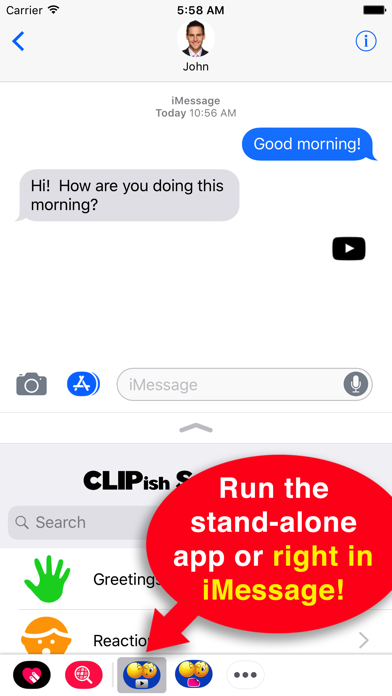
Run from either the stand-alone app or directly from iMessage.
HOW TO USE FROM iMESSAGE:
1. Tap the App button in iMessage to find and run the CLIPish Sounds iMessage app.
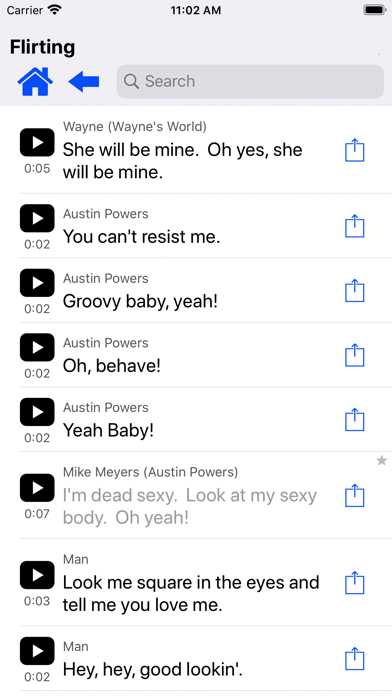
2. To find a sound, browse by category or type in what you're looking for in the Search box.
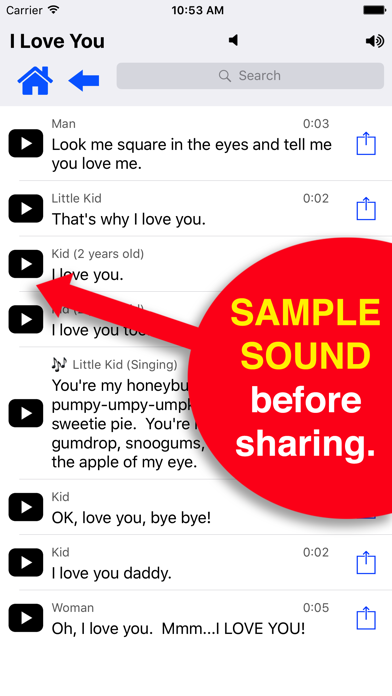
3. Tap the play button to hear the sound. When you find a sound you want to send via text message, tap the Share button for that sound.
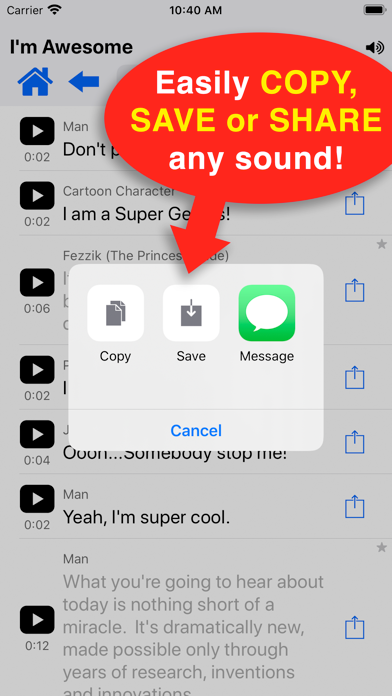
4. Select the format you wish to share the sound in (standard, attach photo, or audio-only .wav file).
HOW TO USE STAND-ALONE APP:
1. To find a sound, browse by category or type in what you're looking for in the Search box.
2. Tap the play button to hear the sound. When you find a sound you want to send via text message, tap the Share button for that sound.
3. Select the format you wish to share the sound in (standard, attach photo, or audio-only .wav file).
4. Tap the Copy option.
5. Go to the text message app and the appropriate conversation. Tap in the input box until a Paste option appears. Tap Paste then send the message.
VIDEO TUTORIAL: To watch CLIPish Sounds in action or if you need help using the app, visit www.clipish.net and watch the video tutorial for CLIPish Sounds.
SUGGEST SOUNDS: We are adding new sounds all the time. If you'd like us to include something specific, send your suggestion to us at support@clipish.net.
▬▬▬▬▬▬▬▬▬▬▬▬▬▬▬▬▬▬▬▬▬▬▬
* A NOTE ABOUT COMPATIBILITY WITH NON-iPHONE USERS: Depending on what cell network and type of cell phone the person you're sending a sound to has, the play button may appear slightly different. Also, if the device you're sending the sound to doesn't support MMS text messaging, the sound may not be received or play.
* Some sounds included are public domain. If you believe your work has been included in err, please let us know so it can be removed.
WRITE US! support@clipish.net
Safety and technology
Found in the app by AppBrain- Price
- Free
- App size
- 376.8 MB
- Content rating
- Low
Technologies used by CLIPish Sounds
Releases
Updates seen on the App Store- Version
- 1.46
- Launched
- May 2017
No changelog data
Alternatives
Similar apps and more from Dating DNA, Inc.Alternatives to CLIPish Sounds






More from Dating DNA, Inc.








Rankings
App Store top chartsApp Store Rankings for CLIPish Sounds
About the app and developer
About CLIPish Sounds
CLIPish Sounds is a social networking app developed by Dating DNA, Inc.
User Ratings
CLIPish Sounds is rated 4.65 out of 5 stars. The rating is based on 490 ratings.
App Information
CLIPish Sounds is freely available from the App Store. The app size is 376.85 MB. The latest version available is 1.46. The last update was on April 21, 2022.
Technical Requirements
The app has a content rating of Low Maturity. The app has been available on the App Store since May 2017.
Developer information for Dating DNA, Inc.
Address:
Frequently asked questions about CLIPish Sounds
Is CLIPish Sounds free?
Yes. CLIPish Sounds is free on the App Store.
Is CLIPish Sounds still available?
Yes. CLIPish Sounds is on the App Store, and the last update we saw was on April 21, 2022.
How large is CLIPish Sounds?
CLIPish Sounds is 376.85 MB.
Is CLIPish Sounds suitable for children?
App Store gives CLIPish Sounds a low maturity rating, so it is meant for older children and up.
How do people rate CLIPish Sounds?
CLIPish Sounds scores 4.65 out of 5 stars, from 493 ratings on the App Store.
Who made CLIPish Sounds?
CLIPish Sounds was developed by Dating DNA, Inc. It is listed in the social networking category on the App Store.
What are the best alternatives to CLIPish Sounds?
People looking at CLIPish Sounds also look at these social networking apps: Send A Sound, Greeting Cards App - Pro, TimeCheck iMessage Extension, I Miss You Quotes & Sayings, Talk Droid - Talk and Text.