ClockIN - Time Logs is an overall app developed by You Wei Zhang.
How many times has ClockIN - Time Logs been downloaded?
What is the rating of ClockIN - Time Logs?
ClockIN - Time Logs has no ratings yet.
Is ClockIN - Time Logs free?
ClockIN - Time Logs is free to download. The APK download size is 40.45 MB. The latest version available is 1.0.9. The last update was on June 13, 2026.
What are the requirements for ClockIN - Time Logs?
The app has a content rating of Everyone. The app has been available on Google Play 7 weeks ago.
Description
Think all time clock apps are the same? ClockIN is designed for people who work multiple part-time jobs, hourly shifts, or flexible schedules.
Each job can have its own hourly rate, overtime rules, double-pay dates, color, and attendance records. Clock in, clock out, take breaks, and track overtime with a tap. ClockIN helps calculate your hours, earnings, and monthly totals automatically.
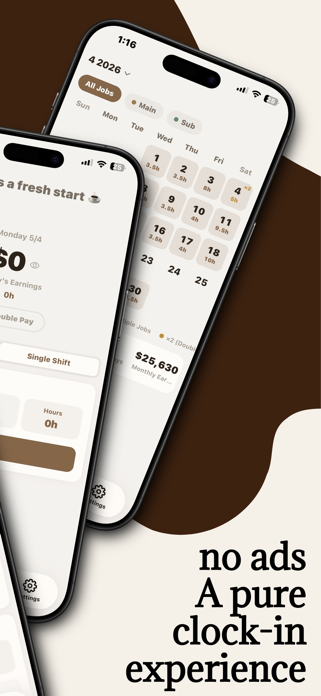
Open the calendar to see how many days you worked, how many hours you logged, and how much you earned this month without doing the math yourself.
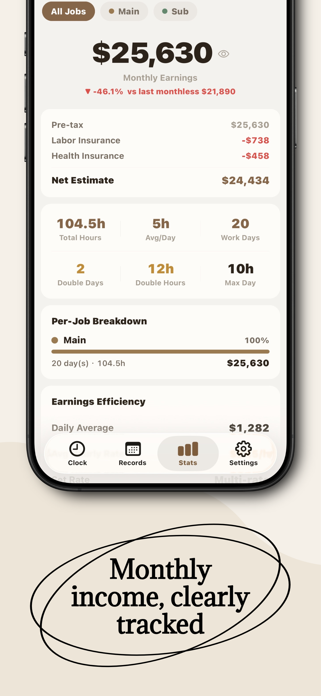
Core Features ‧ Manage multiple jobs separately: set hourly rates, colors, overtime rules, and double-pay dates for each job ‧ One-tap clocking: clock in, clock out, start breaks, and track overtime quickly ‧ Single-shift and split-shift support: works for both regular shifts and morning/afternoon shifts ‧ Automatic earnings calculation: calculate income based on hourly rate, hours worked, overtime, and double-pay days ‧ Calendar view: see daily hours, shift types, double-pay markers, and job colors at a glance ‧ Stats and insights: review total hours, average daily hours, workdays, double-pay days, and monthly earnings ‧ Income Goals: set total and per-job income targets to track your progress ‧ Record Check: catch missing clock-ins, missing clock-outs, and unusual time records ‧ Schedule Management: Plan shifts for each job in advance. View scheduled shifts, actual attendance, estimated hours, and estimated earnings together in the calendar, so you can stay on top of your upcoming work.
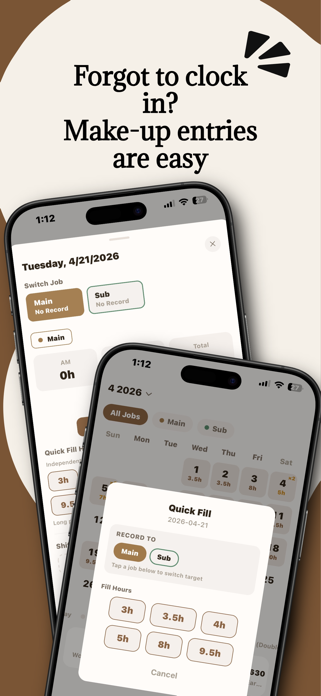
Reminders and Workflow ‧ Clock-in reminders: get reminders by weekday and time before work starts ‧ Clock-out reminders: get reminded when you may have forgotten to clock out ‧ Home screen widgets: switch jobs directly from the widget without opening the app ‧ Edit and backfill records: fix missed punches from the Records tab
Exports and Backup ‧ PDF monthly reports: export monthly attendance and earnings summaries for filing or sharing ‧ CSV export: export records for spreadsheets, reports, or personal backups ‧ iCloud backup: back up and restore your records across devices ‧ Local backup: save ClockIN backup files to the Files app ‧ Works offline: clock in, view records, and calculate earnings without an internet connection
Who ClockIN Is For ‧ Students working multiple part-time jobs ‧ Restaurant, retail, convenience store, tutoring, delivery, and hourly workers ‧ Freelancers, contractors, and flexible shift workers ‧ Anyone who wants a clearer view of their time, income, and attendance records
Terms of Use:https://www.apple.com/legal/internet-services/itunes/dev/stdeula/ Privacy Policy:https://clockinapp.xyz/privacy
Each subscription will automatically renew 3 days before the expiration date for
the same time period. Subscriptions can be cancelled at any time before the renewal.