

Clocks in Motion
Clocks in Motion is made and published by Stefano Acerbetti. AppBrain is an independent app data site and isn't affiliated with Stefano Acerbetti. The app name, icon, screenshots and description belong to Stefano Acerbetti and are shown as published on the App Store.
AppBrain's verdict
Established- Rating on App Store
- 5.00
- 1 ratings
- Last updated
- August 29, 2026
- Size
- 2.22 MB
It doesn't have enough ratings yet to judge what users think.
User feedback
Ratings and reviews on the App StoreComments on Clocks in Motion for iOS
We don't have enough comments to show example comments. Please check back later.
Store listing
By Stefano Acerbetti, from the App Store


Description by Stefano Acerbetti Written by the developer, not by AppBrain. Click to read.
Give it sixty seconds. You'll never want a plain digital clock again.
WHY YOU'LL LOVE IT
• A living display for your nightstand, desk, or shelf
• Minimal, elegant, and mesmerizing to watch
• One-time $0.99 — no subscriptions, no ads, no in-app purchases
HOW IT WORKS
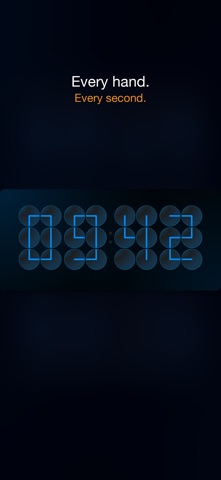
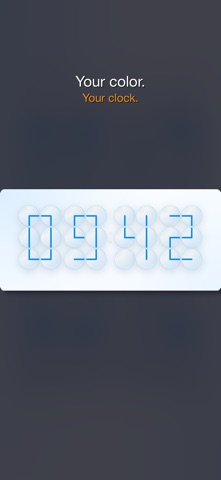
Each digit is a 3×2 grid of six clock faces. Forty-eight hands choreograph themselves every sixty seconds, sweeping smoothly to their new positions to redraw the time.
ALARMS
Create alarms with a label, choose which days they repeat, and set a snooze from 1 to 30 minutes. When an alarm fires, a countdown Live Activity appears on your Lock Screen and in the Dynamic Island, showing exactly how much snooze time remains.
ALWAYS-ON / BEDSIDE MODE
Long-press the clock to enter always-on mode: the display dims, overlays disappear, and the idle timer is disabled—perfect as a quiet bedside or desk clock. Tap once to exit.
AIRPLAY
Send the clock to an Apple TV or any AirPlay 2 display. It fills the screen in the full television layout and stays perfectly in sync.
WIDGET
Add the medium Home Screen widget—independently configurable per instance for time format, theme, and accent color.
CUSTOMIZE
• 12-hour or 24-hour format
• Light, Dark, or System theme
• Hand accent: System, Blue, Green, or Amber
ACCESSIBILITY
Reduce Motion snaps transitions instead of sweeping. Increase Contrast switches to a high-separation opaque palette. VoiceOver reads the current time as one element.
The same beautiful clock is available on iPhone, iPad, Mac, and Apple TV.
Safety and technology
Found in the app by AppBrain- Price
- $0.99
- App size
- 2.22 MB
- Content rating
- Everyone
Technologies used by Clocks in Motion
Releases
Updates seen on the App Store- Version
- 3.2.0
- Launched
- January 2020
No changelog data
Alternatives
Similar apps and more from Stefano Acerbetti









Rankings
App Store top chartsApp Store Rankings for Clocks in Motion
About the app and developer
About Clocks in Motion
Clocks in Motion is an utilities app developed by Stefano Acerbetti.
User Ratings
Clocks in Motion is rated 5.00 out of 5 stars. The rating is based on one rating ratings.
App Information
Clocks in Motion costs $0.99. The app size is 2.22 MB. The latest version available is 3.2.0. The last update was on August 29, 2026.
Technical Requirements
The app has a content rating of Everyone. The app has been available on the App Store since January 2020.
Developer information for Stefano Acerbetti
Address:
Frequently asked questions about Clocks in Motion
Is Clocks in Motion free?
No. Clocks in Motion costs $0.99 on the App Store.
Is Clocks in Motion still available?
Yes. Clocks in Motion is on the App Store, and the last update we saw was on August 29, 2026.
How large is Clocks in Motion?
Clocks in Motion is 2.22 MB.
Is Clocks in Motion suitable for children?
App Store rates the content of Clocks in Motion as suitable for everyone.
How do people rate Clocks in Motion?
Clocks in Motion has one rating of 5.00 stars on the App Store.
Who made Clocks in Motion?
Clocks in Motion was developed by Stefano Acerbetti. It is listed in the utilities category on the App Store.
What are the best alternatives to Clocks in Motion?
People looking at Clocks in Motion also look at these utilities apps: Orator's Clock, Sleep Baby ©, Dash Cam Plus, Automaxx Power Tracker, Pixel Art Clock.