

CNDWN – Countdown Timer Widget
CNDWN – Countdown Timer Widget is made and published by Konstantin Schillhahn. AppBrain is an independent app data site and isn't affiliated with Konstantin Schillhahn. The app name, icon, screenshots and description belong to Konstantin Schillhahn and are shown as published on the App Store.
AppBrain's verdict
- Rating on App Store
- 4.33
- 12 ratings
- Last updated
- August 22, 2026
It doesn't have enough ratings yet to judge what users think.
Rankings
App Store top chartsApp Store Rankings for CNDWN – Countdown Timer Widget
Competitors
Similar apps and more from Konstantin SchillhahnAlternatives to CNDWN – Countdown Timer Widget




More from Konstantin Schillhahn

Releases
Updates seen on the App Store- Version
- 3.1
- Launched
- September 2023
No changelog data
User feedback
Ratings and reviews on the App StoreComments on CNDWN – Countdown Timer Widget for iOS
We don't have enough comments to show example comments. Please check back later.
Technology
Found in the app by AppBrain- Price
- Free
- App size
- 24.1 MB
- Content rating
- Everyone
Technologies used by CNDWN – Countdown Timer Widget
About the app and developer
About CNDWN – Countdown Timer Widget
CNDWN – Countdown Timer Widget is a lifestyle app developed by Konstantin Schillhahn.
User Ratings
CNDWN – Countdown Timer Widget is rated 4.33 out of 5 stars. The rating is based on 12 ratings.
App Information
CNDWN – Countdown Timer Widget is freely available from the App Store. The app size is 24.14 MB. The latest version available is 3.1. The last update was on August 22, 2026.
Technical Requirements
The app has a content rating of Everyone. The app has been available on the App Store since September 2023.
Developer information for Konstantin Schillhahn
Address:
Store listing
By Konstantin Schillhahn, from the App Store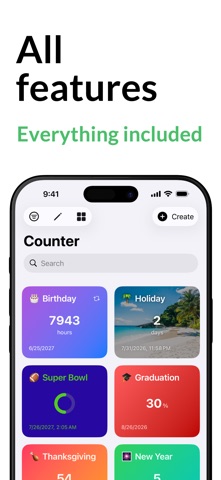

Description by Konstantin Schillhahn Written by the developer, not by AppBrain. Click to read.
CNDWN is the first countdown app with every feature free:
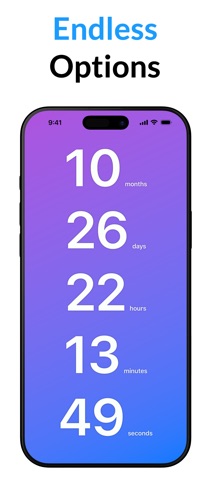
• Countdowns & count-ups
• Progress bars for every event
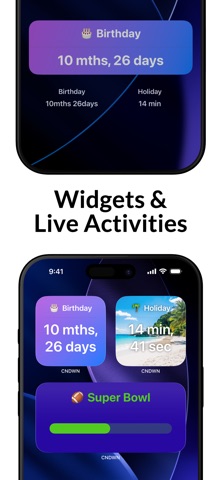
• Home Screen, Lock Screen & StandBy widgets
• Apple Watch app & complications
• Live Activities on the Lock Screen
• iCloud sync across all your devices
• Custom colors for each countdown
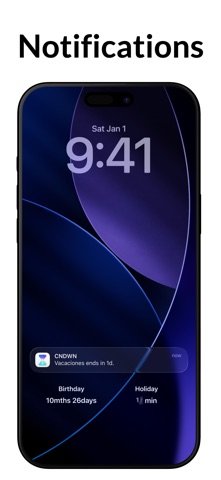
• Notifications & reminders
• Import from Calendar & Reminders
• Dark Mode & Handoff
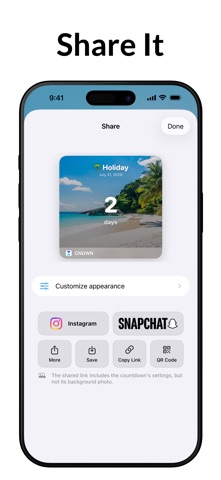
• Share your countdowns — now to Instagram, too
Set your first countdown in seconds and never lose track of what's coming next.