

CoAdQuantum Mobile
CoAdQuantum Mobile is made and published by CoAdvantage. AppBrain is an independent app data site and isn't affiliated with CoAdvantage. The app name, icon, screenshots and description belong to CoAdvantage and are shown as published on the App Store.
AppBrain's verdict
- Rating on App Store
- 2.68
- 53 ratings
- Last updated
- September 28, 2026
It doesn't have enough ratings yet to judge what users think.
Rankings
App Store top chartsApp Store Rankings for CoAdQuantum Mobile
Competitors
Similar apps and more from CoAdvantageAlternatives to CoAdQuantum Mobile


Also available on Google Play

Releases
Updates seen on the App Store- Version
- 1.19
- Launched
- January 2025
No changelog data
User feedback
Ratings and reviews on the App StoreComments on CoAdQuantum Mobile for iOS
We don't have enough comments to show example comments. Please check back later.
Technology
Found in the app by AppBrain- Price
- Free
- App size
- 37.9 MB
- Content rating
- Everyone
Technologies used by CoAdQuantum Mobile
About the app and developer
About CoAdQuantum Mobile
CoAdQuantum Mobile is a business app developed by CoAdvantage.
What is the rating of CoAdQuantum Mobile?
CoAdQuantum Mobile is rated 2.68 out of 5 stars, based on 53 ratings.
Is CoAdQuantum Mobile free?
CoAdQuantum Mobile is free. The app size is 37.87 MB. The latest version available is 1.19. The last update was on September 28, 2026.
What are the requirements for CoAdQuantum Mobile?
The app has a content rating of Everyone. The app has been available on the App Store since January 2025.
Developer information for CoAdvantage
Address:
Store listing
By CoAdvantage, from the App Store




Description by CoAdvantage Written by the developer, not by AppBrain. Click to read.
DASHBOARD
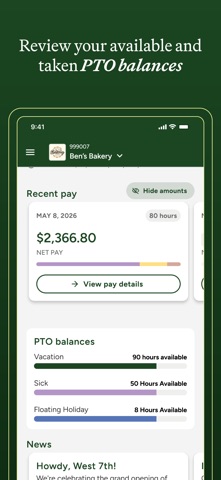
The dashboard provides an easy and organized view of key work details. Quickly access recent check stubs, check your current PTO balances, and stay updated with the latest company news.
CHECK STUBS
The Check Stubs area of the mobile app lets you view both current and historical pay stubs, along with a detailed year-to-date pay summary, giving you a clear overview of your earnings.
DIRECT DEPOSIT
Use the Direct Deposit area to review your current pay preferences, enroll in or modify your direct deposit accounts or request a pay card.
TAXES
Review your current federal and state withholding settings from the Taxes screen.
TOTAL COMPENSATION
The Total Compensation report shows the full value of what you earn including your salary, bonuses, and benefits like health insurance or retirement contributions. It helps you see the complete picture of your compensation, not just your paycheck, making it easier to understand your overall financial package.