

Code To PC is made and published by Marko Babovic. AppBrain is an independent app data site and isn't affiliated with Marko Babovic. The app name, icon, screenshots and description belong to Marko Babovic and are shown as published on the App Store.
AppBrain's verdict
- Last updated
- August 16, 2026
Rankings
App Store top chartsApp Store Rankings for Code To PC
Competitors
Similar apps and more from Marko BabovicAlternatives to Code To PC


Also available on Google Play

Releases
Updates seen on the App Store- Version
- 1.2.2
- Launched
- February 2026
No changelog data
User feedback
Ratings and reviews on the App StoreComments on Code To PC for iOS
We don't have enough comments to show example comments. Please check back later.
Technology
Found in the app by AppBrain- Price
- Free
- App size
- 32.1 MB
- Content rating
- Everyone
Technologies used by Code To PC
About the app and developer
About Code To PC
Code To PC is a business app developed by Marko Babovic.
User Ratings
The app has no ratings yet.
App Information
Code To PC is freely available from the App Store. The app size is 32.12 MB. The latest version available is 1.2.2. The last update was on August 16, 2026.
Technical Requirements
The app has a content rating of Everyone. The app has been available on the App Store since February 2026.
Developer information for Marko Babovic
Address:
Store listing
By Marko Babovic, from the App Store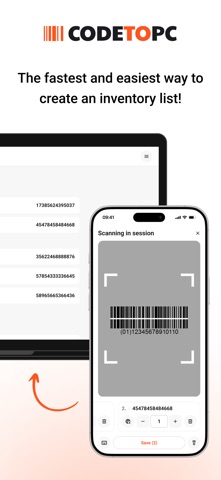


Description by Marko Babovic Written by the developer, not by AppBrain. Click to read.
Turn your phone into a high-precision barcode and QR scanner and send data to your PC.
Download the server app here: https://codetopc.com
Features
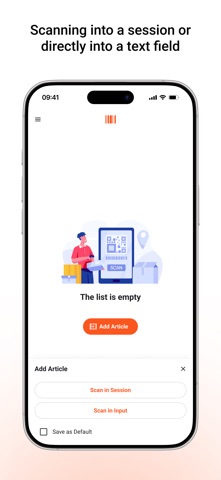
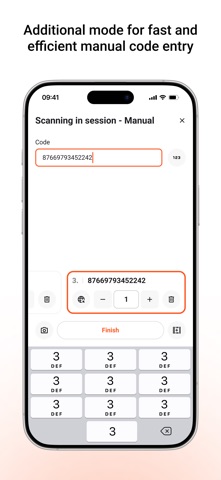
- Data Transfer – Scan barcodes and QR codes and send them directly to your PC.
- Wi-Fi Connection – No cables needed. Your phone and PC connect over the same network.
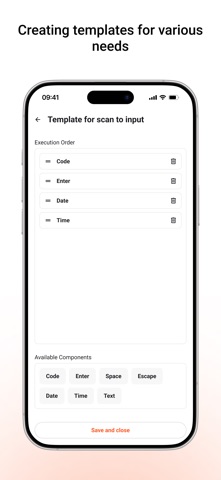
- Keyboard Emulator – Automatically types scanned codes into any app on your PC.
- CSV Export – Save scans instantly or export them later as a CSV file.
- Multi-Platform Support – Works on Windows and macOS.
- High-Precision Scanning – Uses advanced camera processing for accurate recognition.
- User-Friendly Interface – Simple and intuitive design.
How It Works
- Download and install the Code To PC server on your PC
- Make sure your phone and PC are on the same Wi-Fi network
- Open the app and start scanning – data is instantly sent to your PC
Server app download: https://codetopc.com
Perfect For
- Inventory Management
- Retail and Point of Sale
- Office and Productivity Automation
- Logistics and Warehousing
- Personal Use and More
Download Code To PC and simplify your work!