

CodeGet - Qr Code Generator
CodeGet - Qr Code Generator is made and published by Rodrigo Dutra de Oliveira. AppBrain is an independent app data site and isn't affiliated with Rodrigo Dutra de Oliveira. The app name, icon, screenshots and description belong to Rodrigo Dutra de Oliveira and are shown as published on the App Store.
AppBrain's verdict
Established- Rating on App Store
- 1.00
- 2 ratings
- Last updated
- June 1, 2021
It doesn't have enough ratings yet to judge what users think.
Rankings
App Store top chartsApp Store Rankings for CodeGet - Qr Code Generator
Competitors
Similar apps and more from Rodrigo Dutra de OliveiraAlternatives to CodeGet - Qr Code Generator


More from Rodrigo Dutra de Oliveira


Releases
Updates seen on the App Store- Version
- 1.1
- Launched
- April 2021
No changelog data
User feedback
Ratings and reviews on the App StoreComments on CodeGet - Qr Code Generator for iOS
We don't have enough comments to show example comments. Please check back later.
Technology
Found in the app by AppBrain- Price
- $2.99
- App size
- 14.5 MB
- Content rating
- Everyone
Technologies used by CodeGet - Qr Code Generator
About the app and developer
About CodeGet - Qr Code Generator
CodeGet - Qr Code Generator is a photo & video app developed by Rodrigo Dutra de Oliveira.
User Ratings
CodeGet - Qr Code Generator is rated 1.00 out of 5 stars. The rating is based on 2 ratings.
App Information
CodeGet - Qr Code Generator costs $2.99. The app size is 14.46 MB. The latest version available is 1.1. The last update was on June 1, 2021.
Technical Requirements
The app has a content rating of Everyone. The app has been available on the App Store since April 2021.
Developer information for Rodrigo Dutra de Oliveira
Address:
Store listing
By Rodrigo Dutra de Oliveira, from the App Store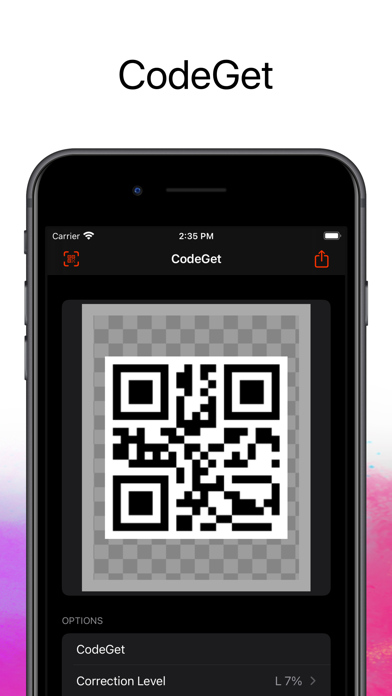
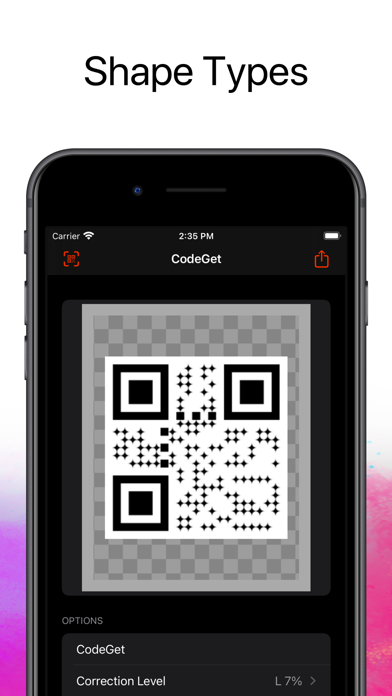


Description by Rodrigo Dutra de Oliveira Written by the developer, not by AppBrain. Click to read.
With CodeGet - Qr Code Generator you have an easy way to do this job.
You can type the content you want, select the correction level of your QR Code and instant generate it.
Want to style your QR Code? Select Colors, Shape, logo, watermark...
You have 68 frames (Categories: Follow, Scan, Coupon, Event, Feedback) to select from.
••••••••••••••••••••••••••••••••••••••••••••••••••••••••••••
Enjoy our features:
••••••••••••••••••••••••••••••••••••••••••••••••••••••••••••
• Easy to use interface.
• Correction Level.
• Shape Type: Square, Circle and Diamond.
• Background and Foreground color.
• Icon/logo.
• Watermark Image
• Frames: 68 frames (Follow, Scan, Coupon, Event, Feedback)
••••••••••••••••••••••••••••••••••••••••••••••••••••••••••••
How to use:
••••••••••••••••••••••••••••••••••••••••••••••••••••••••••••
1. Type the content.
2. Choose the correction level: capability to restore data if the code is dirty or damaged.
3. Select the Shape Type: Square, circle or diamond.
4. Background and Foreground Color: Use to style your QR code (optional).
5. Icon: Select an icon (for exemple: your business logo) to be inserted at the center of your QR Code (optional).
6. Watermark: A image that'll be used as background for your QRCode (optional).
7. Select a frame (optional).