It doesn't have enough ratings yet to judge what users think.
Collage Maker Photo Grid is made and published by
out thinking limited.
AppBrain is an independent app data site and isn't affiliated with out thinking limited.
The app name, icon, screenshots and description belong to out thinking limited and are shown as
published on the App Store.
About Collage Maker Photo Grid
Collage Maker Photo Grid is a photo & video app developed by out thinking limited.
What is the rating of Collage Maker Photo Grid?
Collage Maker Photo Grid is rated 4.12 out of 5 stars, based on 26 ratings.
Is Collage Maker Photo Grid free?
Collage Maker Photo Grid is free. The app size is 49.43 MB. The latest version available is 2.1. The last update was on January 22, 2024.
What are the requirements for Collage Maker Photo Grid?
The app has a content rating of Everyone. The app has been available on the App Store since June 2016.
Description by out thinking limited(from the App Store)
Photo video collage maker with music to combine multiple photos and videos together.
Looking for some interesting photo collage and photo editing options? , Then opt for collage grid poster maker, and enjoy creating some amazing collages, and edit your pics, to give it an appealing look.
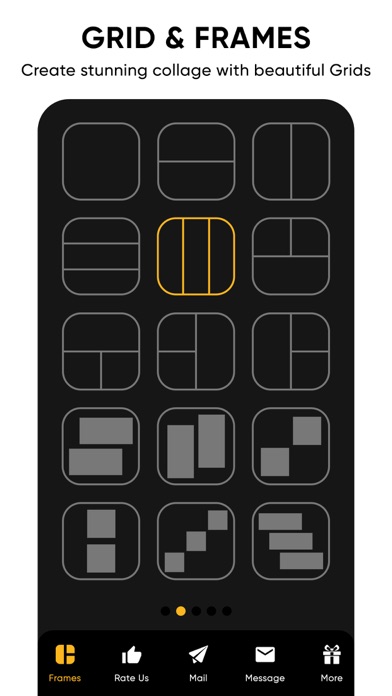
The collage grid poster maker includes three options – Grid, Poster and Editor. The grid option enables you to select a frame with various options for layouts, make it look beautiful by giving effects, stitch pics, and also sequentially play videos by adding a background music to it.
The poster option allows you to create a stunning collage with a poster look by adding your favourite thought and applying some effects. Here you also have a variety of amazing poster options to choose from.
The editor option allows you to enhance your pic by adjusting its lighting, sharpness, and colour, giving it a proper orientation, adding various effects, and with many more options in store.
Collage grid poster maker key features 1. Grid collage Numerous options for frame layouts Capability of stitching multiple pics. Create a photo and video sequence and play it by adding a background music. Add a colour and pattern to the frame border. Variety of options for effects. 2. Poster collage Variety of beautiful looking poster options. Add a background to your photo. Add a favourite thought to your collage. Apply some amazing effects to your collage. 3. Editor Photo enhancement. Apply different kinds of effects. Crop the image. Adjust lighting, sharpness, and colour. Remove blemishes and red eye. Whiten your pic. Give a vignette effect to your photo. Splash effect. 4. Save the collage to the phone’s photo gallery. 5. Share your pic through platforms like Facebook, Instagram, and gmail.
Download the collage grid poster maker app to come up with some breath taking collages, and edit your pic to make it look appealing.
Subscription Terms - Subscribe to get unlimited video collage app access to all features. - Upon confirmation of purchase, the payment will be charged to the iTunes account. - Until you turn off the auto-renew at least 24 hours before the end of the current. period it will be automatically renewed. - If you decide to turn off auto-renewal, you can turn it off maybe by going to account settings after purchase. -The renewal amount will be charged from the account within 24 hours before the end of the current period. -As per the policy, cancellation of the current subscription is not allowed during the active subscription period. Once purchased, refunds will not be returned for any unused portion of the subscription period. Terms of use - https://www.outthinkingindia.com/terms-of-use/ Privacy policy - https://www.outthinkingindia.com/privacy-policy/
Each subscription will automatically renew 3 days before the expiration date for
the same time period. Subscriptions can be cancelled at any time before the renewal.