

Color My Memory
Color My Memory is made and published by Shawn Strayer. AppBrain is an independent app data site and isn't affiliated with Shawn Strayer. The app name, icon, screenshots and description belong to Shawn Strayer and are shown as published on the App Store.
AppBrain's verdict
New- Rating on App Store
- 5.00
- 5 ratings
- Last updated
- August 25, 2026
Color My Memory came out 69 days ago. It doesn't have enough ratings yet to judge what users think.
Rankings
App Store top chartsApp Store Rankings for Color My Memory
Competitors
Similar apps and more from Shawn StrayerAlternatives to Color My Memory


Releases
Updates seen on the App Store- Version
- 1.0
- Launched
- August 2026
No changelog data
User feedback
Ratings and reviews on the App StoreComments on Color My Memory for iOS
We don't have enough comments to show example comments. Please check back later.
Technology
Found in the app by AppBrain- Price
- Free
- App size
- 1.37 MB
- Content rating
- Everyone
Technologies used by Color My Memory
About the app and developer
About Color My Memory
Color My Memory is an entertainment app developed by Shawn Strayer.
User Ratings
Color My Memory is rated 5.00 out of 5 stars. The rating is based on 5 ratings.
App Information
Color My Memory is freely available from the App Store. The app size is 1.37 MB. The latest version available is 1.0. The last update was on August 25, 2026.
Technical Requirements
The app has a content rating of Everyone. The app has been available on the App Store since August 2026.
Developer information for Shawn Strayer
Address:
Store listing
By Shawn Strayer, from the App Store
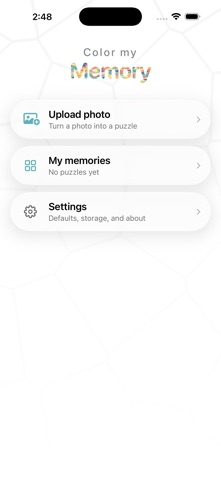


Description by Shawn Strayer Written by the developer, not by AppBrain. Click to read.
Color My Memory starts with your photograph.
Pick a photo from your library and it becomes a real color-by-number puzzle, generated just for that image. Then the good part: as you fill each numbered region, the actual photograph appears underneath. Not a flat approximation. Not a cartoon version. The real picture, revealed one number at a time, until you're looking at the moment you started with.
It turns out that's a completely different feeling from coloring a stranger's drawing. You already know what the picture is. Watching it come back is the point.
HOW IT WORKS
Choose a photo. Pick how long you want the puzzle to be. Wait about half a minute while it's built. Then start coloring.
Tap a region to fill it. Tap the wrong one and nothing happens, so you can work quickly without worrying. When you finish a color, the app moves you forward to the next one automatically. Pinch to zoom right in on the fine detail, and the numbers stay crisp at any magnification.
When the last region is filled, the outlines disappear and your photograph is simply there. Then it replays the whole thing from blank, in the order you actually colored it.
CHOOSE YOUR SESSION LENGTH
Short is 50 colors in the palette and roughly 1,300 regions with big, easy-to-tap shapes. An evening.
Medium is 100 colors and around 2,500. A few sittings.
Long is 200 colors and about 4,900 regions of fine detail. A proper project.
Every setting keeps about the same number of regions per color, so the hunt never gets harder as puzzles get longer. You're choosing how long you want to spend, not how difficult you want it to be.
MADE FOR ACTUALLY COLORING
Skip a color you're bored of and fill it in one tap.
Set the highlight tint to whatever's easiest on your eyes.
Progress saves as you go, and reopening a puzzle drops you back on the color you left off on.
Your library shows each puzzle as it currently stands, so you can see at a glance what's finished and what's waiting.
ABOUT YOUR PHOTOS
Your photo is uploaded to build the puzzle and is never kept on our server. The finished puzzle lives on your device.
No accounts. No sign-up. No ads.
REQUIREMENTS
iPhone and iPad running iOS 17 or later. An internet connection is needed to build a new puzzle; coloring works offline once it's on your device.