

Color Palette Conversion: UPC
Color Palette Conversion: UPC is made and published by Alberto Malagoli. AppBrain is an independent app data site and isn't affiliated with Alberto Malagoli. The app name, icon, screenshots and description belong to Alberto Malagoli and are shown as published on the App Store.
AppBrain's verdict
- Rating on App Store
- 3.00
- 1 ratings
- Last updated
- September 24, 2026
It doesn't have enough ratings yet to judge what users think.
Rankings
App Store top chartsApp Store Rankings for Color Palette Conversion: UPC
Competitors
Similar apps and more from Alberto MalagoliAlternatives to Color Palette Conversion: UPC





More from Alberto Malagoli




Also available on Google Play

Releases
Updates seen on the App Store- Version
- 4.2.4
- Launched
- March 2024
No changelog data
User feedback
Ratings and reviews on the App StoreComments on Color Palette Conversion: UPC for iOS
We don't have enough comments to show example comments. Please check back later.
Technology
Found in the app by AppBrain- Price
- Free
- App size
- 88.5 MB
- Content rating
- Everyone
Technologies used by Color Palette Conversion: UPC
About the app and developer
About Color Palette Conversion: UPC
Color Palette Conversion: UPC is a graphics & design app developed by Alberto Malagoli.
User Ratings
Color Palette Conversion: UPC is rated 3.00 out of 5 stars. The rating is based on one rating ratings.
App Information
Color Palette Conversion: UPC is freely available from the App Store. The app size is 88.46 MB. The latest version available is 4.2.4. The last update was on September 24, 2026.
Technical Requirements
The app has a content rating of Everyone. The app has been available on the App Store since March 2024.
Developer information for Alberto Malagoli
Address:
Store listing
By Alberto Malagoli, from the App Store


Description by Alberto Malagoli Written by the developer, not by AppBrain. Click to read.
Import palettes from design tools, files, or raw text/code, then export them into formats that work elsewhere.
It’s useful if you’ve ever needed to reuse colors across apps or environments.
Examples:
- For designers: export a palette from Affinity and import it into Procreate
- For developers: copy colors from one codebase and reuse them in another
- From design to code: take colors from a UI file and export them as CSS or JSON
- From anywhere: extract colors from text, a website, or a document and turn them into a usable palette
What you can do:
- Import palettes from common design formats (ASE, ACO, GPL, Procreate, Affinity, Sketch, Corel, and more)
- Extract colors from text or code (Hex, RGB, HSL, CSS, JSON, JavaScript, Swift, Kotlin, XML, Dart, etc.)
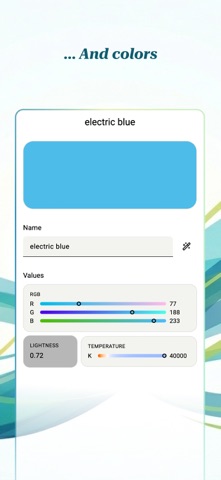
- View and inspect colors in multiple formats and color spaces
- Convert palettes between formats
- Export to files for design tools (ASE, ACO, GPL, Procreate, Sketch, and others)
- Export as code (CSS, JSON, JavaScript, Swift, Kotlin, Dart, XML, SVG, etc.)
- Generate palette images (PNG, JPEG) for sharing
Other details:
- Works fully offline
- No account required
--- Import from:
Files:
- Adobe Color Book (ACB) | .acb
- Adobe Color Book Legacy (ACBL) | .acbl
- Adobe Color Swatch (ACO) | .aco
- Adobe Color Table (ACT) | .act
- Adobe Swatch Exchange (ASE) | .ase
- Affinity Designer Palette | .afpalette
- ArtRage 6 Color Palette (COL) | .col
- Color Exchange Format (CXF) | .cxf
- ColorSchemer Studio | .cs
- CorelDraw 4 Palette | .pal
- GIMP Palette | .gpl | Gimp, Inkscape, Krita, KolourPaint, Scribus, CinePaint, MyPaint
- Homesite Palette | .hpl | Allaire Homesite, Macromedia ColdFusion
- KOffice Palette | .colors | Calligra Suite, KDE Applications
- Paint.NET Palette | .txt
- Procreate v1 Swatches | .swatches
- Procreate v5 Swatches | .swatches
- Jasc / Corel Paint Shop Pro Palette | .pal, .psppalette
- Rebelle | .txt, .colors
- Resource Interchange File Format (RIFF) | .pal
- Scribus Swatch | .xml
- sK1 Palette | .skp | sK1
- Skencil Palette | .spl | Skencil, sK1
- Sketch Palette | .sketchpalette
- StarOffice Colors | .soc | StarOffice, OpenOffice, LibreOffice
Any text containing the following formats:
- Hexadecimal color codes
- CSS/SCSS/LESS color values and variables
- JSON
- JavaScript/TypeScript constants
- XML/Java/Kotlin
- iOS Swift/Objective-C UIColor
- macOS Swift/Objective-C NSColor
- .NET Color
- Flutter Color
- Apple Property List (plist)
--- Export to:
Files:
- Adobe Color Swatch (ACO) | .aco
- Adobe Swatch Exchange (ASE) | .ase
- ColorSchemer Studio | .cs
- CorelDraw 4 Palette | .pal
- GIMP Palette | .gpl, .gimp | Gimp, Inkscape, Krita, KolourPaint, Scribus, CinePaint, MyPaint
- Homesite Palette | .hpl | Allaire Homesite, Macromedia ColdFusion
- KOffice Palette | .colors | Calligra Suite, KDE Applications
- Paint.NET Palette | .txt
- Procreate v1 Swatches | .swatches
- Jasc / Corel Paint Shop Pro Palette | .pal, .psppalette
- Rebelle | .txt, .colors
- Resource Interchange File Format (RIFF) | .pal
- Scribus Swatch | .xml
- sK1 Palette | .skp | sK1
- Skencil Palette | .spl | Skencil, sK1
- Sketch Palette | .sketchpalette
- StarOffice Colors | .soc | StarOffice, OpenOffice, LibreOffice
Text:
- Color values in various color spaces and representations (Hex, RGB, HSL, etc.)
- Web colors (CSS, SCSS/SASS, LESS, JS, JSON)
- Tailwind v3 and Tailwind v4 config
- XML, Java, Kotlin
- Apple formats (plist, Swift, Objective-C)
- .NET formats (C#, VB.NET)
- Flutter formats (Dart)
- SVG
Images:
- PNG, JPEG
- Terms of Use (EULA): https://www.apple.com/legal/internet-services/itunes/dev/stdeula/
- Privacy Policy: https://projects.albemala.me/privacy-policy/