

Compress PDF: Reduce Size
Compress PDF: Reduce Size is made and published by Jaydip Patoliya. AppBrain is an independent app data site and isn't affiliated with Jaydip Patoliya. The app name, icon, screenshots and description belong to Jaydip Patoliya and are shown as published on the App Store.
AppBrain's verdict
- Last updated
- July 9, 2026
Rankings
App Store top chartsApp Store Rankings for Compress PDF: Reduce Size
Competitors
Similar apps and more from Jaydip PatoliyaAlternatives to Compress PDF: Reduce Size



More from Jaydip Patoliya


Releases
Updates seen on the App Store- Version
- 1.2.9
- Launched
- September 2023
No changelog data
User feedback
Ratings and reviews on the App StoreComments on Compress PDF: Reduce Size for iOS
We don't have enough comments to show example comments. Please check back later.
Technology
Found in the app by AppBrain- Price
- Free
- App size
- 29.0 MB
- Content rating
- Everyone
Technologies used by Compress PDF: Reduce Size
About the app and developer
About Compress PDF: Reduce Size
Compress PDF: Reduce Size is an utilities app developed by Jaydip Patoliya.
User Ratings
The app has no ratings yet.
App Information
Compress PDF: Reduce Size is freely available from the App Store. The app size is 28.97 MB. The latest version available is 1.2.9. The last update was on July 9, 2026.
Technical Requirements
The app has a content rating of Everyone. The app has been available on the App Store since September 2023.
Developer information for Jaydip Patoliya
Address:
Frequently asked questions about Compress PDF: Reduce Size
Is Compress PDF: Reduce Size free?
Yes. Compress PDF: Reduce Size is free on the App Store.
Is Compress PDF: Reduce Size still available?
Yes. Compress PDF: Reduce Size is on the App Store, and the last update we saw was on July 9, 2026.
How large is Compress PDF: Reduce Size?
Compress PDF: Reduce Size is 28.97 MB.
Is Compress PDF: Reduce Size suitable for children?
App Store rates the content of Compress PDF: Reduce Size as suitable for everyone.
Who made Compress PDF: Reduce Size?
Compress PDF: Reduce Size was developed by Jaydip Patoliya. It is listed in the utilities category on the App Store.
What are the best alternatives to Compress PDF: Reduce Size?
People looking at Compress PDF: Reduce Size also look at these utilities apps: Pocket PDF : PDF Utility, Compressor: Video, Image & PDF, File Compressor-PDF Compressor, Compress It! PDF Compressor, PDF Compressor - Reduce Size.
Store listing
By Jaydip Patoliya, from the App Store



Description by Jaydip Patoliya Written by the developer, not by AppBrain. Click to read.
Compress PDF files, edit documents, convert images to PDF, sign contracts, merge files, split pages, and scan documents—all in one powerful PDF editor.
Whether you're a student, business professional, freelancer, or office worker, PDF Editor helps you manage PDFs quickly and securely from your iPhone.
-- Powerful PDF Tools --
- Compress PDF
Reduce PDF file size while maintaining high quality. Share large documents faster via email, cloud storage, or messaging apps.
- PDF Converter
Image to PDF
PDF to Image (JPG & PNG)
PDF to Text
Convert scanned documents into editable text with OCR
- Edit PDF
Remove pages
Reorder pages
Delete pages
Organize documents in seconds
- Merge & Split PDF
Combine multiple PDF files into one document or split large PDFs into separate files.
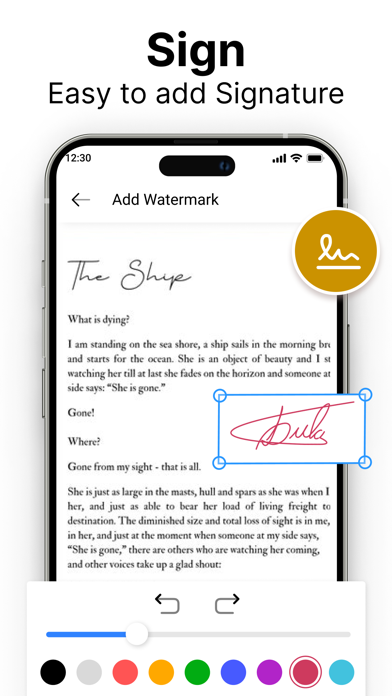
- Fill & Sign PDF
Create electronic signatures and sign contracts, invoices, forms, and agreements anytime.
- OCR Scanner
Scan paper documents, receipts, notes, IDs, and business cards. Extract text accurately using OCR technology.
- Watermark PDF
Protect your documents by adding custom text or logo watermarks.
- Password Protect PDF
Encrypt important documents with a password for extra privacy.
- Unlock PDF
Remove PDF passwords from files when you have permission.
- Add Page Numbers
Automatically number PDF pages for reports, presentations, and professional documents.
- Perfect For
• Students – Homework, notes, assignments, study materials
• Business – Contracts, invoices, proposals, reports
• Office Work – Forms, presentations, documentation
• Freelancers – Client files, agreements, portfolios
• Personal Use – Bills, receipts, certificates, documents
- Why Choose PDF Editor?
• Fast PDF compression
• High-quality PDF converter
• Easy PDF editing
• Secure document protection
• Offline support
• Simple and intuitive interface
• Lightweight and fast
• No technical skills required
--- Supports Multiple Languages ---
• English
• Hindi
• Spanish
• French
• Brazil
• Russian
• German
• Japanese
• Italian
• Korean
• Polish
• Turkish
• Thai
• Romanian
• Arabic
• Danish
• Swedish
- Features You'll Love
* Compress PDF
* PDF Compressor
* PDF Editor
* PDF Converter
* Scan Documents
* OCR Scanner
* Image to PDF
* JPG to PDF
* Merge PDF
* Split PDF
* Sign PDF
* Fill PDF Forms
* PDF Reader
* Password Protect PDF
* Watermark PDF
* PDF to Text
* Document Scanner
* File Manager
Designed for speed, privacy, and productivity, PDF Editor makes it easy to create, edit, compress, convert, and manage PDF documents wherever you are.
Users can share and download all converted PDF Pages using the Converter PDF app.
Users can add watermarks using text and logo in pdf files using the Watermark PDF app.
Users can add signatures using PDF Signature app.
Download Compress PDF: Reduce Size today and simplify your document workflow.
- Subscription Information
• Payment will be charged to your Apple ID account at confirmation of purchase.
• Subscription renews automatically unless auto-renew is turned off at least 24 hours before the end of the current billing period.
• Your account will be charged for renewal within 24 hours before the end of the current period.
• You can manage or cancel subscriptions anytime in your App Store account settings.
• Any unused portion of a free trial, if offered, will be forfeited when purchasing a subscription.
Privacy Policy:
https://sites.google.com/view/developer-planet/privacy-policy
Terms of Use:
https://sites.google.com/view/developer-planet/terms-of-use