

Compresser: Compress & Convert
Compresser: Compress & Convert is made and published by Maciej Sieminski. AppBrain is an independent app data site and isn't affiliated with Maciej Sieminski. The app name, icon, screenshots and description belong to Maciej Sieminski and are shown as published on the App Store.
AppBrain's verdict
- Last updated
- September 12, 2026
Rankings
App Store top chartsApp Store Rankings for Compresser: Compress & Convert
Competitors
Similar apps and more from Maciej SieminskiMore from Maciej Sieminski


Also available on Google Play

Releases
Updates seen on the App Store- Version
- 2.0.8
- Launched
- May 2026
No changelog data
User feedback
Ratings and reviews on the App StoreComments on Compresser: Compress & Convert for iOS
We don't have enough comments to show example comments. Please check back later.
Technology
Found in the app by AppBrain- Price
- Free
- App size
- 55.6 MB
- Content rating
- Everyone
Technologies used by Compresser: Compress & Convert
About the app and developer
About Compresser: Compress & Convert
Compresser: Compress & Convert is an utilities app developed by Maciej Sieminski.
What is the rating of Compresser: Compress & Convert?
Compresser: Compress & Convert has no ratings yet.
Is Compresser: Compress & Convert free?
Compresser: Compress & Convert is free. The app size is 55.61 MB. The latest version available is 2.0.8. The last update was on September 12, 2026.
What are the requirements for Compresser: Compress & Convert?
The app has a content rating of Everyone. The app has been available on the App Store since May 2026.
Developer information for Maciej Sieminski
Address:
Frequently asked questions about Compresser: Compress & Convert
Is Compresser: Compress & Convert free?
Yes. Compresser: Compress & Convert is free on the App Store.
Is Compresser: Compress & Convert still available?
Yes. Compresser: Compress & Convert is on the App Store, and the last update we saw was on September 12, 2026.
How large is Compresser: Compress & Convert?
Compresser: Compress & Convert is 55.61 MB.
Is Compresser: Compress & Convert suitable for children?
App Store rates the content of Compresser: Compress & Convert as suitable for everyone.
Who made Compresser: Compress & Convert?
Compresser: Compress & Convert was developed by Maciej Sieminski. It is listed in the utilities category on the App Store.
Store listing
By Maciej Sieminski, from the App Store


Description by Maciej Sieminski Written by the developer, not by AppBrain. Click to read.
Why Compresser?
Your privacy matters. Compresser processes everything locally. This means:
• No Cloud Uploads: Files stay on device.
• No Accounts, No Sign-Up.
• No account and no cloud upload — files are processed on your device.
• Fast Results: Results in seconds.
• Quality Preservation: Reduce size, maintain quality.
What You Can Compress:
• Photos: JPEG, PNG, HEIC, WebP – adjust quality, resize, convert.
• Videos: MP4, MOV, AVI – dramatically reduce size.
• PDFs: Optimize structure, strip metadata.
• Audio Files: MP3, WAV, AAC, FLAC – smaller files, great sound.
Key Features:
• Batch Processing: Compress multiple files simultaneously.
• Smart Auto-Detection: Compresser finds an efficient way to shrink any file.
• Before & After Preview: See exact space saved.
• Compression History: Record all compressed files and savings.
• Format Conversion: Change image and video formats.
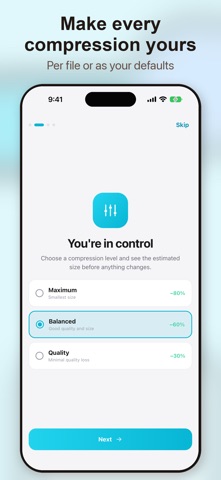
• Quality Controls: Adjust output quality and dimensions.
• Share Out: Send compressed files straight to any app.
• Works Offline: No internet needed.
How It Works:
1. Tap 'Quick Compress' or select file type.
2. Choose your files.
3. Adjust settings (optional).
4. Tap 'Compress' – done in seconds!
5. Save or share.
Privacy First:
Compresser is built on privacy. Your files are processed locally, never uploaded. We do not upload your files for compression. The free version uses Unity Ads, and the app uses crash and performance diagnostics as described in the privacy policy. Ad personalization follows your consent choices.
Free & Premium:
Enjoy Compresser's powerful features for free with banner ads. Upgrade to Compresser Premium via in-app purchase to remove all ads and unlock exclusive extras, including advanced batch options and priority support.
Additional Details:
• Light and Dark Theme
• Haptic Feedback
• Accessibility Support
• iPad-Optimized
• 11 Languages: English, Polish, Spanish, German, French, Portuguese, Russian, Ukrainian, Japanese, Korean, Chinese
Terms of Use (EULA): https://www.apple.com/legal/internet-services/itunes/dev/stdeula/