

Confexa Lead Capture
Confexa Lead Capture is made and published by Gislen Software PVT LTD. AppBrain is an independent app data site and isn't affiliated with Gislen Software PVT LTD. The app name, icon, screenshots and description belong to Gislen Software PVT LTD and are shown as published on the App Store.
AppBrain's verdict
- Last updated
- March 27, 2025
Rankings
App Store top chartsApp Store Rankings for Confexa Lead Capture
Releases
Updates seen on the App Store- Version
- 1.0
- Launched
- March 2025
No changelog data
User feedback
Ratings and reviews on the App StoreComments on Confexa Lead Capture for iOS
We don't have enough comments to show example comments. Please check back later.
Technology
Found in the app by AppBrain- Price
- Free
- App size
- 58.8 MB
- Content rating
- Everyone
Technologies used by Confexa Lead Capture
About the app and developer
About Confexa Lead Capture
Confexa Lead Capture is an utilities app developed by Gislen Software PVT LTD.
User Ratings
The app has no ratings yet.
App Information
Confexa Lead Capture is freely available from the App Store. The app size is 58.83 MB. The latest version available is 1.0. The last update was on March 27, 2025.
Technical Requirements
The app has a content rating of Everyone. The app has been available on the App Store since March 2025.
Developer information for Gislen Software PVT LTD
Address:
Frequently asked questions about Confexa Lead Capture
Is Confexa Lead Capture free?
Yes. Confexa Lead Capture is free on the App Store.
Is Confexa Lead Capture still available?
Yes. Confexa Lead Capture is on the App Store, and the last update we saw was on March 27, 2025.
How large is Confexa Lead Capture?
Confexa Lead Capture is 58.83 MB.
Is Confexa Lead Capture suitable for children?
App Store rates the content of Confexa Lead Capture as suitable for everyone.
Who made Confexa Lead Capture?
Confexa Lead Capture was developed by Gislen Software PVT LTD. It is listed in the utilities category on the App Store.
Store listing
By Gislen Software PVT LTD, from the App Store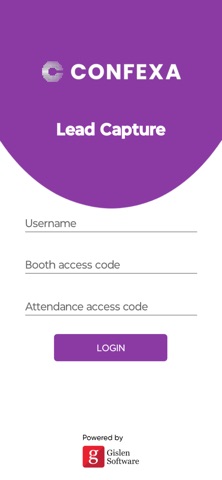

Description by Gislen Software PVT LTD Written by the developer, not by AppBrain. Click to read.
The activation code may include a Username along with a Booth Access Code or an Attendance Access Code.
The app requires camera permission to scan badges. Once permission is granted, enter the activation code and log in.
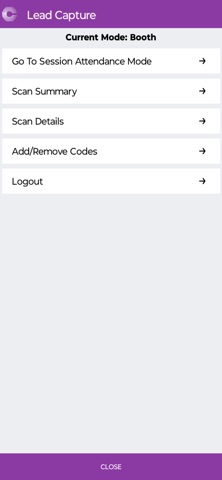
Upon logging in, you will be directed to the Booth Scan Screen. If you'd like to access additional information, tap the Menu.
The Menu offers several options, including:
Session List
About
Scan Summary
Scan Details
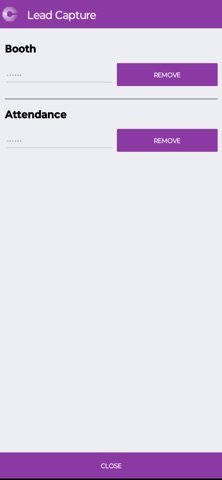
Add/Remove code
In the Session List screen, select a session to begin scanning.
Please note, scanned data will only be accessible and downloadable by your organization’s primary contact after each event day.
Important: Do not delete the app from your device until the data has been successfully downloaded.