Console Remote is an overall app developed by 莼乾 沈.
How many times has Console Remote been downloaded?
What is the rating of Console Remote?
Console Remote is rated 4.20 out of 5 stars, based on 10 ratings.
Is Console Remote free?
Console Remote costs $7.99 to download. The APK download size is 5.21 MB. The latest version available is 27.0.10. The last update was on July 3, 2026.
What are the requirements for Console Remote?
The app has a content rating of Everyone. The app has been available on Google Play November 2024.
Description
Turn Your iPad and iPhone into the Ultimate PS5 Streaming Companion!
Console Remote is a powerful remote play tool built specifically for iPad and iPhone, designed to deliver a premium PlayStation 5 streaming experience. With ultra-low latency, 3K resolution, and full DualSense controller support, it transforms your iPad and iPhone into a true PS5 companion-anytime, anywhere.
Whether you are on the couch, in bed, or on the go, enjoy console-quality gameplay directly on your iPad and iPhone.
Key Features
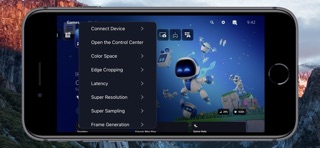
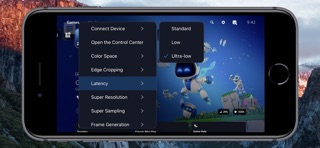
Ultra-low Latency Mode New synchronization engine, experience near-zero delay. Perfect sync with iPad and iPhone refresh rate for smooth, responsive gameplay.
3K HDR Video Streaming Enjoy enhanced visuals with up to 3K resolution HDR, powered by advanced super-resolution and image upsampling technologies.
Full DualSense Controller Support Connect via native Bluetooth with full support for adaptive triggers, haptic feedback, touchpad, and gyroscope.
Optimized Rendering Engine Built on Apple Metal and Audio Unit for high-performance video and audio rendering with reduced power consumption.
Advanced Upscaling & Sampling Choose from low, medium, or high sampling modes to boost image clarity without sacrificing performance.
Professional Color Space Support Switch between sRGB, Display P3, and Adobe RGB for accurate color tuning based on your screen.
MetalHUD Performance Monitor Full implementation of Apple MetalHUD, providing real-time monitoring of FPS, GPU, and memory usage.
Requirements
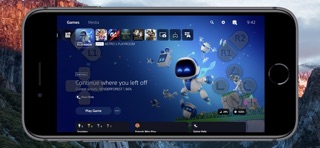
Virtual Touchpad and Virtual Controller Supports either a standalone virtual touchpad or a full virtual controller. Open [Virtual Control] > Check [Virtual Touchpad] or [Virtual Controller].
Remote Streaming Configure port forwarding on your router for ports 9295, 9296, 9297 and 9302 (UDP/TCP), or directly enable DMZ. Enable UPnP on your router. Open [Connect Device] > [PS5-Local] > [Edit] > [Connect Channel] > Select [Remote Connect].
Network Environment To avoid lag or pixelation, please follow the recommendations below Connect using a Wi-Fi 6 5GHz network Set your router channel to 149 (or 44 for EU/JP users) For improved stability, disable Location Services in your iPad and iPhone system settings
Devices PlayStation 5 console DualSense wireless controller (third-party controllers are not officially supported)
Systems iPad and iPhone running iOS 17.0 or higher, can work perfectly.
Terms of Service https://www.apple.com/legal/internet-services/itunes/dev/stdeula/
Disclaimer PS5, PS4, PlayStation 5, PlayStation 4, DualShock, DualSense and PSN are trademarks of Sony Computer Entertainment Inc. Console Remote is in no way endorsed by or affiliated with Sony Computer Entertainment lnc, or any associated subsidiaries, logos or trademarks.
Each subscription will automatically renew 3 days before the expiration date for
the same time period. Subscriptions can be cancelled at any time before the renewal.