
Construction Calculator++
Construction Calculator++ is made and published by Dogahe. AppBrain is an independent app data site and isn't affiliated with Dogahe. The app name, icon, screenshots and description belong to Dogahe and are shown as published on the App Store.
AppBrain's verdict
Established- Rating on App Store
- 4.18
- 50 ratings
- Last updated
- March 3, 2024
- Size
- 5.60 MB
It doesn't have enough ratings yet to judge what users think.
User feedback
Ratings and reviews on the App StoreComments on Construction Calculator++ for iOS
We don't have enough comments to show example comments. Please check back later.
Store listing
By Dogahe, from the App Store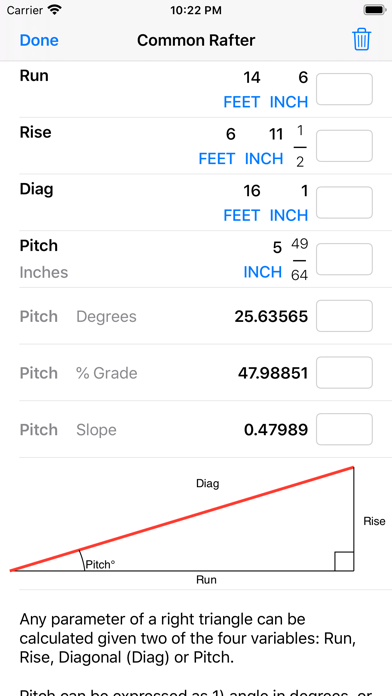

Description by Dogahe Written by the developer, not by AppBrain. Click to read.
Construction Calculator++ comes with the following features:
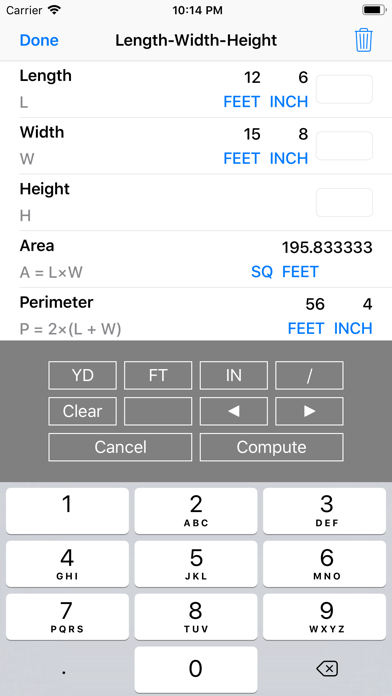
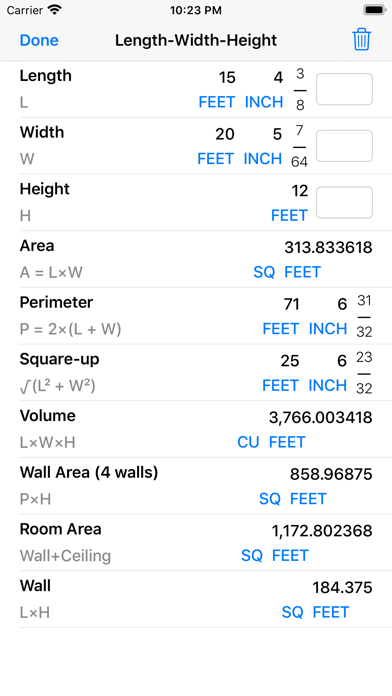
- Length-Width-Height Module: You can enter Length, Width, or Height values in Yard-Feet-Inch-Fractions, Decimal Feet, Decimal Inches, and Yards. Enter the Length and Width to calculate Area, Perimeter (of a room), and Square-up. In addition, enter the Height to calculate the Volume, Wall Area, and Total Room Area. You can enter any single length value and convert it to other dimensions, for example from Feet-Inch-Fractions to Decimal Feet or Decimal Inches or back. Furthermore you can tap on any calculated dimension to convert it to other dimensions. If the calculated value is Volume you can tap and see its conversion to Board Feet.
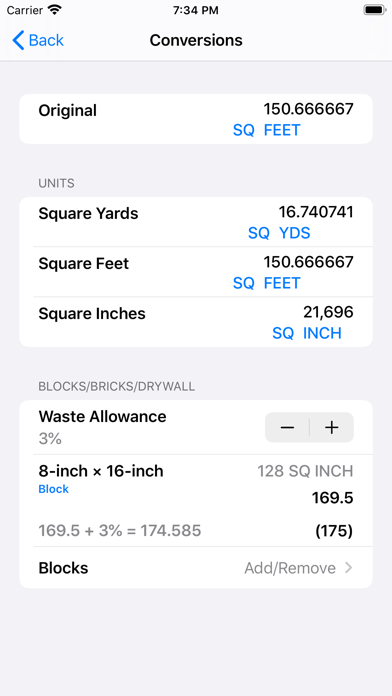
- Bricks/Blocks/Pavers/Tiles Function calculates the number of Bricks/Blocks/Pavers/Tiles needed for a certain length or area. You can use the standard 8-inch x 16-inch size block/mortar (area of 128 square inches) or enter custom block size by height and length or area. Furthermore, this function allows you to quickly and simply add a waste allowance to the number of blocks calculated.
- Drywall Sheets Function calculates the number of 4 x 8, 4 x 9, and 4 x 12 feet sheets required for an area or length. Furthermore, you can add your own custom size of Drywall Sheets.
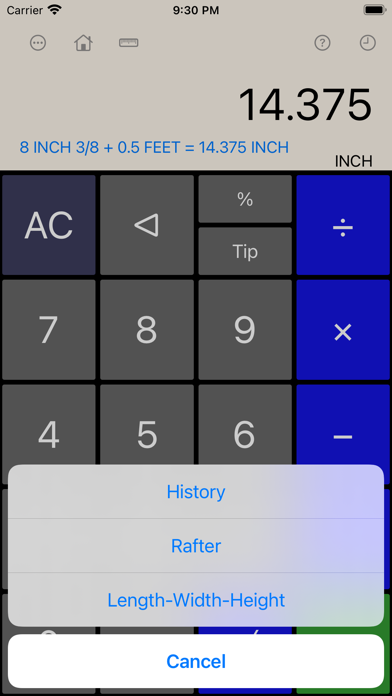
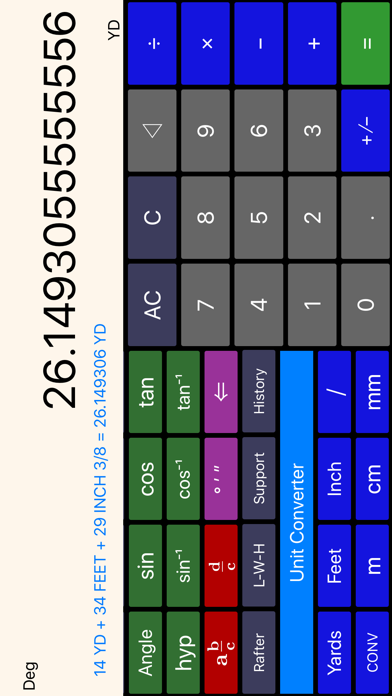
- Add, subtract, or convert linear measures with different units. The units include yard, feet, inches, inch fractions, meters, centimeters and millimeters.
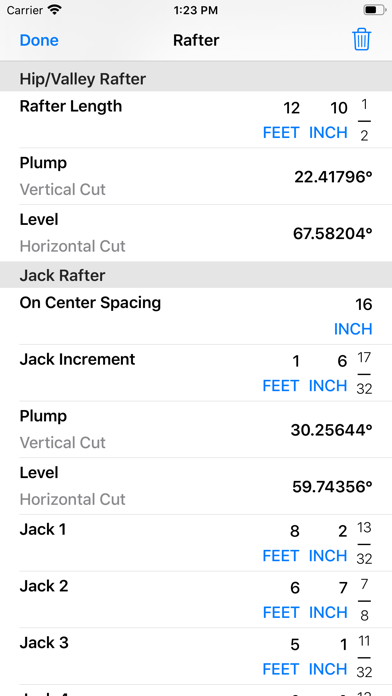
- Rafter Module: Enter any two of the four parameters, Rise, Run, Diagonal, or Pitch to calculate the unknowns. Run, Rise, and Diagonal values can be entered in Feet, Inches and Inch fractions or Decimal Feet and Decimal Inches. Pitch can be entered as a dimension in inches which is the amount of rise over 12 inches of run. Furthermore, Pitch can be entered as an angle in degrees, a percent grade or slope (pitch ratio). Tap on any of the values to see its conversion to other formats. In addition to Common Rafter, you can perform calculations of Regular and Irregular Hip/Valley and Jack Rafters. You can also calculate Plump and Level cut angles. Simply enter known values of Common Rafter and you are done. Length and cut angles of the adjoining Hip (or Valley) rafters, Incremental Jack Adjustment, Regular/Irregular Jack Rafter Lengths and Cut Angles for 16 Inch On Center Spacing are all automatically calculated. You can also enter an On Center Spacing other than 16 Inches.
- Circle and Arc Module: Solves for parameters of circle and arc. The parameters include radius, diameter, area, circumference, arc length, arc angle, chord length (run), segment rise (rise), segment area, and pie slice area. A plot of circle or arc and its parameters is drawn to scale to visualize the parameters for you .
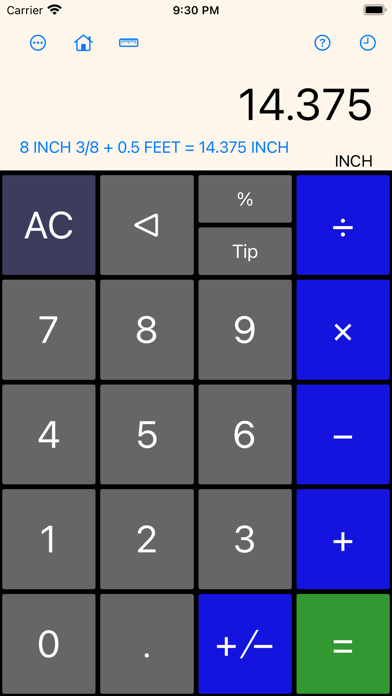
- Shows the expression as you enter and keeps a history of your calculations (Swipe up on the screen to reveal the history)
- Capability of performing fraction manipulations and converting between different formats (proper, improper, and mixed fractions) and seamless integration of fraction, integer, and decimal manipulations.
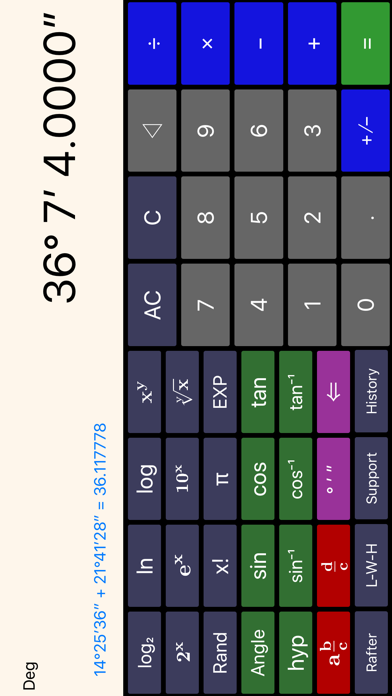
- Capability of inputting degrees, minutes, and seconds for angles and converting between degrees-minutes-seconds format and decimal format.
- The left pane scrolls to reveal more functionality without a need to switch modes. The digits and most common operations are always visible and the less common operations can be revealed by scrolling the left half of the screen.
- Sinusoidal functions can be calculated for angles in units of degrees, radians, or gradians.
Safety and technology
Found in the app by AppBrain- Price
- $0.99
- App size
- 5.60 MB
- Content rating
- Everyone
Technologies used by Construction Calculator++
Releases
Updates seen on the App Store- Version
- 1.18
- Launched
- May 2014
No changelog data
Alternatives
Similar apps and more from DogaheAlternatives to Construction Calculator++






More from Dogahe


Rankings
App Store top chartsApp Store Rankings for Construction Calculator++
About the app and developer
About Construction Calculator++
Construction Calculator++ is an utilities app developed by Dogahe.
User Ratings
Construction Calculator++ is rated 4.18 out of 5 stars. The rating is based on 50 ratings.
App Information
Construction Calculator++ costs $0.99. The app size is 5.60 MB. The latest version available is 1.18. The last update was on March 3, 2024.
Technical Requirements
The app has a content rating of Everyone. The app has been available on the App Store since May 2014.
Developer information for Dogahe
Address:
Frequently asked questions about Construction Calculator++
Is Construction Calculator++ free?
No. Construction Calculator++ costs $0.99 on the App Store.
Is Construction Calculator++ still available?
Yes. Construction Calculator++ is on the App Store, and the last update we saw was on March 3, 2024.
How large is Construction Calculator++?
Construction Calculator++ is 5.60 MB.
Is Construction Calculator++ suitable for children?
App Store rates the content of Construction Calculator++ as suitable for everyone.
How do people rate Construction Calculator++?
Construction Calculator++ scores 4.18 out of 5 stars, from 50 ratings on the App Store.
Who made Construction Calculator++?
Construction Calculator++ was developed by Dogahe. It is listed in the utilities category on the App Store.
What are the best alternatives to Construction Calculator++?
People looking at Construction Calculator++ also look at these utilities apps: Construction Calc, BF Calc, Feet&Inches for Builders, Roof Surface Calculator, Soil and Earthwork Calculator.