

Contexto - AI Voice Assistant
Contexto - AI Voice Assistant is made and published by Ona Pacholo Asis. AppBrain is an independent app data site and isn't affiliated with Ona Pacholo Asis. The app name, icon, screenshots and description belong to Ona Pacholo Asis and are shown as published on the App Store.
AppBrain's verdict
- Last updated
- September 26, 2026
Rankings
App Store top chartsApp Store Rankings for Contexto - AI Voice Assistant
Competitors
Similar apps and more from Ona Pacholo AsisAlternatives to Contexto - AI Voice Assistant


More from Ona Pacholo Asis


Releases
Updates seen on the App Store- Version
- 1.0.1
- Launched
- September 2026
No changelog data
User feedback
Ratings and reviews on the App StoreComments on Contexto - AI Voice Assistant for iOS
We don't have enough comments to show example comments. Please check back later.
Technology
Found in the app by AppBrain- Price
- $0.49
- App size
- 10.8 MB
- Content rating
- Everyone
Technologies used by Contexto - AI Voice Assistant
About the app and developer
About Contexto - AI Voice Assistant
Contexto - AI Voice Assistant is an education app developed by Ona Pacholo Asis.
User Ratings
The app has no ratings yet.
App Information
Contexto - AI Voice Assistant costs $0.49. The app size is 10.81 MB. The latest version available is 1.0.1. The last update was on September 26, 2026.
Technical Requirements
The app has a content rating of Everyone. The app has been available on the App Store since September 2026.
Developer information for Ona Pacholo Asis
Address:
Store listing
By Ona Pacholo Asis, from the App Store


Description by Ona Pacholo Asis Written by the developer, not by AppBrain. Click to read.
Record once, then ask questions across everything you have ever captured.
Your words become tasks, decisions, and durable memories, with evidence you can always trace.
FEATURES
• Fast voice capture
Record right on your iPhone with background audio support.
Pause and resume recording at any time.
Drop quick markers while you speak to flag key moments.
Choose from capture modes for meetings, ideas, journals, and more, or create your own templates.
• On-device transcription
Get accurate transcripts using on-device speech recognition when supported.
See live transcription as you speak.
Re-transcribe recordings from files you import into the app.
Keep using basic recording and local transcription for free.
• Automatic structure from messy speech
Contexto analyzes each note to pull out the signal: decisions, commitments, open questions, ideas, and memorable points.
Every extracted item is linked back to the exact quote in your transcript, so you can tap to see the evidence.
Related notes are connected so you can follow a thread across days and projects.
• Your personal second brain
Organize your knowledge into projects, people, topics, ideas, decisions, commitments, questions, and memories.
Review a unified “brain” view that shows what you decided, what you promised, and what still needs attention.
Use the review inbox to confirm new items before they become part of your long-term memory.
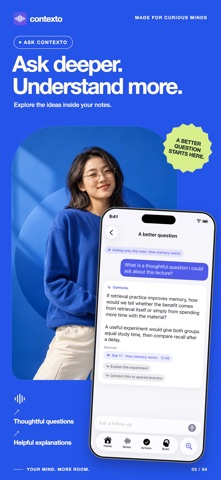
• Powerful retrieval and Ask Contexto
Search across all notes with hybrid search that understands both wording and meaning.
Ask Contexto questions like “What did we decide about pricing with Alex last month?” and get grounded answers.
Tap citations in answers to jump straight to the original note passage.
Scope questions to a specific note, project, or person when you need focused context.
• Action Center for follow-through
Turn what you say into trackable actions.
See everything you owe in the Action Center, grouped by Today, Upcoming, Waiting, No Date, Completed, and Suggested.
Confirm tasks before they are added to Apple Reminders or Calendar.
Snooze or edit actions and due dates so they match how you actually work.
• Turn notes into documents
Generate structured outputs from a single note: task lists, email drafts, meeting minutes, project briefs, product specs, blog outlines, study guides, or executive summaries.
Review and edit the draft before you copy, share, or export it.
• Daily and weekly briefings
Open the app to a daily brief that highlights what matters today.
Use the weekly review to catch up on decisions, commitments, and open questions you might have missed.
• Privacy and control
Most intelligence runs on your device using Apple models when available.
You can explicitly opt in to use a cloud AI provider.
Export your notes, memories, and actions in open formats at any time so you never feel locked in.
Start using your voice as a second brain.
Capture what matters in the moment, then let Contexto handle the structure, follow-through, and recall.
Standard EULA: https://www.apple.com/legal/internet-services/itunes/dev/stdeula/