

Conti ECHO is made and published by Continental. AppBrain is an independent app data site and isn't affiliated with Continental. The app name, icon, screenshots and description belong to Continental and are shown as published on the App Store.
AppBrain's verdict
- Last updated
- January 31, 2026
Rankings
App Store top chartsApp Store Rankings for Conti ECHO
This app is not ranked
Competitors
Similar apps and more from ContinentalAlternatives to Conti ECHO


More from Continental





Releases
Updates seen on the App Store- Version
- 4.0.11
- Launched
- May 2019
No changelog data
User feedback
Ratings and reviews on the App StoreComments on Conti ECHO for iOS
We don't have enough comments to show example comments. Please check back later.
Technology
Found in the app by AppBrain- Price
- Free
- App size
- 149.3 MB
- Content rating
- Everyone
Technologies used by Conti ECHO
About the app and developer
About Conti ECHO
Conti ECHO is a business app developed by Continental.
What is the rating of Conti ECHO?
Conti ECHO has no ratings yet.
Is Conti ECHO free?
Conti ECHO is free. The app size is 149.34 MB. The latest version available is 4.0.11. The last update was on January 31, 2026.
What are the requirements for Conti ECHO?
The app has a content rating of Everyone. The app has been available on the App Store since May 2019.
Developer information for Continental
Address:
Store listing
By Continental, from the App Store



Screenshots by Continental, from the the App Store listing
Description by Continental Written by the developer, not by AppBrain. Click to read.
Take new photos or attach from your gallery.
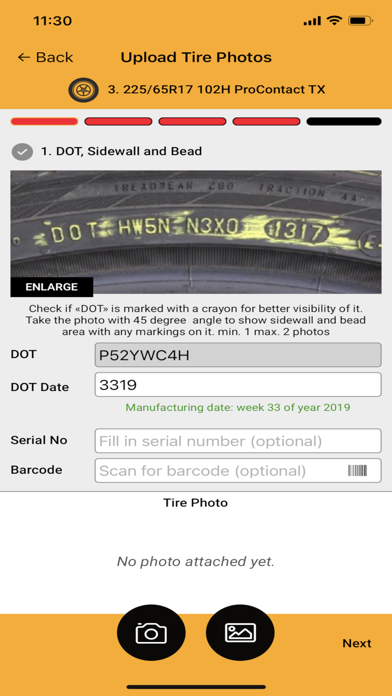
Capture your complaint tire photos and simply attach them to upload or follow the guide that is prepared for you to take the most required photos and submit them in the most suitable way.
No need of mobile data connection.
All photos can simply be attached and then uploaded at a later moment of time when your wi-fi is in range. So, capture your tire complaint photos and just attach them to all your complaint tires.
Compatible to all types of smartphones
Feel free to use any smartphone, with any brand and operation system at your shop. Simply download the Companion app then open your COC Web and manage your devices to authorize them to start viewing the tire complaints and uploading photos.
Enjoy guided photo capturing
You don’t have to worry about how to prepare the complaint tire for photo capturing or which parts of the complaint tire to take the photos of. Just follow the photo guide provided for your ease.
Identify photo upload status of each complaint tire
Stay notified of photo upload status of each complaint whether any of them missing photos or pending photos for upload. Each of them is shown with a different color notification.
Get confirmation of the photos uploaded
Your app will simply show you the number of complaint tire photos you’ve attached and therefore to be uploaded and then a confirmation of success in upload process.
Capture your complaint tire photos and simply attach them to upload or follow the guide that is prepared for you to take the most required photos and submit them in the most suitable way.
No need of mobile data connection.
All photos can simply be attached and then uploaded at a later moment of time when your wi-fi is in range. So, capture your tire complaint photos and just attach them to all your complaint tires.
Compatible to all types of smartphones
Feel free to use any smartphone, with any brand and operation system at your shop. Simply download the Companion app then open your COC Web and manage your devices to authorize them to start viewing the tire complaints and uploading photos.
Enjoy guided photo capturing
You don’t have to worry about how to prepare the complaint tire for photo capturing or which parts of the complaint tire to take the photos of. Just follow the photo guide provided for your ease.
Identify photo upload status of each complaint tire
Stay notified of photo upload status of each complaint whether any of them missing photos or pending photos for upload. Each of them is shown with a different color notification.
Get confirmation of the photos uploaded
Your app will simply show you the number of complaint tire photos you’ve attached and therefore to be uploaded and then a confirmation of success in upload process.