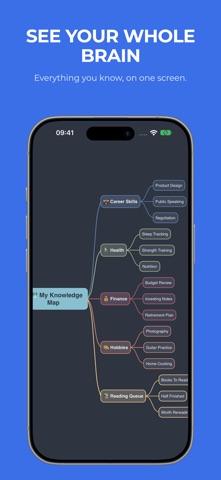
Converge: AI Mind Map is a productivity app developed by Bakhtiyor Khodjaev.
What is the rating of Converge: AI Mind Map?
Converge: AI Mind Map has no ratings yet.
Is Converge: AI Mind Map free?
Converge: AI Mind Map is free. The app size is 10.77 MB. The latest version available is 1.0.4. The last update was on September 26, 2026.
What are the requirements for Converge: AI Mind Map?
The app has a content rating of Everyone. The app has been available on the App Store since May 2026.
Description by Bakhtiyor Khodjaev(from the App Store)
Turn a PDF or your lecture notes into a clear mind map in seconds, then shape it with a swipe. Converge is the fastest way to see what you're thinking — and what you're studying.
AI STUDY MAPS FROM ANY PDF Drop in a PDF or text file and Converge's cloud AI pulls out the key ideas and builds a structured map you can edit, rearrange, and export. Great for textbook chapters, research papers, lecture notes, and long articles. Your first three imports are free. Pro includes 30 imports every month, and a failed import never counts against you.
SWIPE TO THINK Every action is a gesture. Swipe down to add a child idea. Swipe right to add a sibling. Swipe up to promote a branch, swipe left to collapse it. Drag any idea to move it. Tap to select, tap again to edit. No menus in the way.
FOUR LAYOUTS, ONE TAP APART The same map, four ways, with smooth animated transitions: • Mind Map — ideas branching out to both sides • Vertical — a top-down tree • Outline — a clean hierarchy for plans, essays, and revision • Free Thinking — organic clusters, no grid required
13 THEMES From crisp monochrome and warm paper to deep dark canvases inspired by popular code-editor themes. Each theme has its own palette, node shapes, and edge styles, so every map looks polished by default.
EXPORT ANYWHERE PDF for sharing and print, PNG for slides, Markdown for any text workflow.
FOCUS MODE Zoom in on one branch and let the rest fade away. Work one branch at a time on iPhone, or dim everything else on iPad.
ALSO INCLUDED • Cross-links to connect ideas across branches • Undo and redo, with a two-finger tap anywhere to undo • Search across every node • Eight starter templates: Blank, SWOT Analysis, Project Plan, Meeting Notes, Pros & Cons, Book Notes, Weekly Plan, and Brainstorm • A one-minute interactive tutorial • Keyboard shortcuts on iPad
CONVERGE PRO Free: up to 5 mind maps, 3 AI imports, and watermarked PDF/PNG exports. Pro: unlimited maps, watermark-free exports, and 30 AI imports a month. Available as a monthly or annual subscription.
PRIVATE BY DESIGN Your maps live on your device and in your own private iCloud. No account needed. Analytics are opt-in. AI Import sends the file you choose, plus a device identifier used to track your allowance. Generated results are kept for up to 30 days so interrupted imports can be recovered.
Terms of Use (EULA): https://www.apple.com/legal/internet-services/itunes/dev/stdeula/ Privacy Policy: https://silkway.studio/converge/privacy
Each subscription will automatically renew 3 days before the expiration date for
the same time period. Subscriptions can be cancelled at any time before the renewal.