

Convert: Batch Format Convert
Convert: Batch Format Convert is made and published by 远 吴. AppBrain is an independent app data site and isn't affiliated with 远 吴. The app name, icon, screenshots and description belong to 远 吴 and are shown as published on the App Store.
AppBrain's verdict
- Rating on App Store
- 5.00
- 2 ratings
- Last updated
- March 25, 2026
It doesn't have enough ratings yet to judge what users think.
Rankings
App Store top chartsApp Store Rankings for Convert: Batch Format Convert
Competitors
Similar apps and more from 远 吴Alternatives to Convert: Batch Format Convert





More from 远 吴


Releases
Updates seen on the App Store- Version
- 1.5.0
- Launched
- June 2023
No changelog data
User feedback
Ratings and reviews on the App StoreComments on Convert: Batch Format Convert for iOS
We don't have enough comments to show example comments. Please check back later.
Technology
Found in the app by AppBrain- Price
- Free
- App size
- 62.6 MB
- Content rating
- Everyone
Technologies used by Convert: Batch Format Convert
About the app and developer
About Convert: Batch Format Convert
Convert: Batch Format Convert is an utilities app developed by 远 吴.
User Ratings
Convert: Batch Format Convert is rated 5.00 out of 5 stars. The rating is based on 2 ratings.
App Information
Convert: Batch Format Convert is freely available from the App Store. The app size is 62.57 MB. The latest version available is 1.5.0. The last update was on March 25, 2026.
Technical Requirements
The app has a content rating of Everyone. The app has been available on the App Store since June 2023.
Developer information for 远 吴
Address:
Store listing
By 远 吴, from the App Store

Description by 远 吴 Written by the developer, not by AppBrain. Click to read.
【 Functional Features 】
+ Image format conversion, support batch conversion, support most formats
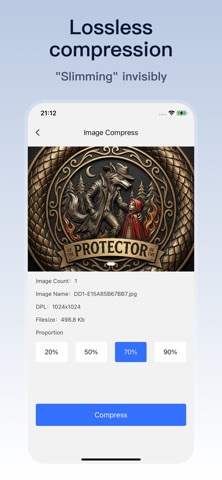
+ Image compression, support batch compression, support to formulate compression quality
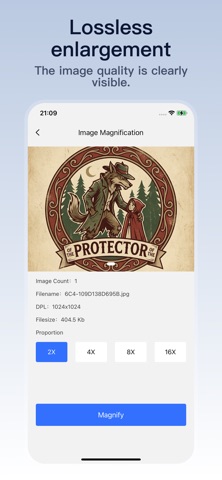
+ Image lossless magnification, support batch lossless magnification, make the picture clearer
Format conversion supports the following formats:
PNG, JPG, JPEG, GIF, PDF, SVG, BMP, EPS, ICO, TIFF, TGA, WBMP, WEBP
[Instructions for Continuous Subscription]
1. Subscription service: continuous (monthly/seasonal/annual) membership
2. Subscription period: one month/one quarter/one year; During the subscription period, users can experience the Vip membership function
3. Payment: After confirming the purchase, the payment will be deducted from the user's Apple iTunes account
4. Cancel Subscription: To cancel the auto-renewal, please turn off the auto-renewal at least 24 hours before the expiration of the subscription period. No charges will be charged after turning off the auto-renewal
5. Renewal: 24 hours before the expiration of a continuous (month/season/year) membership, Apple will automatically decharge the corresponding fee from your iTunes account. After success (month/season/year) membership service validity will be automatically extended for one period
6. Privacy policy: https://www.zaxplay.com
7. Continuous subscription agreement: https://www.zaxplay.com