

Convert image to pdf: PicDF
Convert image to pdf: PicDF is made and published by CODE CREATION STUDIO (PTY) LTD. AppBrain is an independent app data site and isn't affiliated with CODE CREATION STUDIO (PTY) LTD. The app name, icon, screenshots and description belong to CODE CREATION STUDIO (PTY) LTD and are shown as published on the App Store.
AppBrain's verdict
- Last updated
- October 16, 2026
Rankings
App Store top chartsApp Store Rankings for Convert image to pdf: PicDF
Competitors
Similar apps and more from CODE CREATION STUDIO (PTY) LTDAlternatives to Convert image to pdf: PicDF




 Offline Image Converter

More from CODE CREATION STUDIO (PTY) LTD


Also available on Google Play

Releases
Updates seen on the App Store- Version
- 1.1.1
- Launched
- April 2026
No changelog data
User feedback
Ratings and reviews on the App StoreComments on Convert image to pdf: PicDF for iOS
We don't have enough comments to show example comments. Please check back later.
Technology
Found in the app by AppBrain- Price
- Free
- App size
- 43.9 MB
- Content rating
- Everyone
Technologies used by Convert image to pdf: PicDF
About the app and developer
About Convert image to pdf: PicDF
Convert image to pdf: PicDF is a productivity app developed by CODE CREATION STUDIO (PTY) LTD.
User Ratings
The app has no ratings yet.
App Information
Convert image to pdf: PicDF is freely available from the App Store. The app size is 43.90 MB. The latest version available is 1.1.1. The last update was on October 16, 2026.
Technical Requirements
The app has a content rating of Everyone. The app has been available on the App Store since April 2026.
Developer information for CODE CREATION STUDIO (PTY) LTD
CODE CREATION STUDIO (PTY) LTD
Address:
Frequently asked questions about Convert image to pdf: PicDF
Is Convert image to pdf: PicDF free?
Yes. Convert image to pdf: PicDF is free on the App Store.
Is Convert image to pdf: PicDF still available?
Yes. Convert image to pdf: PicDF is on the App Store, and the last update we saw was on October 16, 2026.
How large is Convert image to pdf: PicDF?
Convert image to pdf: PicDF is 43.90 MB.
Is Convert image to pdf: PicDF suitable for children?
App Store rates the content of Convert image to pdf: PicDF as suitable for everyone.
Who made Convert image to pdf: PicDF?
Convert image to pdf: PicDF was developed by CODE CREATION STUDIO (PTY) LTD. It is listed in the productivity category on the App Store.
What are the best alternatives to Convert image to pdf: PicDF?
People looking at Convert image to pdf: PicDF also look at these productivity apps: PixelMemo, V-scanner, AI VoiceWriter, Oxmaint Work Order Maintenance, Growbot AI: Smart Gardening.
Store listing
By CODE CREATION STUDIO (PTY) LTD, from the App Store


Description by CODE CREATION STUDIO (PTY) LTD Written by the developer, not by AppBrain. Click to read.
Whether you need to send a signed contract, organize receipts, digitize lecture notes, or archive family photos, PicDF gives you instant, offline image-to-PDF conversion with complete privacy.
WHY CHOOSE PICDF?
• Instant Conversion: Convert JPG, PNG, and HEIC photos into clean PDF documents in seconds.
• Batch Processing: Combine multiple photos into a single, multi-page PDF file.
• Reorder with Ease: Simple drag-and-drop page reordering before creating your PDF.
• 100% Private: All conversions occur locally on your iPhone or iPad. Your personal photos are never uploaded to external servers.
• Works Offline: No internet connection required. Convert receipts, notes, and documents anywhere, anytime.
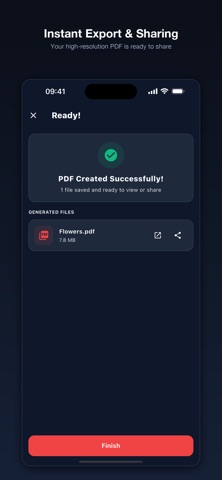
• Universal Sharing: Share your PDFs via AirDrop, Mail, Messages, WhatsApp, or save directly to the Apple Files app.
PERFECT FOR:
- Students: Turn handwritten notes and whiteboard pictures into study PDFs.
- Professionals: Scan receipts, invoices, and signed contracts on the go.
- Everyday Use: Digitize paper documents, ID cards, and recipes for safe keeping.
Upgrade to PicDF Pro for an ad-free experience and unlimited conversions.
Download PicDF now and create professional PDF documents in seconds!