

AppBrain's verdict
EstablishedLoved by users- Rating on App Store
- 4.67
- 106 ratings
- Last updated
- January 11, 2024
- Size
- 8.34 MB
Users love it: 4.7 stars from 106 ratings.
User feedback
Ratings and reviews on the App StoreComments on Convert pdf to excel for iOS
We don't have enough comments to show example comments. Please check back later.
Store listing
By Tu Phan, from the App StoreDescription by Tu Phan Written by the developer, not by AppBrain. Click to read.
Convert pdf to editable Excel file.
PDF format now is very popular because of its convenience as small size, highcompatibility with the many devices, include font, and prevent from copying and editing.
However, it is difficult for users who want to use the text content of PDF files to other text editor or edit PDF content.
Do you want to change pdf to Excel file? How to convert pdf to Excel ?? This app will help you Convert PDF to XLS and XLSX(convert pdf to Excel )
The advantages of the app:
- This is pdf to Excel converter online
- Small pdf converter, no danger permission.
- Completely free, ads are quite small and friendly, no effect to user.
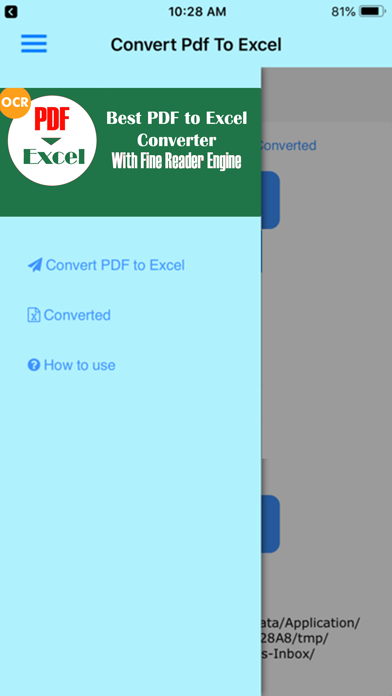
- Interface of app is very professionally designed, beautiful and easy to use.
- Text recognition accuracy to 95%.
- Allows user to specify the language of the source PDF document to improve of text recognitions.
- File Excel after complete conversion can edit, copy, update as normal.
- Support pdf to xls converter and xlsx file format which are the most popular.
- Convert is made online convert pdf to Excel so not require advanced phone.
- Convert is very fast,consuming less network traffic Wifi or 3G.
- File will be automatically deleted after conversion, complete privacy.
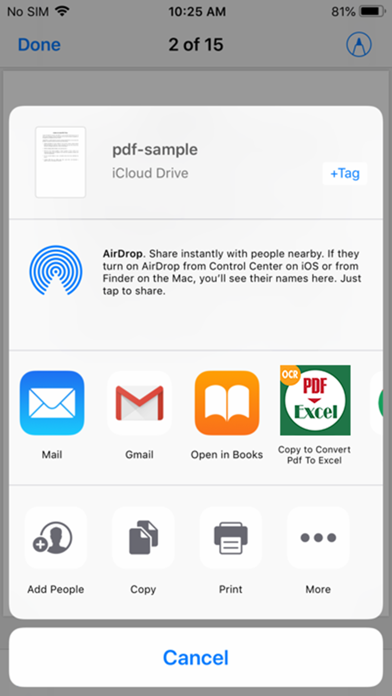
- Support multi source of PDF ( from local storage, Google Driver, OneDriver, Dropbox,...).
- Manage file XLS (XLSX)converted in tab "Converted" with app "converter pdf to Excel"
- Convert pdf to xls very fast, no need wait 1 hour, 100% free! Pro, unlimit, no need buying anything to convert pdf to Excel.
How to use pdf convert to Excel :
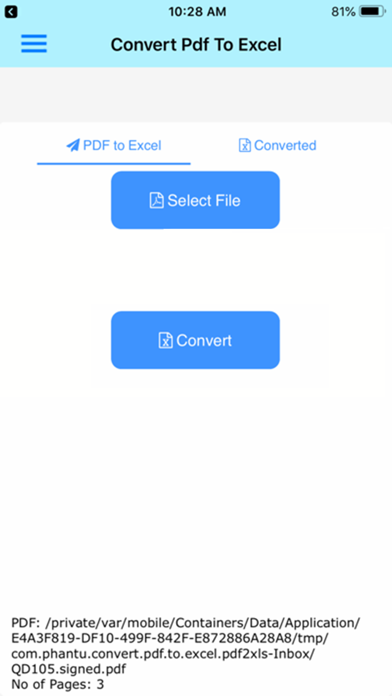
- First, you need to select PDF file in your phone or your tablet by clicking the "Select File" dialogbox.
Note : you should rename PDF to not have special characters, PDF file must dont have password and in first version only 20 pages PDF files.
App will help you choice PDF , you can manual select or auto scan PDF on your phone and select.
You can open Dropbox, Google Driver, OneDriver,... to select your PDF.
- After select PDF file, you can select the output format as Excel Xls or Xlsx files.
- An importantoption for identifying app, that is part select "Language of text files source," such you want to convert a document PDF in English,you should select it to "English" , will help to convert quick and have correct result, app will automatically save this option, so the next time you dont to need to select again.
- Finally, you justclick the "Convert", all remaining operations app will automatically perform for you.
- App will notice for you and go to convert online!You will get notice when it complete convert pdf to Excel file!.
Usually 2-3 minutes to complete or longer if your PDF is lager!Conversion time is quite quickly, you should choose right source language for best results.
Hopefully with this little app will help you in work and learning.
Because of time and skill have limited, app can hardly avoid error, i hope to receive comments of users!
Safety and technology
Found in the app by AppBrain- Price
- Free
- App size
- 8.34 MB
- Content rating
- Everyone
Technologies used by Convert pdf to excel
Releases
Updates seen on the App Store- Version
- 5.5
- Launched
- February 2019
No changelog data
Alternatives
Similar apps and more from Tu PhanAlternatives to Convert pdf to excel




More from Tu Phan





Rankings
App Store top chartsApp Store Rankings for Convert pdf to excel
About the app and developer
About Convert pdf to excel
Convert pdf to excel is a productivity app developed by Tu Phan.
User Ratings
Convert pdf to excel is rated 4.67 out of 5 stars. The rating is based on 110 ratings.
App Information
Convert pdf to excel is freely available from the App Store. The app size is 8.34 MB. The latest version available is 5.5. The last update was on January 11, 2024.
Technical Requirements
The app has a content rating of Everyone. The app has been available on the App Store since February 2019.
Convert pdf to excel is made and published by Tu Phan. AppBrain is an independent app data site and isn't affiliated with Tu Phan. The app name, icon, screenshots and description belong to Tu Phan and are shown as published on the App Store.
Developer information for Tu Phan
Address:
Frequently asked questions about Convert pdf to excel
Is Convert pdf to excel free?
Yes. Convert pdf to excel is free on the App Store.
Is Convert pdf to excel still available?
Yes. Convert pdf to excel is on the App Store, and the last update we saw was on January 11, 2024.
How large is Convert pdf to excel?
Convert pdf to excel is 8.34 MB.
Is Convert pdf to excel suitable for children?
App Store rates the content of Convert pdf to excel as suitable for everyone.
How do people rate Convert pdf to excel?
Convert pdf to excel scores 4.67 out of 5 stars, from 106 ratings on the App Store.
Who made Convert pdf to excel?
Convert pdf to excel was developed by Tu Phan. It is listed in the productivity category on the App Store.
What are the best alternatives to Convert pdf to excel?
People looking at Convert pdf to excel also look at these productivity apps: Scan & Copy, Save2PDF for iPhone, Graph Paper Gen, Image to PDF Converter Editor, PulseQSO.