

Coro. is made and published by uto toshiki. AppBrain is an independent app data site and isn't affiliated with uto toshiki. The app name, icon, screenshots and description belong to uto toshiki and are shown as published on the App Store.
AppBrain's verdict
- Last updated
- February 3, 2025
Rankings
App Store top chartsApp Store Rankings for Coro.
Competitors
Similar apps and more from uto toshikiAlternatives to Coro.





More from uto toshiki








Releases
Updates seen on the App Store- Version
- 3.2
- Launched
- July 2015
No changelog data
User feedback
Ratings and reviews on the App StoreComments on Coro. for iOS
We don't have enough comments to show example comments. Please check back later.
Technology
Found in the app by AppBrain- Price
- Free
- App size
- 8.07 MB
- Content rating
- Low
Technologies used by Coro.
About the app and developer
About Coro.
Coro. is a games app developed by uto toshiki.
User Ratings
The app has no ratings yet.
App Information
Coro. is freely available from the App Store. The app size is 8.07 MB. The latest version available is 3.2. The last update was on February 3, 2025.
Technical Requirements
The app has a content rating of Low Maturity. The app has been available on the App Store since July 2015.
Developer information for uto toshiki
Address:
Frequently asked questions about Coro.
Is Coro. free?
Yes. Coro. is free on the App Store.
Is Coro. still available?
Yes. Coro. is on the App Store, and the last update we saw was on February 3, 2025.
How large is Coro.?
Coro. is 8.07 MB.
Is Coro. suitable for children?
App Store gives Coro. a low maturity rating, so it is meant for older children and up.
Who made Coro.?
Coro. was developed by uto toshiki. It is listed in the games category on the App Store.
What are the best alternatives to Coro.?
People looking at Coro. also look at these games apps: Smart Ball Travel, 三色迷阵-点亮你的想象力, Hexa One Line Drawing, Stickman Jungle Archery Hero, Blenx.
Store listing
By uto toshiki, from the App Store
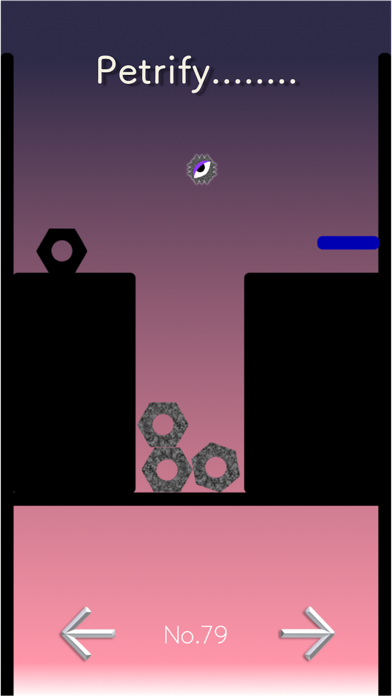
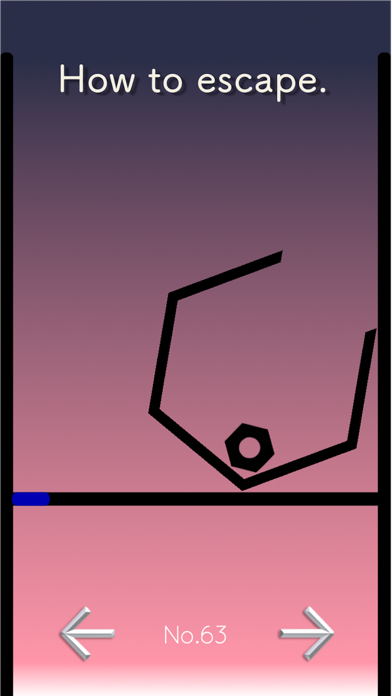
Description by uto toshiki Written by the developer, not by AppBrain. Click to read.
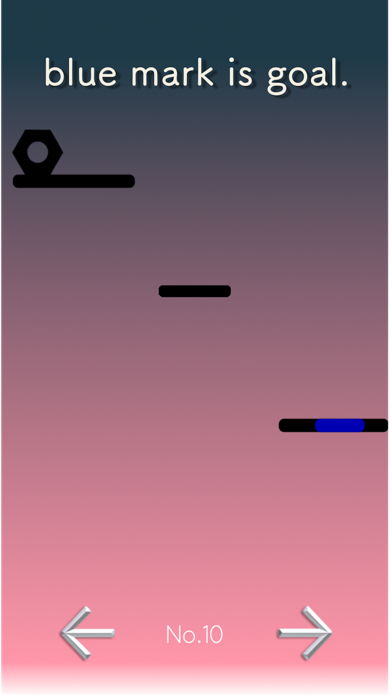
please move nut to blue place.
Operation
control key is two button(arrow right and left).
long press is the rolling nut.(moving)
tap is the jump nut.(jumping)
You can play game with your one touch.
What is needed, effort .
Let's try "Coro.".
if you touch screen center in the game progress,
pause screen appear.
There is the stop sound in setting(Home).