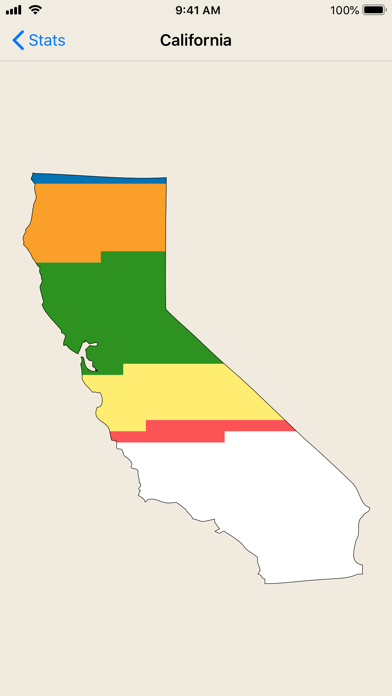
Countdown Maps is an overall app developed by David Allen.
Download Statistics
User Ratings
Countdown Maps is rated 4.29 out of 5 stars. The rating is based on 21 ratings.
App Information
Countdown Maps costs $2.99 to download. The APK download size is 19.57 MB. The latest version available is 1.14.1. The last update was on October 18, 2025.
Technical Requirements
The app has a content rating of Everyone. The app has been available on Google Play February 2014.
Description
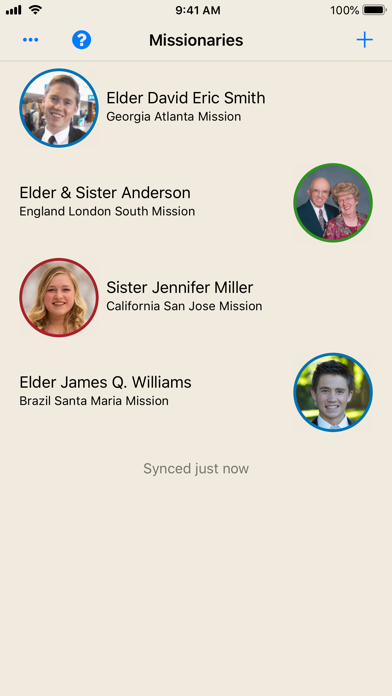
The Countdown Maps Mobile App is a fun and convenient way to keep track of your missionaries. Whether they are your children, parents, family, or friends, you can track as many Elders, Sisters, or Couples as you wish and incorporate as many details as you like. This is perfect for parents, families, bishops, and anyone who has friends or family serving missions. Here are some of the features:
Missionaries Page – Shows all of the missionaries you are tracking and where they are serving. Photos can be inserted as a visual reminder. This list can be sorted alphabetically or by the date that they return home.
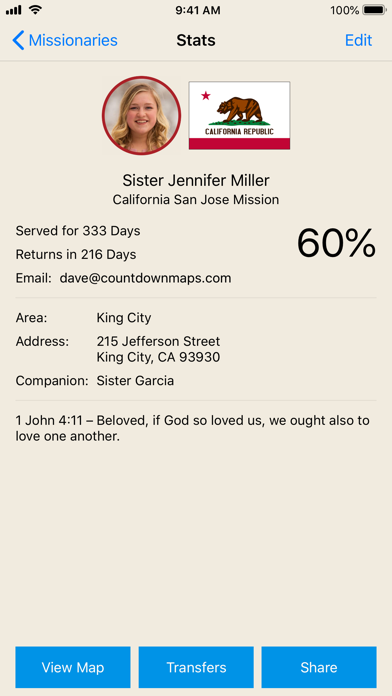
Missionary Stats – If you tap on a missionary from the list, you can see all of the information about that missionary including their picture, the flag of the state or country where they are serving, days served, days remaining, percent complete, email address, mailing address, current companion(s), and a favorite scripture or quote. The email address is also a direct link to your email, so that you can start an email to them from this view. You can also put in a future departure date and it will countdown the days until they leave.
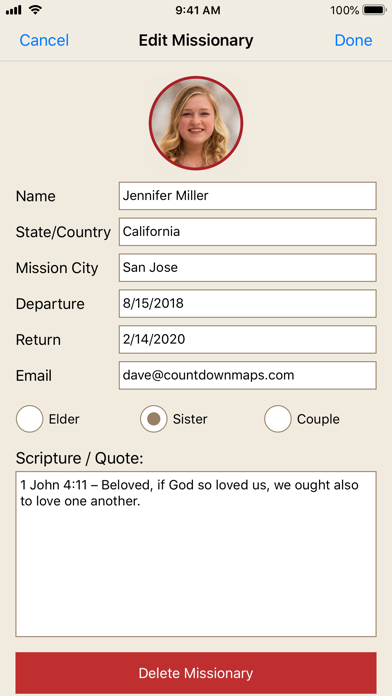
Missionary Edit Page – Edit the missionary’s information to make updates to picture, area, departure and return dates, email address, and quotes.
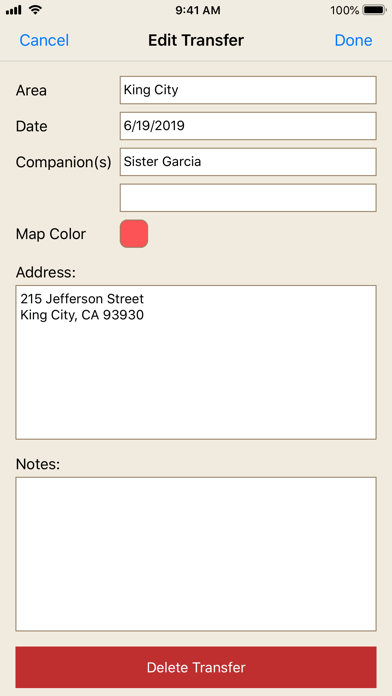
Transfers – If you click on the View Transfers button, you see a list of all the transfers that have been entered. From here you can add new transfers or companions or edit existing ones. On the Edit Transfer page, you can enter their current area, companion, date of the transfer, choose a color for the map, enter their mailing address, and add notes about that things that are going on in that area. Information from the most recent transfer is moved onto the Stats page.
View Map – If you click on the View Map button, you will see an outline map of the country or state where that missionary is serving. This map is automatically filled in as the days go by to show their progress in the map. Colors coordinate with the Transfers list – you can changes colors based on areas, companion, by transfer, or whatever you would like. Have fun, be creative.
Share – This button allows you to send the missionary’s email address, mailing address, and other information in a variety of formats (text, PDF, Link) using several sharing methods (message, email, Facebook, etc.). User can choose which information to send and in what format. This is a quick and easy way to send contact information to family or friends who want to write to them and keeps people updated in social media. Copy & Paste functionality is also enabled through the Share button. The PDF format also serves as a permanent record of the missionaries activities when their mission is completed.
Sync – The sync feature provides the ability to save a copy of your data to a secure cloud account. From here, you can sync your data across multiple devices and protect against data loss when upgrading devices or in the event of a device failure. To use this feature, just create a Sync Account.
This is the perfect app for keeping up on your missionaries on a daily basis and it brings all of the relevant information together in a fun and creative way.
Subscribe to see full ranking history in this country
AppBrain offers valuable information about your app and those of your competitors. Join AppBrain for free and claim this app to view more ranking data, view history etc.
Each subscription will automatically renew 3 days before the expiration date for
the same time period. Subscriptions can be cancelled at any time before the renewal.