

CounTik - Count anything
CounTik - Count anything is made and published by masayoshi onuki. AppBrain is an independent app data site and isn't affiliated with masayoshi onuki. The app name, icon, screenshots and description belong to masayoshi onuki and are shown as published on the App Store.
AppBrain's verdict
Established- Rating on App Store
- 4.44
- 9 ratings
- Last updated
- October 18, 2026
It doesn't have enough ratings yet to judge what users think.
Rankings
App Store top chartsApp Store Rankings for CounTik - Count anything
Competitors
Similar apps and more from masayoshi onukiAlternatives to CounTik - Count anything






More from masayoshi onuki



Releases
Updates seen on the App Store- Version
- 1.8.7
- Launched
- March 2020
No changelog data
User feedback
Ratings and reviews on the App StoreComments on CounTik - Count anything for iOS
We don't have enough comments to show example comments. Please check back later.
Technology
Found in the app by AppBrain- Price
- Free
- App size
- 31.2 MB
- Content rating
- Everyone
Technologies used by CounTik - Count anything
About the app and developer
About CounTik - Count anything
CounTik - Count anything is an utilities app developed by masayoshi onuki.
User Ratings
CounTik - Count anything is rated 4.44 out of 5 stars. The rating is based on 9 ratings.
App Information
CounTik - Count anything is freely available from the App Store. The app size is 31.15 MB. The latest version available is 1.8.7. The last update was on October 18, 2026.
Technical Requirements
The app has a content rating of Everyone. The app has been available on the App Store since March 2020.
Developer information for masayoshi onuki
Address:
Store listing
By masayoshi onuki, from the App Store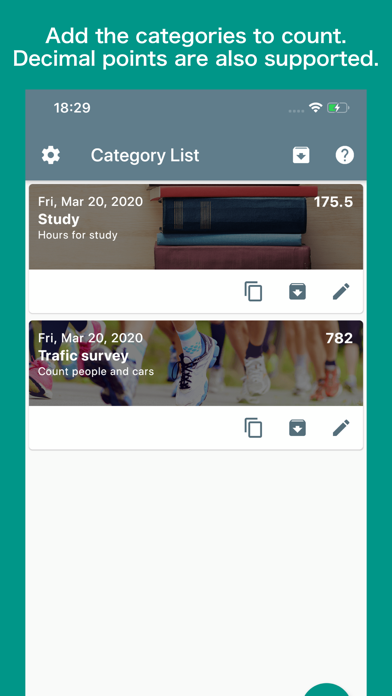

Description by masayoshi onuki Written by the developer, not by AppBrain. Click to read.
It is used for refrigerator food, inventory and stock management, traffic surveys, study time / muscle training time management, game win / loss management, pachinko / pachislot child counters, vote, etc.
You can create categories and manage multiple counters within a category, so you can manage different types with this one app.
If there are things around you that you are counting, it is an application that can be active.
■■Main functions■■
□Count management
・Categories can be created.
・Multiple countersYou can be created within a category.
・Names and colors can be specified for multiple counters.
・You can sort them.
・You can archive archived categories that you no longer use.
□Count functions
・It supports both count up and count down.
・You can specify the number to be counted by one tap for each category.
・Numerical values can be selected for each category in integer units and decimal point units.
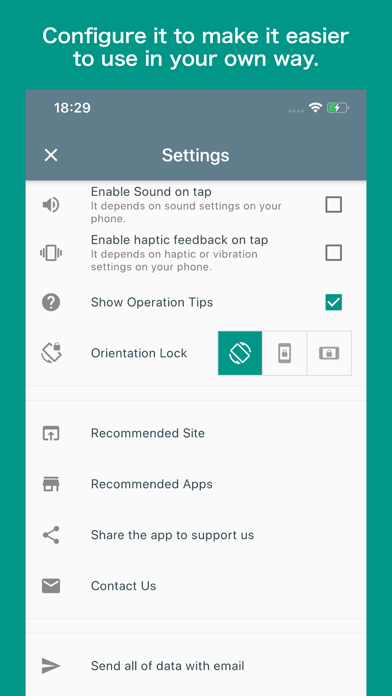
・You can also play sounds or vibrate when counting.
□Other functions
・It supports both vertical and horizontal screens.
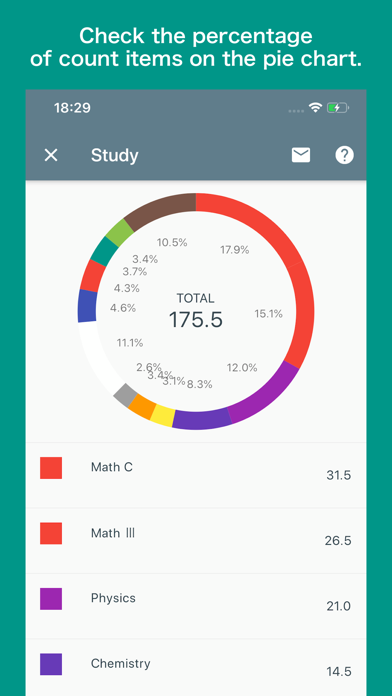
・Total values are displayed for each category, each label or each color and percentages can be seen at a glance in the pie chart.
・The counting result can also be sent by e-mail.
・The pie chart and count list can be captured on the screen and saved and shared.
・The size of the counter to be tapped can be changed in five levels.