

CPTE Portal
CPTE Portal is made and published by CPTE Portal. AppBrain is an independent app data site and isn't affiliated with CPTE Portal. The app name, icon, screenshots and description belong to CPTE Portal and are shown as published on the App Store.
AppBrain's verdict
- Rating on App Store
- 5.00
- 1 ratings
- Last updated
- May 12, 2026
It doesn't have enough ratings yet to judge what users think.
Rankings
App Store top chartsApp Store Rankings for CPTE Portal
Competitors
Similar apps and more from CPTE PortalAlso available on Google Play

Releases
Updates seen on the App Store- Version
- 6.9.5
- Launched
- January 2026
No changelog data
User feedback
Ratings and reviews on the App StoreComments on CPTE Portal for iOS
We don't have enough comments to show example comments. Please check back later.
Technology
Found in the app by AppBrain- Price
- Free
- App size
- 42.5 MB
- Content rating
- Medium
Technologies used by CPTE Portal
About the app and developer
About CPTE Portal
CPTE Portal is a health & fitness app developed by CPTE Portal.
User Ratings
CPTE Portal is rated 5.00 out of 5 stars. The rating is based on one rating ratings.
App Information
CPTE Portal is freely available from the App Store. The app size is 42.46 MB. The latest version available is 6.9.5. The last update was on May 12, 2026.
Technical Requirements
The app has a content rating of Medium Maturity. The app has been available on the App Store since January 2026.
Developer information for CPTE Portal
Address:
Store listing
By CPTE Portal, from the App Store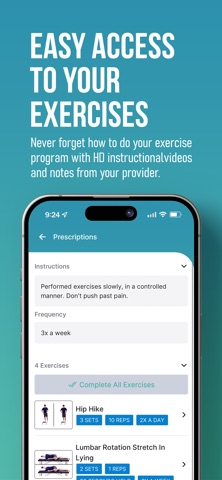


Description by CPTE Portal Written by the developer, not by AppBrain. Click to read.
Using this app, you can access your personalized Home Exercise Program with HD Instructional videos. On the 'Messages' tab, you can securely communicate with your CPTE Portal provider. As you make progress in your program, you'll earn virtual trophies and achievement badges to celebrate your milestones! Visit the 'Awards' tab to see your achievements and track your progress.
On the 'Awards' tab, you can track these items. Prefer a language other than English? Go to the 'More' tab and select 'Languages' to pick another language option. If you need to book an appointment, please go to the 'Appointments' tab for more info. Make sure to select 'Mark as Complete' when doing your exercises to ensure that your provider can keep track of your progress!
You must be a CPTE Portal patient to gain access. This app integrates with your phone's Motion and Fitness activity framework to read daily step count data allowing your provider to monitor your activity.