AppBrain
AppBrain
  • Apps
  • Apps being viewed right now Trending apps today Most popular apps All-time most installed apps Top rated apps iPhone and iPad apps
  • Intelligence ▾
    Intelligence overview → Track any Android app or your whole market
    Track & analyze
    Keyword Tracker & OptimizerTrack & improve Play rankings App Performance ReportOne-off PDF for any app StatisticsFree Android & Play market stats
    Promote your app
    Featured Apps App Links
  • Intelligence
  • Pricing
  • Dashboard
  • Sign up
  • Log in
App Store Apps > Education > CPU Simulator
App profile & analytics · Education · Data updated 2026-10-13
CPU Simulator icon

CPU Simulator

by Andrew Palombo · Free · Version 0.1
Availability On the App Store since January 2021 ↗
Rating on App Store
3.60/5
5 ratings
Rating
3.60
5 reviews
Best rank
–
not in the top lists
Last updated
January 23, 2021
0.1
AppBrain's verdict Established

It doesn't have enough ratings yet to judge what users think.

CPU Simulator is made and published by Andrew Palombo. AppBrain is an independent app data site and isn't affiliated with Andrew Palombo. The app name, icon, screenshots and description belong to Andrew Palombo and are shown as published on the App Store.

About CPU Simulator

CPU Simulator is an education app developed by Andrew Palombo.

What is the rating of CPU Simulator?

CPU Simulator is rated 3.60 out of 5 stars, based on 5 ratings.

Is CPU Simulator free?

CPU Simulator is free. The app size is 2.34 MB. The latest version available is 0.1. The last update was on January 23, 2021.

What are the requirements for CPU Simulator?

The app has a content rating of Everyone. The app has been available on the App Store since January 2021.

Description by Andrew Palombo (from the App Store)
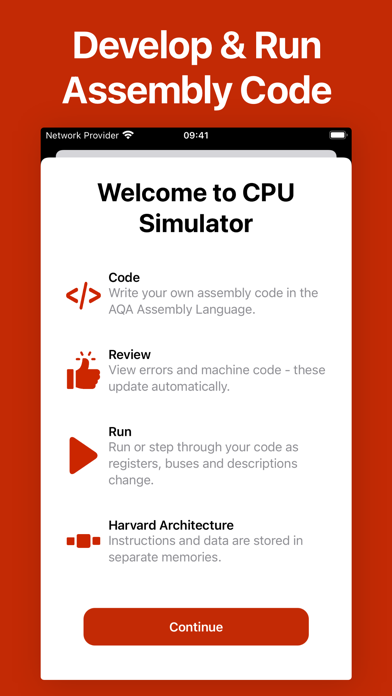
CPU Simulator is intended for students studying A-Level AQA Computer Science, who need to understand certain information on how a computer’s CPU functions. Specifically, the fetch-decode-execute cycle and how components of the processor change at each stage – depending on the code being run.

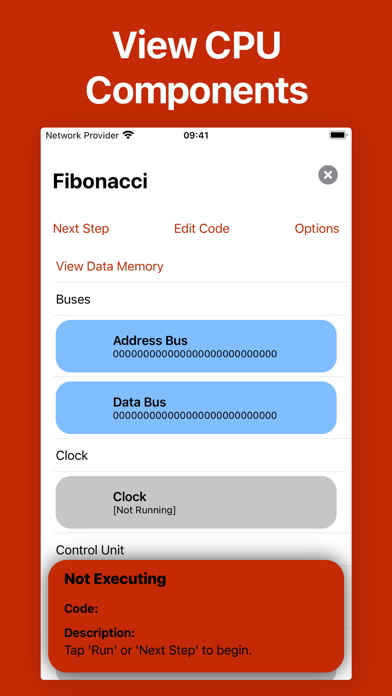
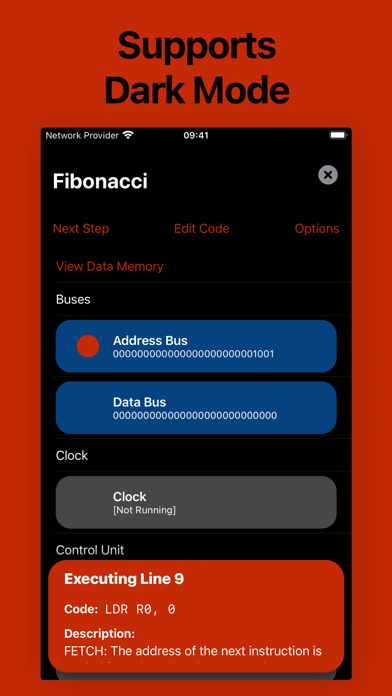
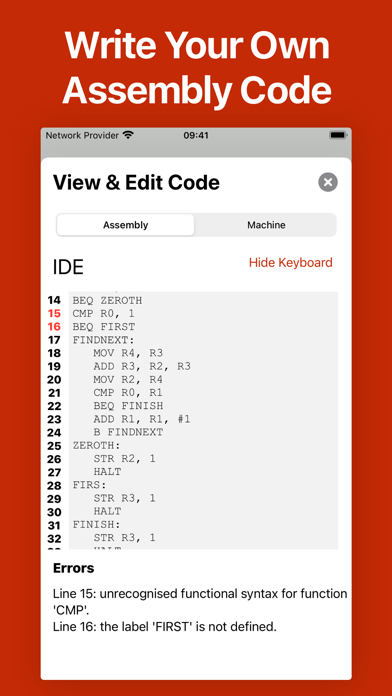
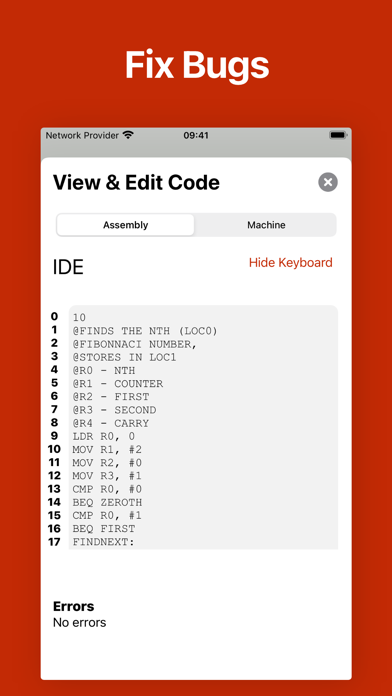
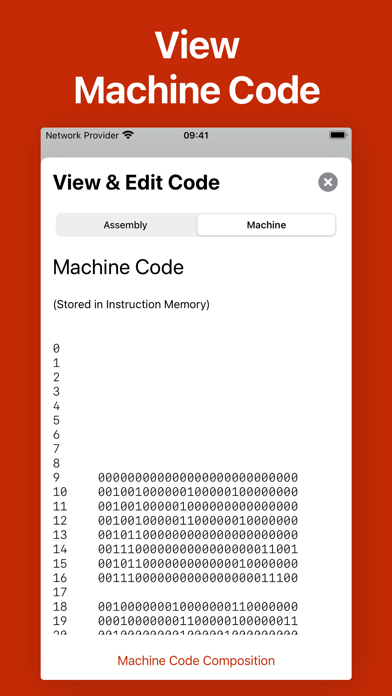
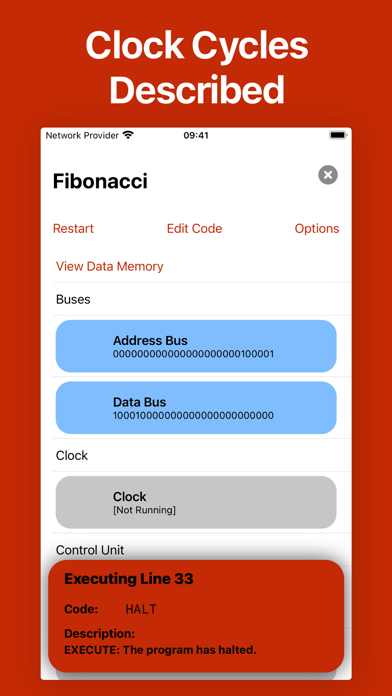
An interactive interface shows the components of the CPU, their contents, a description of what has changed in one clock cycle, an IDE to develop assembly code, an interface to view corresponding machine code, an interface to change preferences and more.

Components you can track:
• Address Bus
• Data Bus
• Clock
• Program Counter (PC)
• Current Instruction Register (CIR)
• Memory Address Register (MAR)
• Memory Buffer Register (MBR)
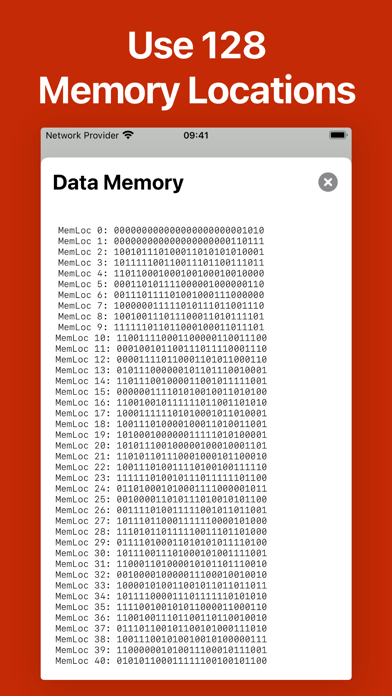
• 128 General Purpose Registers
• Arithmetic Logic Unit (ALU)
• Status Register
• 128 Data Memory Locations
• Instruction Memory

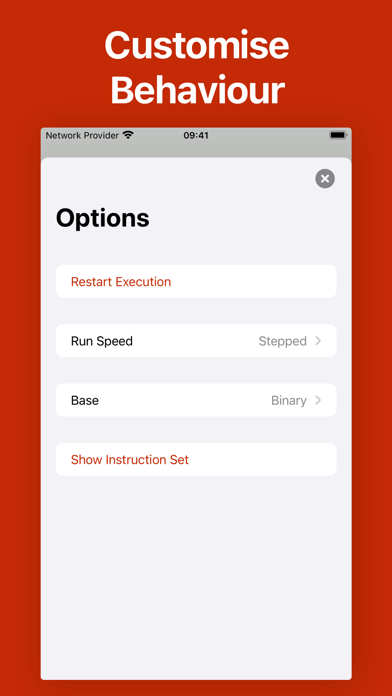
Options you can change:
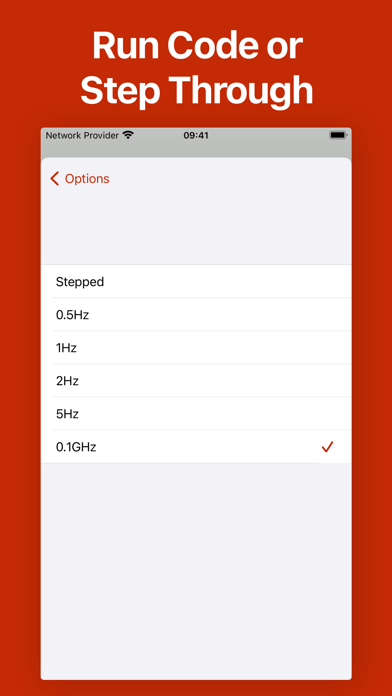
• Run Speed (including stepped mode)
• Number Base

This is a document-based application which means that you can create and run an unlimited number of unique simulations, save and share them.

This app is primarily intended to help teach ‘4.7.3.2 The Fetch-Execute cycle and the role of registers within it’ of the AQA A-Level specification, using the Harvard Architecture.
Show more Show less

Screenshots

CPU Simulator Screenshot 1 of 10
CPU Simulator Screenshot 2 of 10
CPU Simulator Screenshot 3 of 10
CPU Simulator Screenshot 4 of 10
CPU Simulator Screenshot 5 of 10
CPU Simulator Screenshot 6 of 10
CPU Simulator Screenshot 7 of 10
CPU Simulator Screenshot 8 of 10
CPU Simulator Screenshot 9 of 10
CPU Simulator Screenshot 10 of 10
Screenshots by Andrew Palombo, from the the App Store listing
Official page on the App Store

Alternatives to CPU Simulator

Compile C - Run .c Code icon Compile C - Run .c Code
OnePercent
3.0
Free
3 ratings
Kotlin Compiler - Run .kt Code icon Kotlin Compiler - Run .kt Code
OnePercent
0.0
Free
Classics Coder icon Classics Coder
Roger Boesch
3.0
Free
3 ratings
Compile+ - All in 1 Compiler icon Compile+ - All in 1 Compiler
OnePercent
3.5
Free
11 ratings
CirQuit icon CirQuit
Adam Smith
5.0
Free
1 ratings
System Activity Monitor Widget icon System Activity Monitor Widget
Zamalabs Yazılım ve Bilgi Teknolojileri Limited Şirketi
3.0
Free
1 ratings
JavaScript Compiler - Run .js icon JavaScript Compiler - Run .js
OnePercent
2.7
Free
3 ratings
Java Tutorial - Simplified icon Java Tutorial - Simplified
OnePercent
0.0
Free

Changelog of CPU Simulator

No changelog data

Developer information for Andrew Palombo

Andrew Palombo

Address:

Share CPU Simulator

Comments on CPU Simulator for iOS

We don't have enough comments to show example comments. Please check back later.

App Store Rankings for CPU Simulator

This app is not ranked

Technologies used by CPU Simulator

Frequently asked questions about CPU Simulator

Is CPU Simulator free?

Yes. CPU Simulator is free on the App Store.

Is CPU Simulator still available?

Yes. CPU Simulator is on the App Store, and the last update we saw was on January 23, 2021.

How large is CPU Simulator?

CPU Simulator is 2.34 MB.

Is CPU Simulator suitable for children?

App Store rates the content of CPU Simulator as suitable for everyone.

How do people rate CPU Simulator?

CPU Simulator scores 3.60 out of 5 stars, from 5 ratings on the App Store.

Who made CPU Simulator?

CPU Simulator was developed by Andrew Palombo. It is listed in the education category on the App Store.

What are the best alternatives to CPU Simulator?

People looking at CPU Simulator also look at these education apps: Compile C - Run .c Code, Kotlin Compiler - Run .kt Code, Classics Coder, Compile+ - All in 1 Compiler, CirQuit.

Apps other people are watching Today's trending apps Price drops on Google Play Popular Education Apps Top new apps
Compile C - Run .c Code icon Compile C - Run .c Code
Kotlin Compiler - Run .kt Code icon Kotlin Compiler - Run .kt Code
Classics Coder icon Classics Coder
Compile+ - All in 1 Compiler icon Compile+ - All in 1 Compiler
CirQuit icon CirQuit
System Activity Monitor Widget icon System Activity Monitor Widget
JavaScript Compiler - Run .js icon JavaScript Compiler - Run .js
Java Tutorial - Simplified icon Java Tutorial - Simplified
Overview Alternatives Reviews Rankings Technology
AppBrain Intelligence premium content

Subscribe now to get full and unlimited access to AppBrain Intelligence. You'll have access to:

  • App Intelligence dashboard (performance timeline, competitor comparison, country rankings, insight cards)
  • Detailed ranking data per app
  • Full timeline per developer
  • Device market shares data per country
  • Unlimited keyword tracking
1 Month

$75/mo
(billed every month)

SAVE 0%
Subscribe
3 Months

$65/mo
($195 billed every 3 months)

SAVE 13%
Subscribe
1 Year

$57.50/mo
($690 billed every year)

SAVE 23%
Subscribe
Each subscription will automatically renew 3 days before the expiration date for the same time period. Subscriptions can be cancelled at any time before the renewal.

AppBrain is an app data site, we track rankings, ratings, installs for all apps and games on Google Play and the App Store. AppBrain doesn't host app files or APKs, all install links go directly to the official store. All trademarks are owned by their respective owners. As an Amazon Associate AppBrain earns from qualifying purchases.

More apps

  • Top Android apps being viewed
  • whittle: AI To-Do List & Notes
  • View Kids Tap and Color
  • TRIPP: Calm Focus Sleep Ascend

App statistics

  • Android statistics
  • Google Play Developer stats
  • Trending Android Apps
  • Trending iOS apps
  • Top popular Apps
  • Buy the best Android phone
  • Buy & sell app businesses

About AppBrain

  • Contact
  • Privacy
  • Documentation
  • DMCA takedowns
  • Articles
  • Blog
  • The AppBrain advertising system
© 2010-2026 - AppBrain