CreamLedger is a smart companion for a small business run by one person or a few:
a trade, a workshop, a market stall, a studio, an online shop.
It keeps the books — money in and money out, invoices, stock, jobs, and the tax to
set aside — and it does far more of the typing than a ledger usually does. Bring in
the file your bank gives you. Hand it a photo of a receipt. Ask a question in your
own words.
BRING IN WHAT YOU ALREADY HAVE
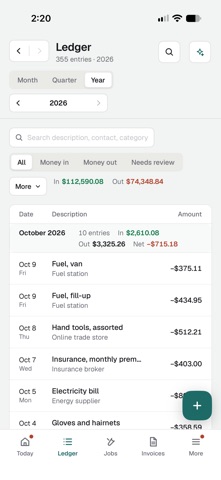
• A statement downloaded from your bank or card as OFX, QFX or QBO goes straight in.
It is matched against what is already in your books, so nothing is counted twice.
• A CSV from a spreadsheet, a payment service or a marketplace: say which column is
the date, the amount and the note, check the preview, and confirm.
• Nothing is written until you confirm, and a whole import can be undone afterwards.
AN ASSISTANT THAT READS THE PAPERWORK
Connect an AI model and give it a photo or a screenshot of a receipt, a supplier's
PDF, a spreadsheet or a document. It reads the amount, the date and who it was from,
and drafts the entries for you. It can file a freshly imported statement into your
categories, draft an invoice or a payment reminder, sort tool purchases, and point
out what looks like a duplicate.
Every change arrives as a card showing exactly what would be saved. Nothing goes
into your books until you press the button, and the assistant can never delete
anything.
ASK ABOUT YOUR BUSINESS
How did last month compare with the one before? Where did the money go this
quarter? Who owes me, and what should I reorder this week? Ask it to look over the
whole business and it answers from your own figures: what stands out, what needs
you, and what to do about it next.
The everyday questions are answered on your device, with no AI connected at all.
YOUR KEY, YOUR CHOICE OF MODEL
The assistant runs on a model from Anthropic, OpenAI or Google, using an API key you
get from them and pay them for directly. Your question and the records needed to
answer it go straight from your device to the provider you chose — never through
us. Customer and supplier names are hidden by default, and you can set a monthly
limit on how much it uses. Everything else in the app works in full without a key.
EVERYTHING A SMALL BUSINESS KEEPS
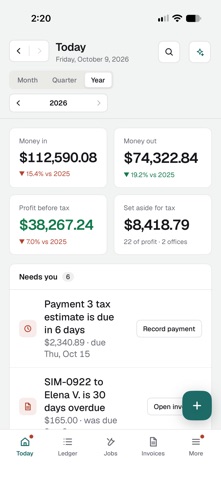
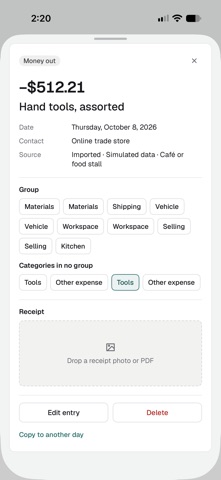
• Income and expenses, with receipts attached to them
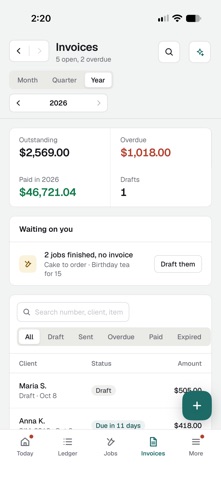
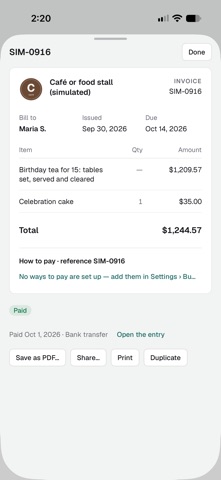
• Invoices to print, email or share as a PDF, with your logo and how to pay
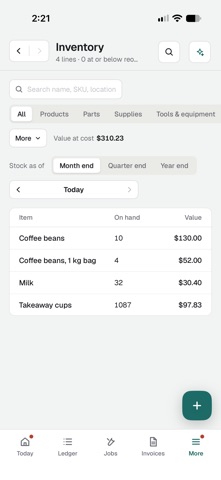
• Stock: what you hold, what it cost, what it is worth, counted as of any date
• Tools and equipment, and what they are still worth
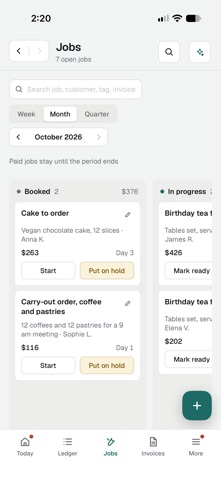
• Jobs on a board, from booked in to done: repairs, orders or bookings
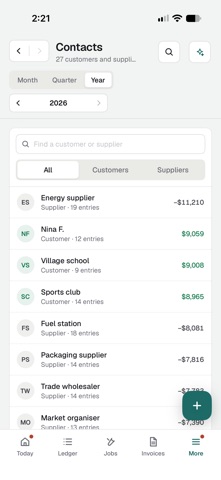
• Customers and suppliers, and what each has paid or is owed
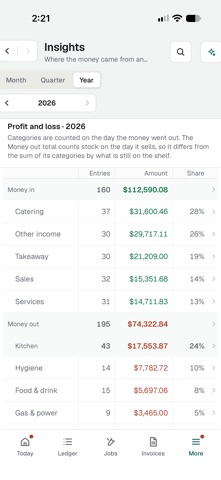
• Reports: profit and loss, year on year, who paid what, stock at period end
• Tax to set aside, estimated at your own rates
• Spending caps that tell you before you have gone past them
• Backups with the receipts in them, spreadsheets, and a records bundle any other
program can read
EASY TO START
Pick a ready-made set of categories for your kind of business. Or add a simulated
business — ten years of made-up books — to try everything on, and remove it again
in one step.
YOUR BOOKS STAY YOURS
There is no CreamLedger account, no server of ours, no adverts, no analytics and no
tracking. Your records live on your devices and in your own iCloud, in step across
iPhone, iPad and Mac. Nothing leaves them unless you send it: an export, an invoice,
or a question to the AI provider you picked.
FIRST MONTH FREE
Start the free month and use everything. After that the monthly subscription
continues unless you cancel. Without a subscription your books stay open to read and
to export; adding to them and importing need one. The AI provider's own charges are
separate and are billed by them.
Tax figures are estimates from rates you enter. They are not tax advice.
Terms of Use: https://www.apple.com/legal/internet-services/itunes/dev/stdeula/
Show more
Show less