

Cricut Design Space
Cricut Design Space is made and published by Cricut, Inc. AppBrain is an independent app data site and isn't affiliated with Cricut, Inc. The app name, icon, screenshots and description belong to Cricut, Inc. and are shown as published on the App Store.
AppBrain's verdict
EstablishedLoved by users- Rating on App Store
- 4.74
- 745,606 ratings
- Last updated
- October 19, 2026
- Size
- 405.4 MB
Users love it: 4.7 stars from 745,606 ratings.
User feedback
Ratings and reviews on the App StoreComments on Cricut Design Space for iOS
We don't have enough comments to show example comments. Please check back later.
Store listing
By Cricut, Inc., from the App Store


Description by Cricut, Inc. Written by the developer, not by AppBrain. Click to read.
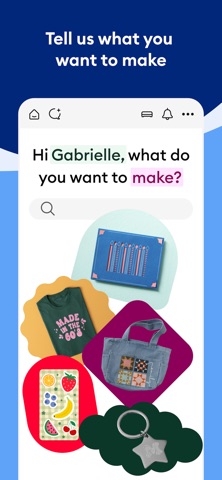
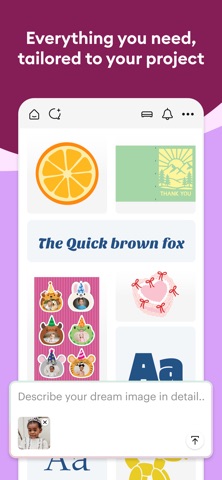
Start your project from scratch or browse thousands of images, ready-to-make projects, and unique fonts in the Cricut Image Library.
Create from anywhere, any time inspiration sparks with cloud-based syncing across devices.
Make the most of every last scrap with the SnapMat™ feature.
Connect to your compatible Cricut cutting machine with a Bluetooth® connection.
Experience brand-new features like kerning, spell check, right-to-left text & more by upgrading your device to iOS 14 or above.
New to Cricut? Welcome! To use this companion Design Space app, first activate your new machine at cricut.com/setup
Existing members with Cricut Joy™ machines? For fun or functional projects in 15 minutes or less, use the companion Cricut Joy™ app.
Features:
• Over 50,000 FREE images, fonts & projects
• Upload & edit your own compatible image files (jpg, .bmp, .png, .gif, .svg, and .dxf)
• Browse Cricut fonts or use your own system fonts
• Cut predesigned Make It Now projects quickly & easily
• Make cards, invitations, 3D models & more
• Design home & party decor, jewelry, and fashion accessories
• Get perfect cut settings for your material type
• Visualize & position artwork on scrap material with SnapMat™ feature
• Access images & projects and make purchases on cricut.com or Design Space with Cricut ID.
• Setup & activate machine right from app
• Bluetooth® capability (Bluetooth adapter may be required, sold separately)
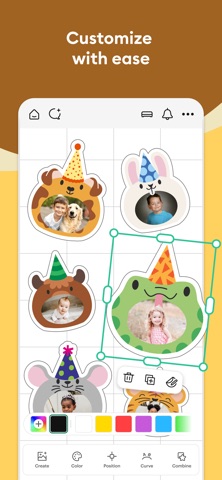
• Easily position, resize & rotate text
• Kerning for fonts
• Follow step-by-step project instructions
• Ready-to-make mug designs
• Auto-save projects
Cricut Access:
https://cricut.com/legal#terms-of-use
Safety and technology
Found in the app by AppBrain- Price
- Free
- App size
- 405.4 MB
- Content rating
- Medium
Technologies used by Cricut Design Space
Releases
Updates seen on the App Store- Version
- 6.82.0
- Launched
- June 2014
No changelog data
Alternatives
Similar apps and more from Cricut, Inc.Alternatives to Cricut Design Space





More from Cricut, Inc.

Rankings
App Store top chartsApp Store Rankings for Cricut Design Space
About the app and developer
About Cricut Design Space
Cricut Design Space is a graphics & design app developed by Cricut, Inc.
What is the rating of Cricut Design Space?
Cricut Design Space is rated 4.74 out of 5 stars, based on 750 thousand ratings.
Is Cricut Design Space free?
Cricut Design Space is free. The app size is 405.40 MB. The latest version available is 6.82.0. The last update was on October 19, 2026.
What are the requirements for Cricut Design Space?
The app has a content rating of Medium Maturity. The app has been available on the App Store since June 2014.
Developer information for Cricut, Inc.
Address: