

CropSize: Image Resizer Editor
CropSize: Image Resizer Editor is made and published by Aliaksei Khutarshchykau. AppBrain is an independent app data site and isn't affiliated with Aliaksei Khutarshchykau. The app name, icon, screenshots and description belong to Aliaksei Khutarshchykau and are shown as published on the App Store.
AppBrain's verdict
EstablishedLoved by users- Rating on App Store
- 4.70
- 412 ratings
- Last updated
- June 17, 2026
- Size
- 9.91 MB
Users love it: 4.7 stars from 412 ratings.
User feedback
Ratings and reviews on the App StoreComments on CropSize: Image Resizer Editor for iOS
We don't have enough comments to show example comments. Please check back later.
Store listing
By Aliaksei Khutarshchykau, from the App Store


Description by Aliaksei Khutarshchykau Written by the developer, not by AppBrain. Click to read.
As an essential element of your editing arsenal, CropSize plays a distinctive role as it allows to specify exact sizes and positions for image crop and resize, where other apps offer only approximate solutions. It also provides detailed information throughout the editing process, making your experience more transparent and intuitive. Additionally, the app's ability to operate in various units of measurement can notably streamline your workflows.
With these comprehensive features, CropSize ensures you have the control you need to achieve your editing goals:
PHOTO CROP
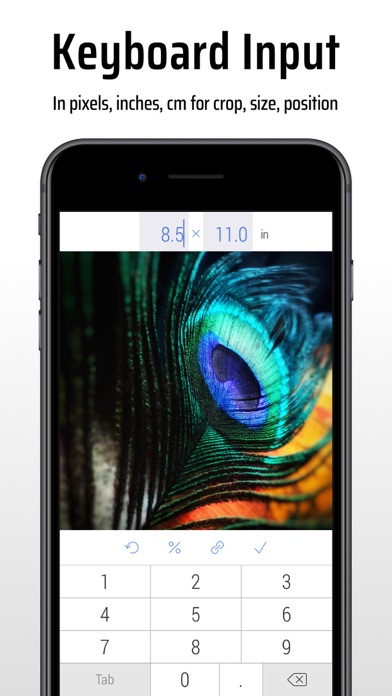
• Crop photos in Standard and Inverse Crop modes, using pixels, inches, centimeters, or percentages
• Adjust the size and position of the crop frame using gestures or by entering values on the keyboard
• Rotate images smoothly within a 0-360° range with a slider or specify rotation angle via keyboard (Long press slider)
• Change the crop aspect ratio using customizable presets (Long press Ratio button)
• Adjust the crop position and size by one pixel in correction mode (Tap a marker)
• View crop-specific image details, including size, position, rotation, and estimated file size
IMAGE RESIZE
• Resize images in Stretch, Insert, Clip, and Canvas Size modes, using pixels, inches, centimeters, or percentages
• Specify exact image size via the keyboard or customizable presets, up to 9000 x 9000 pixels (81 megapixels)
• Resize proportionally with a percentage slider or specify the relative size via the keyboard (Long press slider)
• Adjust position using gestures and one-pixel corrections for Insert, Clip, and Canvas Size modes
• Preview changes in actual size
• View resize-specific image details, including size, offset, and estimated file size
PHOTO FILTER
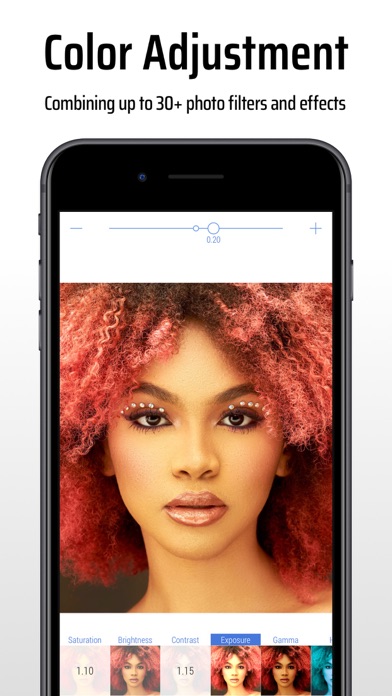
• Apply any combination of photo filters and effects, including Chrome, Bloom, Vignette, Sepia, Sharpen, Blur, and more
• Adjust filter intensity using a slider or horizontal on-screen gestures
• View changes Before / After using two-finger gestures
BATCH PROCESSING & WORKFLOWS
• Edit multiple photos simultaneously, applying the same combinations of crop, resize, color, orientation, and metadata changes to all of them
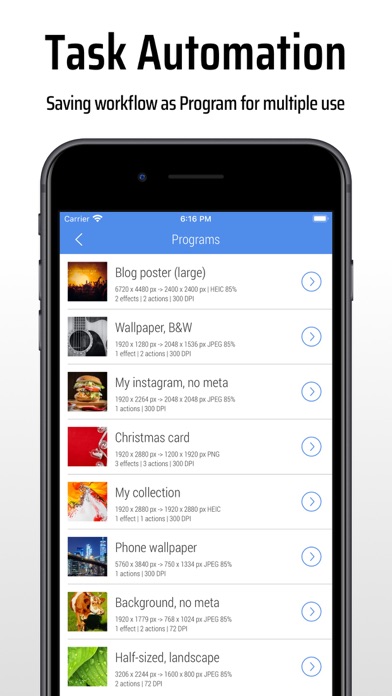
• Use workflows by saving entire editing sessions as reusable Programs on the History screen, and accessing them from the Load screen
• Edit up to 50 photos shared with CropSize from other apps or the Photo Library
PHOTO METADATA
• View image details on the Load and Metadata screen
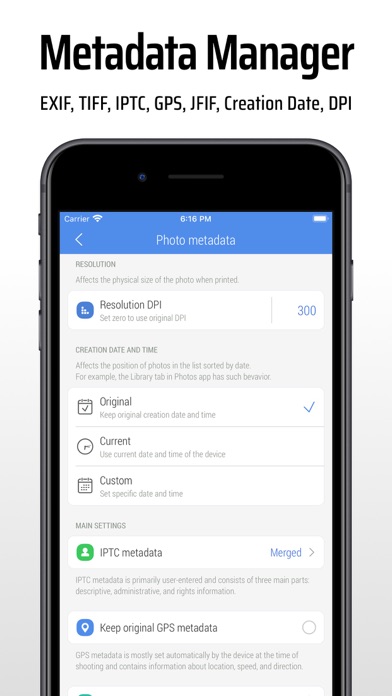
• Update photo DPI and creation date
• Provide information and copyrights using up to 25 fields of IPTC metadata
• Remove original GPS, EXIF, TIFF, and JFIF details from your photos
• Create and manage multiple metadata profiles for better organization
IMAGE ORIENTATION:
• Flip and rotate images using one-finger swipe gestures on the Main and Batch Processing screen
SHARE AND PRINT:
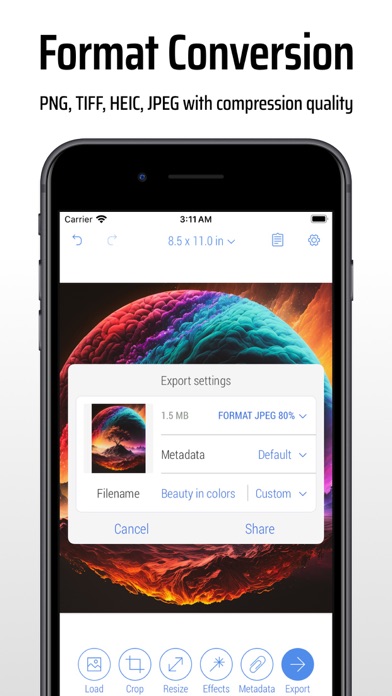
• Choose export formats: Auto, PNG, TIFF, JPEG, and HEIC, with compression quality for JPEG and HEIC
• Specify metadata settings using one of your previously created metadata profiles
• Configure export filenames using original values, custom entries, or filename patterns
• Save images to the Photo Library, automatically organizing Results and Originals into a convenient album structure
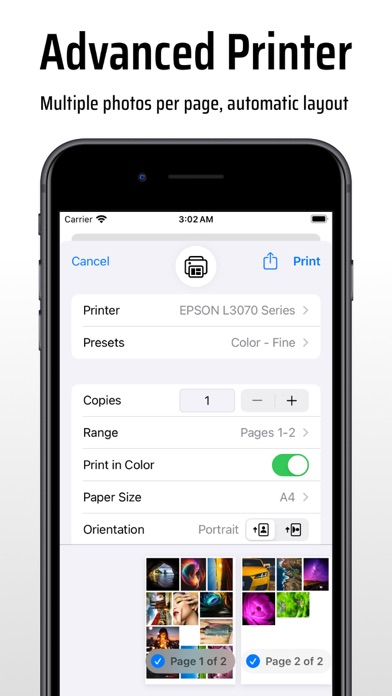
• Print multiple photos on A4, Letter, and other page sizes using exclusive “Print Plus” option from sharing menu
GUIDES
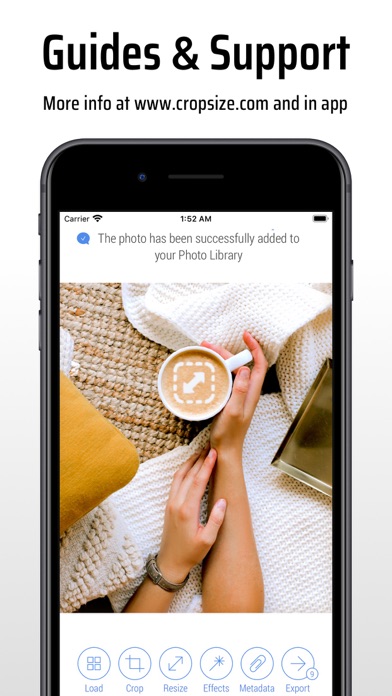
• Explore our step-by-step guides: https://www.cropsize.com/guides
• Watch the video overview of main features: https://vimeo.com/188002923
Safety and technology
Found in the app by AppBrain- Price
- $4.99
- App size
- 9.91 MB
- Content rating
- Everyone
Technologies used by CropSize: Image Resizer Editor
Releases
Updates seen on the App Store- Version
- 5.5.7
- Launched
- November 2013
No changelog data
Alternatives
Similar apps and more from Aliaksei KhutarshchykauAlternatives to CropSize: Image Resizer Editor







More from Aliaksei Khutarshchykau


Rankings
App Store top chartsApp Store Rankings for CropSize: Image Resizer Editor
About the app and developer
About CropSize: Image Resizer Editor
CropSize: Image Resizer Editor is a photo & video app developed by Aliaksei Khutarshchykau.
User Ratings
CropSize: Image Resizer Editor is rated 4.70 out of 5 stars. The rating is based on 410 ratings.
App Information
CropSize: Image Resizer Editor costs $4.99. The app size is 9.91 MB. The latest version available is 5.5.7. The last update was on June 17, 2026.
Technical Requirements
The app has a content rating of Everyone. The app has been available on the App Store since November 2013.
Developer information for Aliaksei Khutarshchykau
Address: