

CuaderNote: Study Companion
CuaderNote: Study Companion is made and published by Distributed Ledger SLU. AppBrain is an independent app data site and isn't affiliated with Distributed Ledger SLU. The app name, icon, screenshots and description belong to Distributed Ledger SLU and are shown as published on the App Store.
AppBrain's verdict
- Last updated
- October 15, 2026
Rankings
App Store top chartsApp Store Rankings for CuaderNote: Study Companion
Competitors
Similar apps and more from Distributed Ledger SLUAlternatives to CuaderNote: Study Companion


Releases
Updates seen on the App Store- Version
- 0.49.0
- Launched
- September 2026
No changelog data
User feedback
Ratings and reviews on the App StoreComments on CuaderNote: Study Companion for iOS
We don't have enough comments to show example comments. Please check back later.
Technology
Found in the app by AppBrain- Price
- Free
- App size
- 31.6 MB
- Content rating
- Everyone
Technologies used by CuaderNote: Study Companion
About the app and developer
About CuaderNote: Study Companion
CuaderNote: Study Companion is an education app developed by Distributed Ledger SLU.
What is the rating of CuaderNote: Study Companion?
CuaderNote: Study Companion has no ratings yet.
Is CuaderNote: Study Companion free?
CuaderNote: Study Companion is free. The app size is 31.59 MB. The latest version available is 0.49.0. The last update was on October 15, 2026.
What are the requirements for CuaderNote: Study Companion?
The app has a content rating of Everyone. The app has been available on the App Store since September 2026.
Developer information for Distributed Ledger SLU
Address:
Store listing
By Distributed Ledger SLU, from the App Store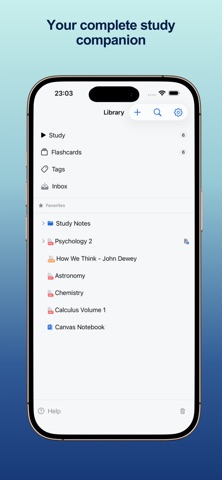

Description by Distributed Ledger SLU Written by the developer, not by AppBrain. Click to read.
CuaderNote brings notes, freeform canvases, reading, annotation, and flashcards into one native workflow. Capture an idea, connect it to what you are reading, turn it into a card, and review it without moving your study material between apps.
WRITE
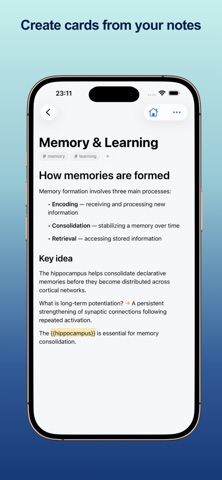
Create focused notes with a block-based editor designed for learning. Structure ideas, connect related notes, and turn what you write into flashcards using simple inline syntax.
DRAW
Think visually on a freeform canvas. Handwrite with Apple Pencil on iPad, sketch diagrams, add shapes, and keep visual notes beside the rest of your library.
READ
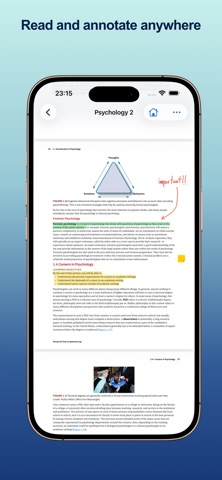
Import PDFs and EPUBs or save web articles. Highlight, annotate, draw directly on PDFs, and keep a companion note beside your reading.
REMEMBER
Review everything in one place with FSRS spaced repetition. Create question-and-answer, cloze, image occlusion, and set-based cards, then focus each session on what is due.
AI STUDY TOOLS
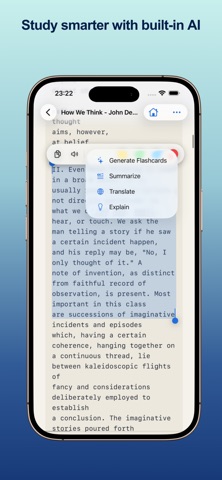
When you choose to use them, AI tools can suggest flashcards, summarize or explain selected text, translate passages, generate LaTeX, and extract text from images. An optional account is required only for these tools.
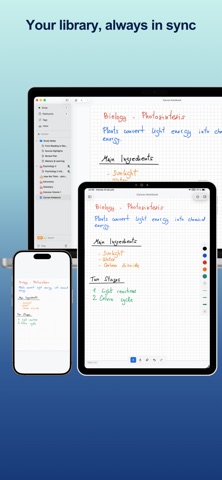
CuaderNote is built natively for iPhone, iPad, and Mac. Your study library is local-first and can stay in sync across your devices with iCloud.
Write. Draw. Read. Remember.