

CubePal: Solve like a Pro!
CubePal: Solve like a Pro! is made and published by Emilian Brenici. AppBrain is an independent app data site and isn't affiliated with Emilian Brenici. The app name, icon, screenshots and description belong to Emilian Brenici and are shown as published on the App Store.
AppBrain's verdict
Established- Rating on App Store
- 4.40
- 5 ratings
- Last updated
- February 16, 2025
It doesn't have enough ratings yet to judge what users think.
Rankings
App Store top chartsApp Store Rankings for CubePal: Solve like a Pro!
Competitors
Similar apps and more from Emilian BreniciAlternatives to CubePal: Solve like a Pro!







More from Emilian Brenici

Releases
Updates seen on the App Store- Version
- 2.10
- Launched
- March 2020
No changelog data
User feedback
Ratings and reviews on the App StoreComments on CubePal: Solve like a Pro! for iOS
We don't have enough comments to show example comments. Please check back later.
Technology
Found in the app by AppBrain- Price
- Free
- App size
- 18.7 MB
- Content rating
- Everyone
Technologies used by CubePal: Solve like a Pro!
About the app and developer
About CubePal: Solve like a Pro!
CubePal: Solve like a Pro! is an education app developed by Emilian Brenici.
User Ratings
CubePal: Solve like a Pro! is rated 4.40 out of 5 stars. The rating is based on 5 ratings.
App Information
CubePal: Solve like a Pro! is freely available from the App Store. The app size is 18.67 MB. The latest version available is 2.10. The last update was on February 16, 2025.
Technical Requirements
The app has a content rating of Everyone. The app has been available on the App Store since March 2020.
Developer information for Emilian Brenici
Address:
Store listing
By Emilian Brenici, from the App Store



Description by Emilian Brenici Written by the developer, not by AppBrain. Click to read.
Solve, customize, and share cubes and algorithms anytime, anywhere, and enhance your solving skills.
Key Features:
• Variety of Puzzles: Solve 2×2×2, 3×3×3, 4×4×4, and 5×5×5 cubes and supercubes.
• Scramble Generator: Effortlessly create fresh scrambles.
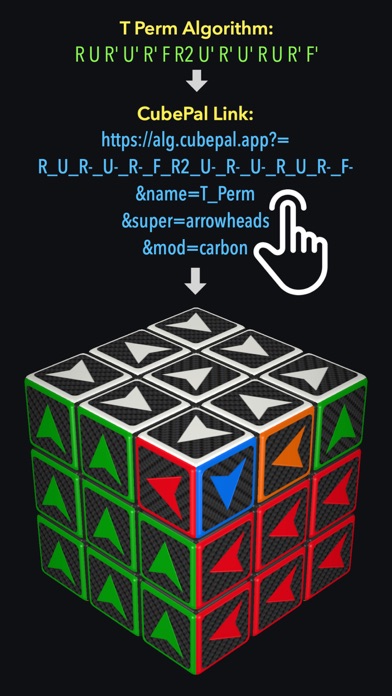
• CubePal Links: Share and open cubes and algorithms from anywhere.
• Customization: Personalize cubes with a wide range of sticker mods and color schemes.
• Color Picker: Build custom color schemes with millions of colors.
• Algorithm Manager: Modify, rotate, reflect, reverse, invert, and permute algorithms. Supports all 48 cube symmetries.
• Solving Progress: Track your progress with an automatic timer and turn metrics.
• Undo/Redo: Enhance the solving experience with easy undo/redo options.
• Ergonomic One-Handed Mode: Intuitive interface for one-handed use.
• Autosave: Automatically saves your progress for easy continuation.
• Notation Flexibility: Switch between various algorithm notations.
• UI Customization: Adjust the user interface to suit your preferences.
• Dark/Light Mode: Auto or manual switch for your preferred theme.
• Realistic Feedback: Enjoy real cube sounds, haptic and motion feedback.
Technical Characteristics:
• Compatible with iPhone and iPad (iOS 14+).
• Built and optimized for the latest iOS version.
• Enhanced 3D graphics with fluid animation.
Free Version:
Fully-featured 3×3×3 cube and supercubes with limited access to other cubes and features.
Pro Version:
Unlock the full potential with unlimited cubes, algorithms, and an ad-free experience.